

A Simple Immersive Setup Guide
I enjoy anything that makes Microsoft Flight Simulator feel less like a computer program and more like an actual flight. Passenger2 can help with that by adding passengers, cabin crew, announcements, boarding and reactions to the way you fly.
The part that may put some people off is the airline-management side. Creating routes, managing finances and operating a virtual airline may appeal to some flight simmers, but it is not what everyone wants. Personally, I am more interested in the atmosphere it can add to an ordinary flight.
This guide explains how to use Passenger2x in its simplest form with Microsoft Flight Simulator 2024. We will use Load & Go, which lets Passenger2 handle most of the background work while you concentrate on flying.
FlightSimulationShowcase Verdict
| Helps make the simulator feel more real? | ✅ Yes |
| Performance impact | 🟢 Low |
| Learning curve | 🟢 Easy in Load & Go mode |
| Value for money | ★★★★☆ |
| Would I recommend it? | ✅ Yes, for airline flying |
| Would I install it again? | ✅ Yes |
Quick Answer
The easiest way to use Passenger2x in MSFS 2024 is to select Load & Go. This mode removes the airline finances, route management and most of the setup. Start MSFS 2024 at a parking gate, prepare your aircraft, open Passenger2x and create a flight using your departure, destination and aircraft details.
Passenger2 can then provide boarding activity, cabin announcements, passenger reactions, in-flight service and a report at the end. You do not need to build a virtual airline to enjoy the passenger side of the program. Passenger2x runs separately from MSFS and connects to it on the same computer.
What Does Passenger2 Add to MSFS 2024?
Microsoft Flight Simulator does an excellent job of putting us in the cockpit, but it does not always give us much sense that anyone is travelling behind us. We can prepare the aircraft, follow the flight plan and land at the destination, yet the cabin often feels completely separate from the experience.
Passenger2x is designed to add that missing human side. It simulates passengers, cabin services, crew interaction, announcements and passenger responses to what happens during the flight. It can monitor such things as delays, rough flying, diversions and the way the flight is handled.
It does not place individually animated passengers in every seat. The immersion comes through sounds, information, cabin activity and the feeling that you’re flying now affects the people on board.
Worth Knowing: Passenger2x is not an aircraft add-on and does not change your aircraft’s flight model or systems. It runs as a separate program and adds a passenger and airline layer around the flight.
Passenger2x Modes Explained
Passenger2x includes three main ways to use the program. Choosing the correct one makes a considerable difference to how complicated it feels.
Advanced Mode
Advanced Mode opens the full airline-management system. You can create routes, manage fleets, adjust services, operate loyalty programs and deal with the financial side of running an airline.
There is plenty here for someone who wants a long-term virtual airline project, but it is considerably more than we need for a simple immersive flight.
Simple Mode
Simple Mode reduces some of the management. You still manage a fleet, but you do not have to become involved in the full route and financial system.
This may be worth exploring later if you enjoy Passenger2 and want a little more involvement without taking on everything.
Load & Go
Load & Go is the mode I recommend for this guide.
The developer describes it as the option with no airline management. The program handles the service choices and lets you get directly into the flight.
This is the best starting point for someone who simply wants:
- Passenger boarding and cabin atmosphere
- Cabin crew announcements
- Passenger reactions
- In-flight services
- A reason to fly smoothly
- A report at the end of the flight
You can always investigate Simple or Advanced Mode later. There is no need to begin there.
What You Need Before Starting
Passenger2x supports Microsoft Flight Simulator 2024 and 2020, as well as several other flight simulators. For MSFS 2024, it connects through SimConnect and runs on the same computer as the simulator. You do not need a second computer or tablet.
Before starting, you will need:
- Microsoft Flight Simulator 2024 installed and working
- A Passenger2x licence
- The free Passenger2 Manager
- An active internet connection
- A suitable passenger aircraft
- Your departure and destination airports
Passenger2x requires an internet connection when it loads for activation, updates and online functions. It is therefore worth checking your connection before beginning a flight.
How to Install Passenger2x
- Purchase Passenger2x from the official Passenger2 website.
- Download and install Passenger2 Manager.
- Open Passenger2 Manager and sign in to your account.
- Activate your Passenger2x licence.
- Use the Manager to download and install the current version.
- Install any free sound or aircraft DLC you intend to use.
- Open Passenger2x once before your first proper flight and check its settings.
Passenger2 Manager is the control centre used for activation, updates and management of the Passenger2 products. Keeping the program updated through the Manager is preferable to downloading files manually.
Important Note: Menu wording and screen positions may change as Passenger2x is updated. The overall process should remain similar, but use the current on-screen prompts if they differ slightly from this guide.
This is the basic sequence I would use for an ordinary airline flight. The aim is to keep Passenger2 in the background rather than spend half an hour managing the add-on before we leave the gate.
1. Plan a Suitable Flight
Choose a normal passenger route and aircraft. A short flight of roughly 45 minutes to two hours is ideal while learning the program.
For example:
- Sydney to Melbourne
- Brisbane to Sydney
- Melbourne to Hobart
- Newcastle to Brisbane
You can plan the route in SimBrief, the MSFS World Map or your preferred flight-planning program. Passenger2 does not replace your normal flight planning.
2. Start MSFS 2024 at a Parking Gate
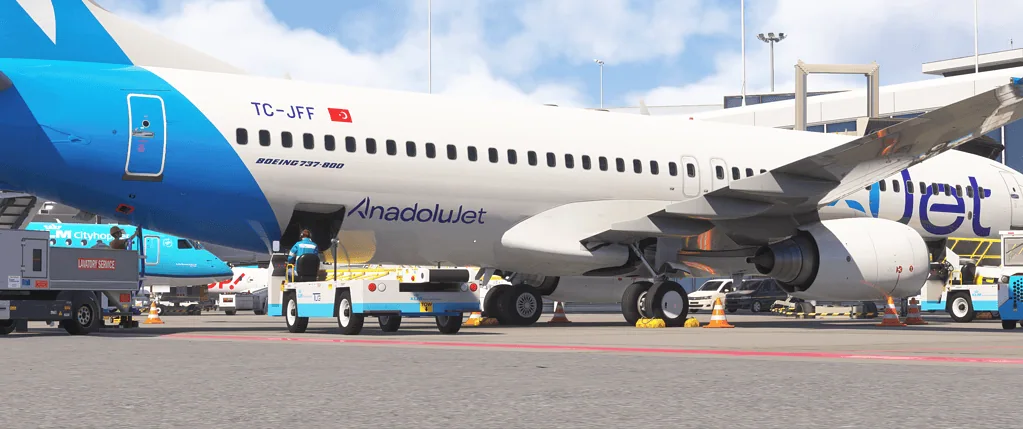
I recommend beginning at a parking gate with the aircraft in a cold-and-dark or turnaround state. Passenger2 can still be used when starting elsewhere, but a gate gives the whole process a proper beginning.
Starting at a gate allows you to experience:
- Pre-flight preparation
- Passenger boarding
- Cabin and boarding sounds
- Door closure
- Safety announcements
- Pushback and taxi
Beginning on the runway skips much of what makes a passenger add-on worthwhile.
3. Prepare the Aircraft
Before beginning boarding, complete the basic cockpit preparation. Depending on the aircraft, this may include:
- Battery or ground power connected
- Navigation lights set correctly
- Flight plan loaded
- Fuel entered
- Payload checked
- Departure performance prepared
- Parking brake set
- Passenger doors open
You do not have to complete every cockpit procedure before opening Passenger2, but it helps to have the aircraft stable at the gate.
4. Open Passenger2x
Start Passenger2x and allow it to connect to MSFS 2024. Check that the correct simulator is selected in the Passenger2 settings.
The connection should normally be automatic once MSFS is running and the aircraft has loaded. Passenger2x uses SimConnect for Microsoft Flight Simulator.
5. Select Load & Go
Choose Load & Go rather than Advanced or Simple Mode.
This tells Passenger2 that you do not want to manage routes, finances, contracts or a virtual airline. The program will make many of the service decisions for you.
6. Enter the Flight Details
Follow the flight setup screen and enter or confirm the important information requested by Passenger2. This will generally include details such as:
- Departure airport
- Destination airport
- Aircraft type
- Expected flight time
- Passenger or service information
Make sure your departure and destination match the flight loaded in MSFS. Entering the wrong airport can affect the completion and reporting of the flight.
7. Start Boarding
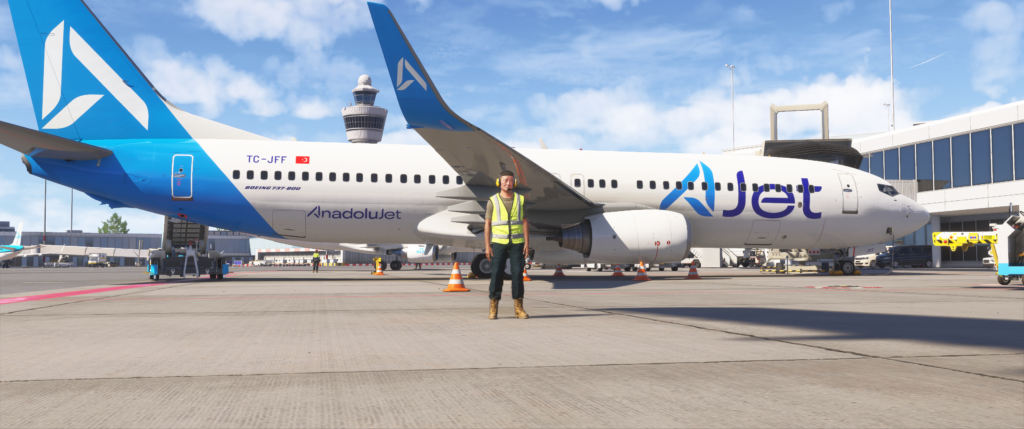
Once the flight is ready, begin the boarding process. Leave the parking brake on and keep the passenger door open while boarding takes place.
This is where Passenger2 begins to make the aircraft feel occupied. Depending on your chosen settings and installed audio, you may hear boarding sounds, cabin ambience, music and crew announcements.
Beginner Tip: Do not rush your first flight. Let the boarding sequence play and watch how Passenger2 moves through each stage. Once you understand the timing, it becomes easy to fit it into your normal cockpit preparation.
8. Complete Boarding and Secure the Cabin
When boarding is complete:
- Close the passenger doors
- Confirm the cabin is ready
- Complete the safety sequence
- Start the engines
- Begin pushback when appropriate
If Passenger2 provides a cabin-secure or crew-ready indication, wait for it before beginning the take-off sequence.
Using Passenger2 During the Flight
Once airborne, you do not need to stare at the Passenger2 window. The add-on is most effective when it becomes part of the background atmosphere.
Fly Smoothly
Passenger2 can react to rough flying, so avoid unnecessarily sharp turns, sudden pitch changes and heavy landings. The program includes rough-flying detection and can change passenger reactions according to your handling.
Real Pilot Tip: Passenger comfort is largely about anticipation. Make power, pitch and bank changes gradually. Begin descents early enough that you are not forced to dive towards the airport or use the speedbrake aggressively during the final stages.
Use the Seatbelt Sign Sensibly
Turn the seatbelt sign on for take-off, landing and turbulence. Once established in a smooth cruise, you can turn it off if conditions allow.
Do not repeatedly switch it on and off without a reason. Treat it as you would during an actual passenger flight.
Allow Cabin Services to Run
Passenger2x can provide in-flight meals, drinks, entertainment, lighting and crew interaction. In Load & Go, much of this is handled for you, which is exactly what we want for a simple setup.
Longer flights naturally give the cabin service more time to develop. On a very short flight, do not expect the same service sequence you would receive on a long sector.
Respond to Events Without Panicking
Passenger2 can include delays, diversions, emergencies and passenger mood changes. You do not have to enable every possible event immediately.
For your first few flights, keep things simple. Learn the normal sequence before adding emergencies or unusual situations.
Arrival and Completing the Flight
During descent, make sure the cabin is prepared early enough. Turn on the seatbelt sign and avoid leaving the arrival preparation until you are already established on final approach.
After landing:
- Vacate the runway safely.
- Taxi to the assigned parking gate.
- Set the parking brake.
- Shut down or secure the aircraft as required.
- Wait for Passenger2 to recognise the end of the flight.
- Open the passenger door when it is safe to do so.
- Begin disembarkation.
- Review the completed flight report.
The report can include passenger satisfaction, reviews and information about how the flight was handled. Passenger2 also detects diversions and rough flying, so an unscheduled landing or uncomfortable flight may influence the outcome.
I would not become too obsessed with achieving a perfect score. The report is most useful when it encourages better planning and smoother flying, rather than turning every flight into an examination.
Using Passenger2x with GSX Pro
Passenger2x includes GSX Pro synchronisation for boarding and disembarkation. This can help the two programs follow the same passenger process rather than having one finish while the other is still boarding.
The combination can work very well:
- GSX supplies visible ground vehicles and airport activity.
- Passenger2 supplies cabin sounds, crew interaction and passenger reactions.
- Your aircraft provides the cockpit systems and flight itself.
However, I recommend learning Passenger2 on its own first. Once you know what a normal Passenger2 flight looks like, add GSX and configure the synchronisation.
Common Mistake: Starting Passenger2 boarding and GSX boarding separately without synchronisation can result in different boarding times or passenger totals. Use the supported GSX sync option when running both together.
Does Passenger2x Affect FPS?
Passenger2x runs as a separate application rather than adding a large visual environment to MSFS. According to the developer, it has a very small performance footprint and should not reduce frame rate or visual quality, with most users reporting no noticeable effect.
That makes sense because Passenger2 is mainly processing flight data, audio, passenger responses and its own interface. It is not rendering detailed scenery or hundreds of visible cabin passengers inside MSFS.
Performance Impact: Low. On a reasonably modern computer, I would not expect Passenger2x to produce a noticeable FPS reduction. As with any program running beside MSFS, memory and processor use will vary slightly between systems.
Common Passenger2 Mistakes
- Choosing Advanced Mode by accident: Use Load & Go unless you genuinely want airline management.
- Starting on the runway: This skips boarding and much of the cabin atmosphere.
- Entering the wrong destination: Check that Passenger2 matches your MSFS flight plan.
- Closing the doors too early: Wait until boarding is complete.
- Forgetting the parking brake: Keep the aircraft secure during boarding.
- Rushing the descent: Sudden manoeuvres and aggressive speed changes can affect passenger comfort.
- Using too many add-ons immediately: Test Passenger2 by itself before combining it with GSX, third-party ATC and other utilities.
- Expecting visible passengers: Passenger2 mainly creates immersion through sound, interaction, monitoring and reports.
Troubleshooting Passenger2x
Passenger2x Does Not Connect to MSFS 2024
- Start MSFS 2024 and load into an aircraft before opening Passenger2x.
- Confirm MSFS 2024 is selected in Passenger2 settings.
- Check your internet connection.
- Restart Passenger2 Manager and check for updates.
- Restart both Passenger2x and MSFS.
- Make sure your firewall is not blocking Passenger2x.
The Flight Does Not Start
- Check that all required flight details have been entered.
- Confirm the departure airport matches your current MSFS location.
- Make sure the aircraft is stationary with the parking brake set.
- Check that Passenger2 shows an active simulator connection.
There Are No Announcements or Cabin Sounds
- Check Passenger2’s internal sound volume.
- Confirm Windows is sending Passenger2 audio to the correct device.
- Check that your selected audio or announcement pack is installed.
- Make sure Passenger2 is not muted in the Windows Volume Mixer.
- Try one of the included sound packs before using custom audio.
Passenger2 Does Not Recognise the Landing
- Taxi fully clear of the runway.
- Park at the destination airport.
- Set the parking brake.
- Complete the shutdown rather than closing MSFS immediately.
- Check that the entered destination ICAO code was correct.
Is Passenger2x Worth Buying?
Passenger2x is best suited to people who regularly fly passenger aircraft and feel that something is missing once the cockpit doors close.
It is less useful if you mainly fly fighters, aerobatic aircraft, gliders or short solo general-aviation flights. You could still use it occasionally, but it would not earn its place in quite the same way.
For airline flying, Load & Go removes the biggest concern I had about Passenger2. You do not have to operate a virtual business simply to hear passengers and cabin crew during the flight.
Every add-on should earn its place. In this case, Passenger2x earns it by adding atmosphere and consequences without asking us to learn another aircraft system or accept a noticeable performance penalty.
Frequently Asked Questions
Do I need to create an airline in Passenger2x?
No. Select Load & Go and Passenger2x will handle the background choices without requiring route, fleet or financial management.
Do I need to start at a gate?
It is not always technically essential, but I strongly recommend it. Boarding, cabin preparation and door closure are important parts of the experience.
Can I use Passenger2x with MSFS 2024?
Yes. Microsoft Flight Simulator 2024 is officially supported.
Does Passenger2x reduce FPS?
The developer describes the performance footprint as very small and says it should not reduce frame rate or visual quality. Actual results can still vary between computers.
Can Passenger2x work with GSX Pro?
Yes. Passenger2x includes GSX Pro synchronisation for boarding and disembarkation.
Does Passenger2x show passengers inside the aircraft?
Its main focus is passenger simulation, sounds, services, reactions and flight reporting rather than filling every aircraft cabin with detailed visible passenger models.
Can I use my own airline announcements?
Yes. Passenger2x supports custom announcements, boarding music and safety material. Real airline media is not supplied because of copyright restrictions.
Does Passenger2x need an internet connection?
Yes. It connects to Passenger2 servers for activation, updates and online functions.
Can I use Passenger2x with any aircraft?
Passenger2x has a growing catalogue of supported aircraft and additional aircraft can be added through free DLC. The developer also states that a minor difference between the aircraft selected in Passenger2 and the one flown in the simulator does not prevent the flight from being recorded.
Summary
Passenger2x can appear rather involved when you first see its airline-management features, but you do not have to use them. Load & Go provides a much easier way to add passengers, cabin crew, announcements and a sense of responsibility to an ordinary MSFS 2024 flight.
My preferred approach is to start at a gate, prepare the aircraft, let Passenger2 handle the cabin side and then concentrate on flying smoothly. Add GSX later if you want visible ground handling and synchronised boarding.
Passenger2x will not appeal to every type of flight simmer. However, if you fly airliners and want the aircraft to feel occupied rather than empty, it can add something MSFS does not provide particularly well on its own.
Most importantly, it helps make the simulator feel more real without creating a noticeable performance burden. For me, that is the reason it earns its place.

- How to Choose a Real-World Flight for MSFS 2024 - 28 August 2026
- You Know You’re a Flight Simmer When… - 12 August 2026
- Pete’s Ultimate MSFS 2024 Graphics Settings Guide - 1 August 2026