
Last Updated: May 2026
By: Peter
Microsoft Flight Simulator 2024 already delivers one of the most visually impressive flight simulation experiences ever created, but if you really want to take immersion to another level, you need to go beyond simply flying from one airport to another.
The real magic happens when you combine realistic airline procedures, proper flight planning, ground services, passenger simulation, real-world weather, and believable aircraft operations into one complete experience.
Once you start doing this properly, MSFS 2024 begins feeling far less like a game and much more like operating a real airline flight.
In this guide, I’ll walk you through the exact setup and techniques I personally recommend for creating an incredibly immersive and realistic airline environment in Microsoft Flight Simulator 2024.
Why Airline Realism Changes Everything
One of the biggest reasons airline simulation becomes so addictive is because every small detail starts contributing to the overall atmosphere.
Suddenly it’s not just about taking off and landing anymore.
You begin operating an entire airline experience.
- Passengers board the aircraft realistically
- Ground crews load baggage
- Cabin announcements play during taxi
- Weather changes dynamically
- Fuel planning becomes important
- Turnaround timing matters
- Real airline liveries create authenticity
- Airport gates feel alive
When everything starts working together, the simulator becomes remarkably immersive.
The Core Add-Ons You Need
GSX Pro
If you want realistic airline operations, GSX is one of the most important add-ons available.
GSX transforms airports from static environments into busy, believable airline operations.
It adds:
- Passenger boarding
- Baggage loading
- Catering vehicles
- Fuel trucks
- Animated pushback
- Marshaller guidance
- Ground service sequencing
- Airport turnaround immersion
Without GSX, airports can still look beautiful, but they often feel lifeless.
With GSX installed, airports suddenly feel active and operational.
Passenger2
Passenger2 works beautifully alongside GSX because it adds the human side of airline operations.
Instead of simply sitting in an empty cockpit, you begin hearing:
- Boarding announcements
- Safety demonstrations
- Cabin ambience
- Passenger reactions
- Crew announcements
- Arrival briefings
Personally, I think Passenger2 works best when you use it mainly for immersion rather than hardcore airline management.
That balance keeps flights relaxing while still feeling realistic.
Use Real Airline Routes
One of the easiest ways to instantly improve realism is by flying actual airline routes.
Examples include:
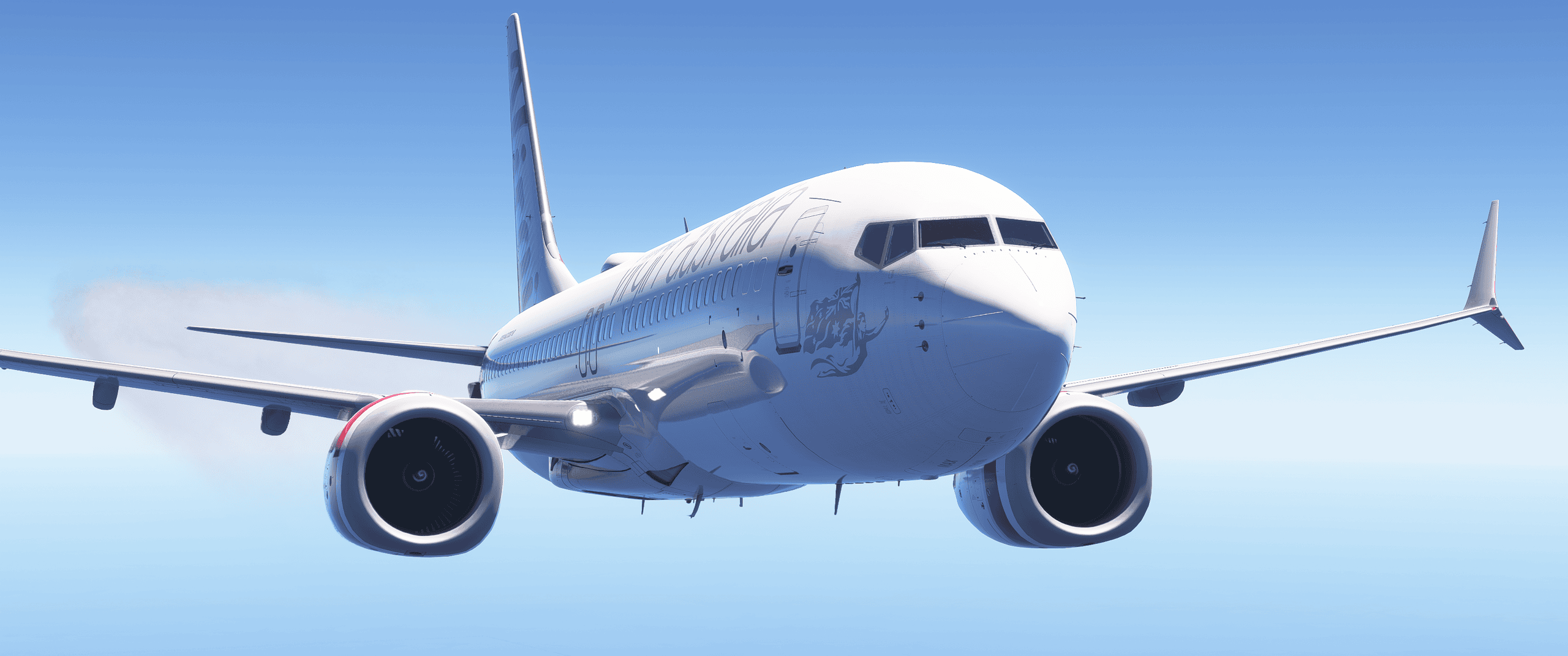
- Virgin Australia Brisbane → Hamilton Island
- Qantas Sydney → Melbourne
- United Airlines Los Angeles → Denver
- British Airways Heathrow → Edinburgh
- Singapore Airlines Singapore → Sydney
Using real-world routes improves immersion because:
- Flight durations feel realistic
- Aircraft types match the route
- Airline liveries make sense
- Airport gate usage becomes believable
- Live traffic feels more authentic
Choose Proper Airline Aircraft
The aircraft itself plays a massive role in realism.
Highly detailed airliners dramatically improve immersion because they simulate real airline systems and procedures.
Some of the best choices currently include:
- PMDG 737-800
- Fenix A320
- FBW A320
- PMDG 777
- iniBuilds A330
These aircraft support realistic startup procedures, flight management systems, autopilot behavior, failures, performance calculations, and proper airline workflows.
Use Realistic Airline Liveries
Liveries may sound like a minor detail, but they have a huge impact on immersion.
A realistic Qantas, Virgin Australia, Delta, Emirates, or Lufthansa livery instantly transforms the atmosphere of a flight.
Everything suddenly feels connected:
- The aircraft
- The airport gates
- The route
- The passengers
- The cabin announcements
Real liveries create visual authenticity that helps the simulator feel believable.
Create a Proper Turnaround
This is where GSX and Passenger2 become incredibly powerful together.
A realistic turnaround process might look something like this:
- Aircraft arrives at gate
- Seatbelt sign switched off
- Passengers begin deboarding
- Baggage unloading starts
- Catering trucks arrive
- Fuel truck connects
- Cleaning and servicing begins
- Boarding process starts
- Passenger announcements begin
- Doors close
- Pushback clearance requested
Taking your time during these phases massively improves immersion.
Ironically, slowing down often makes the simulator more enjoyable.
Use Realistic Flight Planning
One of the biggest realism upgrades you can make is using proper airline flight planning.
Instead of simply selecting airports in the world map, use professional-style planning tools.
Recommended Flight Planning Tools
- SimBrief
- Navigraph Charts
- Little Navmap
- Volanta
SimBrief is particularly valuable because it creates realistic dispatch-style flight plans including:
- Airline routes
- Fuel calculations
- Cruise altitudes
- Passenger loads
- Weather data
- Runway recommendations
- Performance planning
Using SimBrief instantly makes flights feel far more authentic.
Use Live Weather
Weather realism changes everything in flight simulation.
Live weather introduces:
- Real turbulence
- Crosswinds
- Storm systems
- Changing cloud layers
- Visibility changes
- Real-world flying conditions
Flying through actual weather systems adds enormous realism to airline operations.
Landing during poor visibility or dealing with crosswinds can completely transform the atmosphere of a flight.
When Manual Weather Works Better
There are still times where manual weather can work beautifully.
This is especially true for:
- Cinematic YouTube videos
- Sunset flights
- Storm approaches
- Golden-hour departures
- Dramatic cloud scenes
Sometimes visual atmosphere is just as important as strict realism.
Add Cabin Announcements
Cabin announcements massively improve immersion.
Hearing:
- Boarding announcements
- Safety briefings
- Cruise announcements
- Descent preparation calls
- Arrival messages
makes the aircraft feel alive.
This is one of the reasons Passenger2 works so well for airline simulation.
Follow Real Airline Procedures
One of the biggest realism mistakes many simmers make is rushing everything.
Real airline flying is methodical and procedural.
For example:
- Taxi slowly and carefully
- Respect speed restrictions
- Use proper flap schedules
- Follow SID and STAR procedures
- Perform realistic checklist flows
- Use stabilized approaches
Even small procedural details dramatically improve immersion.
Use Realistic Failures Carefully
Failures can add realism, but they should be used intelligently.
I personally think subtle realism works best.
Good examples include:
- Weather diversions
- Strong turbulence
- Hydraulic warnings
- Brake temperature issues
- Crosswind challenges
- Unexpected ATC changes
Too many dramatic emergencies can quickly become unrealistic and repetitive.
Enhance Airport Realism
Detailed airports make a huge difference to immersion.
Good airport add-ons improve:
- Gate layouts
- Taxiway accuracy
- Lighting
- Ground clutter
- Terminal realism
- Signage
When combined with GSX, airports can become astonishingly realistic.
Create Your Own Airline Routine
The biggest secret to realism is consistency.
Many experienced simmers develop a routine for every flight:
- Weather review
- Flight planning
- Aircraft setup
- Boarding operations
- Checklist procedures
- Taxi procedures
- Cruise monitoring
- Approach briefing
- Gate shutdown
Once this becomes habit, the simulator starts feeling incredibly immersive.
My Recommended Realism Balance
One thing I’ve learned over time is that maximum realism is not always maximum enjoyment.
The best experience usually comes from balancing:
- Realism
- Immersion
- Visual atmosphere
- Workload
- Relaxation
You want enough realism to feel believable, but not so much that the simulator starts feeling stressful.
That balance is where MSFS 2024 becomes truly special.
Final Thoughts
Building a realistic airline experience in MSFS 2024 is really about combining lots of smaller details into one believable operation.
GSX, Passenger2, realistic flight planning, live weather, proper airline procedures, detailed aircraft, and immersive airport environments all work together to transform the simulator into something remarkable.
Once everything starts syncing together, flights become far more than simply traveling between airports.
They begin feeling like real airline operations.
Frequently Asked Questions
Do I need GSX for realistic airline simulation?
No, but GSX dramatically improves realism through boarding, baggage handling, fueling, pushback, and ground operations.
Is Passenger2 worth buying?
Yes. Passenger2 adds excellent immersion through cabin ambience, announcements, and passenger simulation without becoming overly complicated.
What is the best aircraft for realistic airline simulation?
The PMDG 737-800 and Fenix A320 are among the best choices currently available for highly realistic airline operations.
Should I use live weather?
For realism, absolutely. Live weather greatly improves immersion through realistic turbulence, visibility, cloud systems, and wind conditions.

- How to Choose a Real-World Flight for MSFS 2024 - 28 August 2026
- You Know You’re a Flight Simmer When… - 12 August 2026
- Pete’s Ultimate MSFS 2024 Graphics Settings Guide - 1 August 2026