
Last updated: June 2026
There’s a real difference between making Microsoft Flight Simulator 2024 more realistic and making it more immersive — and it’s worth thinking about which one you’re actually after.
Realism is usually about accuracy. Correct aircraft systems, proper checklists, real procedures, authentic ATC phraseology, real-world navigation. Flying the way it would be done in real life.
“Immersion is a slightly different feeling.”
Immersion is that sense of actually being there. Sitting in the cockpit, looking out over the nose, listening to the engine, watching weather build on the horizon, picking out runway lights through the haze, or feeling that quiet little bit of tension as you turn onto final.
As a real pilot and long-time flight simmer, I think this is where MSFS 2024 can be genuinely wonderful. It doesn’t have to be technically perfect to feel convincing. Sometimes a simple flight at sunrise — with good sound, good lighting, live weather, and the right aircraft — can feel more satisfying than a perfectly flown flight that somehow leaves you cold.
This article isn’t about turning your spare room into an airline training centre. Most of us aren’t doing that, and that’s absolutely fine.
This is about practical ways to make MSFS 2024 feel more alive, more believable, and more enjoyable to fly.
Some of these ideas cost nothing. Some involve a hardware upgrade. Some involve add-ons. And some are just about changing how you fly.
That’s part of the fun.
Quick answer: The best ways to make Microsoft Flight Simulator 2024 more immersive are to improve your display, sound, lighting, flight controls, weather, camera movement, and flight planning — and to choose add-ons that make the world feel alive rather than ones that just add complexity.
Quick Answer
The biggest immersion upgrades in Microsoft Flight Simulator 2024 are usually your display, sound, head tracking, live weather, and giving each flight a clear purpose. You don’t need an expensive cockpit setup — small changes often create the biggest improvements.
Realism vs Immersion: They’re Not Quite the Same Thing
Before getting into the upgrades and add-ons, it’s worth clearly separating these two ideas.
Realism is about accuracy:
- Does the aircraft system behave correctly?
- Are the checklists accurate?
- Is the flight model believable?
- Are navigation procedures correct?
- Does ATC use realistic phraseology?
Immersion is more about feeling:
- Does the cockpit feel alive?
- Does the aircraft sound convincing?
- Does the weather make you think?
- Does the display pull you into the world?
- Does the flight feel like it has a purpose?
The two overlap, of course. A more realistic aircraft can absolutely be more immersive, and accurate weather will make you fly more carefully. But you can also have a very immersive flight without doing everything by the book.
A sunset run along the coast in a simple aircraft — room lights dimmed, good audio, live weather, and a beautiful view — can be incredibly immersive without a single checklist in sight.
That’s often the kind of experience flight simmers are really chasing.
1. Start with the Screen: Your Monitor Is Your Window
Your monitor is one of the biggest immersion factors simply because it is your window into the sim.
If the screen feels small, flat, washed out, or too distant, the whole experience suffers. You’re flying the same aircraft in the same simulator, but your brain isn’t being pulled into the world in the same way.
A better monitor won’t make you a better pilot overnight, but it can make the simulator feel dramatically more engaging.
Why a Larger Monitor Helps
A larger monitor gives you more visual presence. More cockpit. More sky. More runway. More of the world around you.
This matters because flying is a very visual activity. You’re constantly looking outside, scanning instruments, checking the horizon, watching for traffic, judging distances. When the display is too small, the sim can feel like you’re looking at a picture of flying. When it’s large enough, it starts to feel like you’re looking through a cockpit window.
Ultrawide Monitors
For flight simulation, ultrawide monitors make a lot of sense. A 34-inch ultrawide gives you a noticeably wider view than a standard screen, and a 49-inch super-ultrawide can feel almost like two monitors joined without the centre bezel.
This is especially useful in cockpit views — you can see more of the instrument panel and the outside world at the same time. Great for airliners, great for circuits and approaches, and simply beautiful for scenic flying.
OLED and Night Flying
OLED is particularly interesting for flight sim because of the contrast. Deep blacks, rich colours, and strong contrast make night flying, city lights, dawn approaches, and cockpit lighting look far more convincing.
If you enjoy flying around sunrise and sunset or late at night, an OLED monitor can be a significant step up. That said, price, screen size, brightness, burn-in concerns, and graphics card demands are all worth thinking about before committing. It’s a meaningful purchase, not a casual one.
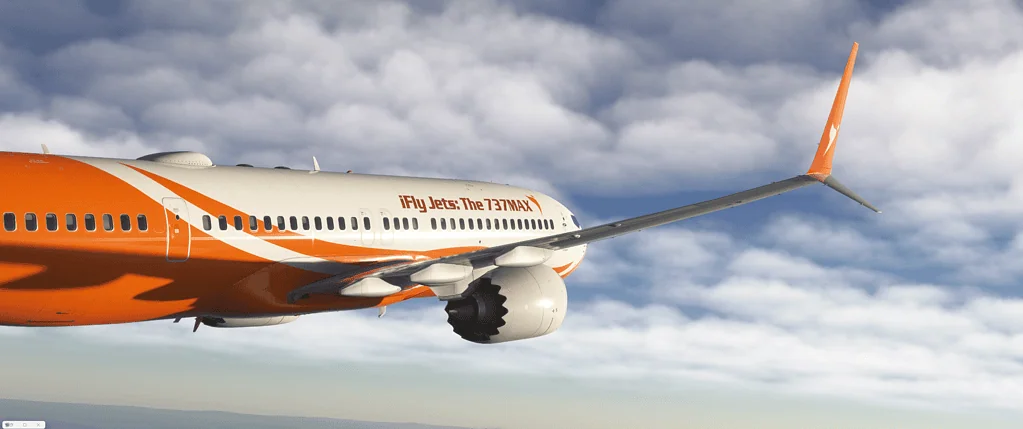
2. Set the Room Up for Flying
This is one of the cheapest immersion upgrades and one of the easiest to overlook.
Your room matters.
If you’re flying with bright overhead lights, screen reflections, clutter in your peripheral vision, and distractions nearby, the simulator has to work harder to pull you in.
Try dimming the room and sitting somewhere calmer. For night flights especially, this makes a huge difference.
Fly in the Dark (or Near-Dark)
Night flying in MSFS 2024 feels genuinely better when the room is also dark. The cockpit lighting stands out. Runway lights look more convincing. City glow beneath you feels more real. Your attention naturally shifts into the sim rather than around the room.
You don’t need to sit in complete darkness — but reducing the ambient light makes a big difference.
Soft Bias Lighting
A small amount of soft light behind the monitor reduces eye strain and improves the overall mood of your setup. Warm white or subtle amber works nicely if you want that relaxed cockpit feel.
I’d avoid harsh colours or flashing RGB effects for serious flying. They might look good in photos, but they can be distracting when you’re trying to stay in the zone.
3. Improve the Sound
Sound is one of the most underrated parts of flight sim immersion.
A lot of simmers focus heavily on graphics — and fair enough, because MSFS 2024 can look stunning. But sound is what gives the aircraft weight, movement, and life.
The engine note matters. Wind noise matters. The squeak of a touchdown matters. Cockpit rattles matter. Runway rumble matters. ATC audio matters.
When the sound is weak or thin, the aircraft feels less real.
Good Speakers Make a Difference
You don’t need a home theatre setup, but better speakers will give you more depth and presence than basic computer speakers. Try to position them roughly at ear level and aimed toward you if you can.
Consider a Subwoofer
A subwoofer adds a subtle low-end layer — engine rumble, touchdown thud, ground roll, distant thunder. It doesn’t need to be loud. The goal isn’t to shake the room; it’s to add a physical quality to the experience that speakers alone can’t quite do.
Headphones Work Really Well Too
Good headphones block out room noise and let you hear smaller details — cockpit sounds, ATC, wind changes — up close and focused. For late-night flying, they’re often the best option.
4. Use the Right Aircraft for the Immersion You Want
Not every aircraft creates the same kind of experience.
Some are immersive because they’re complex. Others are immersive because they’re simple and let you enjoy the view. The best aircraft for immersion depends entirely on what you feel like flying.
For relaxed scenic flying:
- Small GA aircraft
- Light sport aircraft
- Floatplanes
- Helicopters
- Classic and vintage aircraft
For procedure-based immersion:
- Airliners
- Business jets
- Complex turboprops
- IFR-capable GA aircraft
For challenge and skill:
- Taildraggers
- Helicopters
- Bush aircraft
- Older aircraft with less automation
I think simmers sometimes get too caught up chasing the “best” aircraft when the better question is: what kind of flying do I actually feel like tonight?
5. Use Live Weather, Even When It’s Not Perfect
Live weather is one of the easiest ways to make MSFS 2024 feel less predictable — and that’s a good thing.
Perfect weather is pleasant, but it gets a bit dull. Real flying rarely involves perfect conditions all the time. Wind direction, cloud base, visibility, turbulence, rain, and changing light all affect how a flight feels. Even a short local flight becomes more interesting when the weather is doing something.
Why Weather Adds Immersion
Weather gives the flight context. You’re not just flying from A to B — you’re flying today’s conditions. You might need to think about runway choice, crosswind, visibility, or whether you even want to fly at all.
As a real pilot, I can say this is a big part of what makes aviation feel alive. Weather isn’t decoration — it’s part of the decision-making.
Real Pilot Tip
In real flying, weather isn’t background scenery — it’s part of every decision you make. Even a simple local flight feels more authentic when you adapt to changing wind, cloud, visibility, and runway conditions instead of always flying in perfect weather.
6. Fly at Sunrise, Sunset, and Night
The time of day completely changes the feel of a flight.
Midday flying can be clear and practical, but sunrise and sunset often create the most atmosphere. Long shadows, warm light, low sun angles, glowing cloud edges, and city lights coming alive make the sim feel cinematic.
Night flying is a different world again. Runway lights, taxiway signs, cockpit lighting, and city glow create a wonderful sense of depth — especially on a good monitor in a darker room.
7. Add Head Tracking
Head tracking might be one of the single best immersion upgrades you can make.
Once you can naturally look around the cockpit — glance at instruments, check the runway over your shoulder, look through turns — the simulator feels far more connected to your body. Instead of pressing buttons or dragging a mouse to move the view, you just move your head.
That feels genuinely different.
Why It Works So Well
In real flying, your head is always moving. You’re not locked to one fixed angle. You look outside, scan the panel, check the runway, look for traffic, keep your awareness moving.
Head tracking helps recreate that behaviour. For VFR flying, circuits, approaches, taxiing, and scenic flights, it can make a big difference.
8. Consider VR — But Be Honest About the Trade-Offs
Virtual reality can be incredibly immersive in Microsoft Flight Simulator. The feeling of sitting inside the aircraft is hard to match. Looking around the cockpit naturally, judging height, seeing the aircraft around you in 3D — it can be quite special.
But VR isn’t for everyone.
The trade-offs can include:
- Higher performance demands
- Lower image clarity compared to a good monitor
- Comfort issues on longer flights
- Headset weight and heat
- More setup time
- Difficulty using keyboards, charts, and external tools
For short, scenic, high-immersion flights, VR can be brilliant. For longer flights, writing notes, or making videos, a large monitor is often more practical.
VR isn’t essential — it’s another option worth knowing about.
9. Upgrade the Controls You Actually Touch
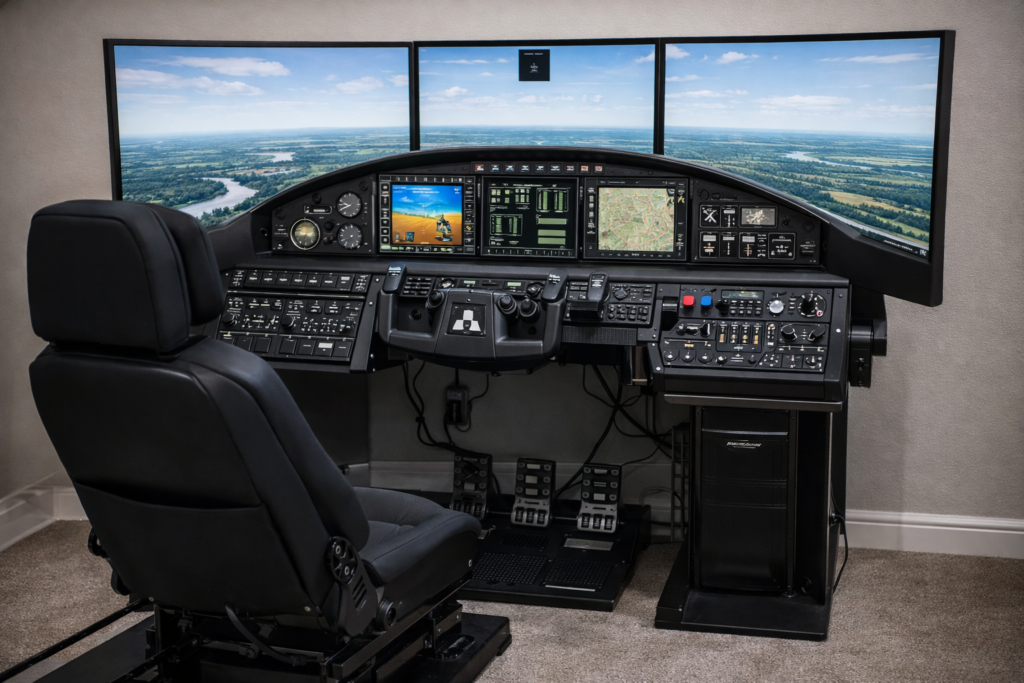
The controls matter because they’re your physical connection to the aircraft.
Even a beautiful simulator can feel detached if the controls are imprecise or uncomfortable. You don’t need everything at once, but upgrading the controls you use most often makes flying feel much more believable.
Joystick or Yoke
If you mostly fly Airbus-style aircraft, fighters, helicopters, or GA aircraft with sticks, a good joystick makes sense. If you fly Cessnas, Pipers, business jets, or Boeing-style airliners, a yoke can feel more natural. There’s no single right answer — it depends on what you fly most.
Throttle Quadrant
A separate throttle quadrant makes throttle movement more physical and deliberate. Especially useful for multi-engine aircraft, turboprops, airliners, and anything with mixture or propeller controls.
Rudder Pedals
Rudder pedals are one of the most important immersion upgrades you can make. They make taxiing, take-off, landing, crosswind correction, and coordinated turns feel far more authentic.
You can still fly and enjoy the sim without them. But with them, the aircraft just feels more complete.
10. Use Add-ons That Add Purpose, Not Just Complexity
Add-ons can genuinely improve immersion — but only if they add something meaningful.
It’s easy to overload the sim with add-ons and end up with more menus, more setup, and more things to troubleshoot. The best immersion add-ons are the ones that make the world feel alive or give your flight a real sense of purpose.
ATC Add-ons
Better ATC can make a big difference. When air traffic control feels believable, the whole flight feels more structured. Clearances, handoffs, altitude changes, and approach clearances give the flight a real-world rhythm. For many simmers, ATC is one of the weakest parts of the default experience, so a good add-on here can be a serious upgrade.
Passenger Add-ons
Passenger simulation can make airline and charter flying feel more purposeful. Instead of flying an empty aircraft from one airport to another, you feel like you’re carrying people who expect a smooth, comfortable trip. Even simple things like boarding sounds, cabin announcements, or a landing score can make a flight feel more alive.
Ground Service Add-ons
Pushback, baggage loading, catering, fuel trucks, stairs, jetways, ground crew — these details help create the feeling that the aircraft belongs in a working airport environment. Especially useful if you enjoy airliner operations.
Camera and Sound Effect Add-ons
Camera shake, touchdown effects, ground roll, turbulence movement, and subtle cockpit vibration can all make the aircraft feel less static. The key word here is subtle — when overdone, these effects become distracting. When used carefully, they’re great.
11. Use Flight Planning Tools
Flight planning adds purpose.
Even if you’re not trying to fly like an airline captain, planning a route gives the flight a beginning, middle, and end. You know where you’re going, why you’re going there, what route you’ll fly, and what weather you might encounter. That turns a casual departure into a small but satisfying aviation exercise.
Tools like SimBrief and Navigraph are very useful for IFR flights and airliner operations. For simpler VFR flights, even a rough route idea is enough.
A simple flight planning checklist:
- Choose a departure airport
- Choose a destination
- Check the weather
- Pick a route
- Choose an aircraft that suits the flight
- Decide whether it’s VFR or IFR
- Think about fuel
- Review the runway layout
- Plan the arrival
You don’t have to make this complicated. The goal isn’t paperwork — it’s purpose.
12. Fly Real Routes and Real Places
One of the best ways to feel more immersed is to fly somewhere that actually means something to you.
That might be:
- Your local airport
- A place you’ve visited
- A holiday destination
- A famous scenic route
- A real airline route you’ve flown as a passenger
- A challenging approach you’ve read about
- A route connected to aviation history
MSFS 2024 is especially powerful when you use it to explore the real world. Flying over places you know can be surprisingly moving — you recognise coastlines, roads, rivers, towns, mountains, familiar airports. The sim stops being just software and becomes a way of revisiting the world from above.
That’s immersion at its best.
13. Give Each Flight a Reason
A flight feels more immersive when it has a reason — even a simple one.
- A short scenic flight at sunrise
- A delivery run between regional airports
- A passenger service to somewhere sunny
- A training circuit in windy conditions
- A night approach into a busy airport
- A bush landing on a short strip
- A real-world airline route recreation
When there’s a reason for the flight, you’re more invested in it. You’re not just loading the sim and taking off. You’re going somewhere, doing something, or recreating an experience.
14. Use Career Mode and Activities When They Suit You
MSFS 2024 includes career-style flying and aviation activities, and these can add a real sense of purpose — for some people.
Not everyone wants that kind of structure all the time. Some simmers prefer complete freedom; others enjoy missions, progression, and objectives. There’s no right or wrong approach.
If career activities make the sim feel more alive for you, use them. If you’d rather create your own flights and fly wherever you feel like, do that instead.
15. Reduce On-Screen Distractions
One of the quickest ways to improve immersion is to remove anything that reminds you you’re sitting at a computer.
That might mean hiding unnecessary toolbars, closing floating menus, turning off performance overlays, dimming notifications, and generally keeping the screen clean.
The less clutter you see, the easier it is to believe in the cockpit.
16. Set Up Useful Camera Views
Good camera views make a real difference.
Ideally, you want quick access to:
- Main pilot view
- Instrument view
- Overhead panel (if relevant)
- Throttle or centre console
- Left and right window views
- External cinematic views
For video creation, this matters even more — smooth pans, wing views, and cockpit glances can make MSFS 2024 look genuinely cinematic.
For everyday flying, the goal is simpler: useful views that help you operate the aircraft without breaking the spell.
17. Fly More Slowly and Stop Rushing
This might sound strange, but one of the best things you can do for immersion is slow down.
Many of us rush. We load the aircraft, get airborne quickly, skip the quieter moments, and focus mainly on the landing. But real flying isn’t just take-off and landing.
There’s preparation. Taxiing. Climbing. Trimming. Listening. Watching. Monitoring. Thinking. Adjusting. Waiting.
If you let the flight breathe, it feels more real. And that doesn’t mean every flight needs to be long — a focused 20-minute flight can be very immersive if you treat it properly.
18. Let Each Aircraft Feel Different
Different aircraft shouldn’t all feel the same.
A Cessna shouldn’t feel like an Airbus. A turboprop shouldn’t feel like a jet. A taildragger shouldn’t feel like a modern trainer.
Try flying different types and notice how they behave — how quickly they accelerate, how they climb, how they respond to rudder, how they approach and land, how much trim they need, how much workload they create.
This makes the simulator feel richer and more varied over time.
19. Use Checklists Without Becoming a Slave to Them
Checklists can add immersion, but they shouldn’t turn the flight into a chore — unless that’s what you enjoy.
For complex aircraft, checklists are genuinely useful. For casual scenic flying, a simple flow may be enough. The important thing is to create a rhythm that feels believable:
Pre-flight setup → Engine start → Taxi checks → Before take-off → Climb → Cruise → Descent → Approach → Landing → Shutdown
Even a simplified version makes the flight feel more complete.
20. Make the Approach Matter
For most flights, the approach is where immersion peaks.
You’ve flown the route, dealt with the weather, managed the aircraft, and now everything comes together. The runway appears. The aircraft slows. The lights line up. You manage speed, descent rate, configuration, wind, and alignment all at once.
This is where good sound, good visuals, good controls, and live weather all combine.
Don’t rush it. Set it up properly and enjoy it.
21. Real Pilot Tip: Keep Your Scan Alive
In real flying, your eyes are always moving. You’re not staring at one instrument or one part of the screen.
You’re scanning. Outside. Instruments. Attitude. Airspeed. Altitude. Engine. Weather. Runway. Back outside again.
This habit makes a big difference in the simulator. If you fly with a more active scan, the aircraft feels more real — because you’re behaving more like a pilot than a passenger watching a screen.

22. A Suggested Immersion Upgrade Path
If I were building immersion step by step, I wouldn’t start with the most expensive option. I’d build it gradually.
Step 1: Improve the flying environment
- Dim the lights and reduce distractions
- Improve seating position
- Set up a clean, comfortable flying space
Step 2: Improve the sound
- Use good headphones or speakers
- Consider a subwoofer
- Adjust engine and cockpit sound levels
Step 3: Improve the view
- Adjust your field of view
- Set up useful cockpit camera views
- Consider head tracking
- Consider an ultrawide monitor
Step 4: Improve the controls
- Joystick or yoke
- Throttle quadrant
- Rudder pedals
- Button box or Stream Deck if useful
Step 5: Add purpose
- Use live weather
- Plan real routes
- Try passenger or mission-style add-ons
- Use better ATC
This approach gives you noticeable improvements at every stage without feeling like you have to buy everything at once.
23. Add-ons Worth Considering
Rather than naming one “best” add-on, here’s a breakdown by category:
Flight planning: SimBrief, Navigraph — useful if you enjoy IFR flying, airliner operations, and real-world procedures.
ATC: BeyondATC and similar tools can make the airspace feel alive and give your flights more structure.
Passenger and airline immersion. Cabin announcement tools, passenger simulation, virtual airline, or career-style tools are useful if you want flights to feel purposeful.
Ground handling: Pushback tools, boarding and baggage simulation, ground services — especially good for airliner flying.
Camera and motion effects: Subtle touchdown, ground roll, turbulence, and cockpit vibration effects — great when kept subtle.
24. Common Mistakes That Break Immersion
A few things that can quietly pull you out of the experience:
- Using too many add-ons at once
- Leaving menus and toolbars open
- Flying with poor or thin sound
- Using unrealistic camera angles all the time
- Ignoring weather completely
- Rushing every flight
- Using a field of view that feels unnatural
- Flying only in perfect conditions
- Turning every flight into a technical exercise
Immersion is about balance. Too little realism can make the sim feel shallow. Too much complexity can make it feel like work. The sweet spot is where the flight feels believable and enjoyable.
25. The Most Immersive Setup Is the One You Actually Use
It’s easy to look at expensive cockpit builds and think that’s the only way to enjoy flight simulation properly.
It isn’t.
A large monitor, good sound, decent controls, live weather, and thoughtful flying can create a wonderful experience. You don’t need to own everything — you need a setup that makes you want to fly.
That might be a simple joystick and headphones. It might be an ultrawide and rudder pedals. It might be a full yoke and throttle setup with a speaker system. Or it might be VR. The right answer is whatever keeps you interested.
Final Thoughts
Microsoft Flight Simulator 2024 can be a lot of different things. A serious aviation tool. A scenic world explorer. A relaxing evening escape. A way to recreate real flights, visit famous airports, or simply enjoy being airborne.
For me, immersion is where the magic lives.
It’s that moment when you stop thinking about the computer and start thinking about the aircraft. The runway ahead. The weather outside. The sound of the engine. The glow of the cockpit at night. The coastline beneath you. The descent into somewhere familiar.
You can improve that feeling with better hardware, better sound, better lighting, better add-ons, and better planning. But you can also improve it simply by slowing down, choosing flights that mean something to you, and letting yourself enjoy the journey.
And sometimes, that’s the most realistic thing of all.
Common Mistakes That Break Immersion
Trying to make every flight perfectly realistic can actually reduce immersion. Avoid overloading the simulator with add-ons, leaving menus open, rushing flights, or constantly changing aircraft. Focus on creating believable experiences rather than chasing maximum complexity.
Frequently Asked Questions
What’s the best way to make MSFS 2024 more immersive?
Start with your display, sound, and flying environment. A larger monitor, better speakers or headphones, dim room lighting, live weather, and a comfortable setup can make a huge difference without spending a lot.
Do I need VR for immersion in Microsoft Flight Simulator 2024?
No. VR can be incredibly immersive, but a good ultrawide monitor with head tracking and quality sound can create a very convincing experience too.
Are add-ons necessary for immersion?
Not at all — but the right ones help. ATC, passenger, ground service, camera, and flight planning add-ons can make flights feel more alive and purposeful.
What hardware should I upgrade first?
For most simmers, sound, head tracking, flight controls, and display upgrades are usually the most impactful starting points.
Is an ultrawide monitor good for flight simulation?
Yes, it’s a great fit. The wider field of view helps with situational awareness, cockpit presence, and scenery — and it generally looks fantastic.
Is OLED worth it for MSFS 2024?
OLED can be excellent, especially for night flying, cockpit lighting, and high-contrast scenes. Just weigh up price, screen size, brightness, and burn-in concerns before buying.
Can I make MSFS 2024 immersive on a budget?
Absolutely. Dim the lights, use live weather, adjust camera views, improve sound if you can, fly meaningful routes, and slow down. You don’t need an expensive setup to have an immersive flight.

- You Know You’re a Flight Simmer When… - 12 August 2026
- Pete’s Ultimate MSFS 2024 Graphics Settings Guide - 1 August 2026
- How to Use GSX with the PMDG 737-800 in MSFS 2024. - 20 July 2026