

Flying a modern airliner in Microsoft Flight Simulator 2024 can become surprisingly busy. You may be programming the aircraft, working through checklists, preparing for pushback, watching the flight instruments and trying to remember what needs to happen next. It is enjoyable when everything comes together, but there are times when it feels as though you are doing the work of an entire flight crew by yourself.
That is where Flight Simulator First Officer may help.
Rather than simply adding background voices, Flight Simulator First Officer is intended to give you a virtual crew member who can assist with cockpit procedures and reduce some of the workload. The idea is not necessarily to fly the aircraft for you. It is to make an airline flight feel more like a shared cockpit operation, where duties are divided between the captain and first officer.
In this guide, I will explain how I approach Flight Simulator First Officer in MSFS 2024, what to expect when you first use it, how it fits into a normal airline flight and how to avoid making it more complicated than it needs to be.
FlightSimulationShowcase Verdict
| Helps make the simulator feel more real? | ✅ Yes — particularly when flying airliners |
| Performance impact | 🟢 Low |
| Learning curve | 🟡 Moderate at first |
| Value for money | ★★★★☆ |
| Would I recommend it? | ✅ Yes, for simmers who enjoy realistic airline procedures |
| Would I install it again? | ✅ Yes, if I wanted more realistic crew interaction |
Quick Answer
Flight Simulator First Officer adds a virtual first officer to supported airline operations in Microsoft Flight Simulator. Depending on the aircraft and configuration being used, the first officer can help with cockpit procedures, checklist flows and some of the routine tasks that would normally be shared between two pilots.
The easiest way to begin is to start at a parking gate, load the aircraft in a known condition and follow the flight in its normal order: cockpit preparation, engine start, taxi, take-off, climb, cruise, descent, approach and landing. Do not activate every available option immediately. Begin with the basic assistance, learn what the first officer is doing and gradually add more automation as you become comfortable.
For airline simmers, the main benefit is not simply convenience. It is the feeling that you are operating as part of a crew rather than managing an entire airliner alone.
Table of Contents
- What Is Flight Simulator First Officer?
- What Does the First Officer Do?
- Before You Begin
- Setting Up Flight Simulator First Officer
- Using Flight Simulator First Officer on Your First Flight
- How Much Should You Automate?
- Common Mistakes
- Troubleshooting
- Who Is Flight Simulator First Officer Best Suited To?
- Frequently Asked Questions
What is Flight Simulator First Officer?
Flight Simulator First Officer is designed to add a virtual first officer to your flight simulator experience. Instead of completing every cockpit task yourself, you can share some of the workload with a computer-controlled crew member.
This is particularly useful in an airliner because real airline cockpits are normally operated by two pilots. The captain and first officer divide their duties, monitor one another and work through established procedures. One pilot may be flying the aircraft while the other handles radios, checklists, aircraft systems or supporting tasks.
In a home simulator, we normally do everything ourselves. We prepare the aircraft, enter the route, operate the overhead panel, start the engines, taxi, fly, communicate with air traffic control and manage the approach. That can be rewarding, but it is not necessarily a realistic representation of how a two-pilot airline cockpit operates.
A virtual first officer helps fill that missing position.
Worth Knowing
A first-officer add-on does not automatically make every flight more realistic. The benefit depends on how you use it. If you allow the program to perform almost every task without understanding what is happening, you may feel less involved. Used sensibly, however, it can improve both immersion and workload management.
What Does the First Officer Do?
The exact duties available may depend on the version of Flight Simulator First Officer, the aircraft you are flying and the options you have selected. In general, a virtual first officer may assist with procedural cockpit tasks and help move the flight from one phase to the next.
These tasks may include:
- assisting with cockpit preparation;
- helping complete aircraft flows;
- working through checklists;
- operating selected switches or aircraft systems;
- supporting engine-start procedures;
- assisting during taxi and before take-off;
- helping manage climb, cruise, descent and approach procedures;
- performing after-landing duties; and
- Helping secure the aircraft at the end of the flight.
The important word is assisting. I would not approach the add-on as an automatic airline pilot. I would treat it as another crew member whose job is to reduce repetitive workload while leaving me responsible for the aircraft and the overall flight.
It Is More Than a Collection of Sounds
There is a difference between an add-on that plays cabin announcements and one that interacts with cockpit procedures. Passenger sounds can certainly improve the atmosphere, but a first-officer program is intended to affect the way you operate the aircraft.
That is why there can be a learning curve. You are not simply pressing a button to hear a voice. You are learning how the virtual crew member expects the flight to progress.
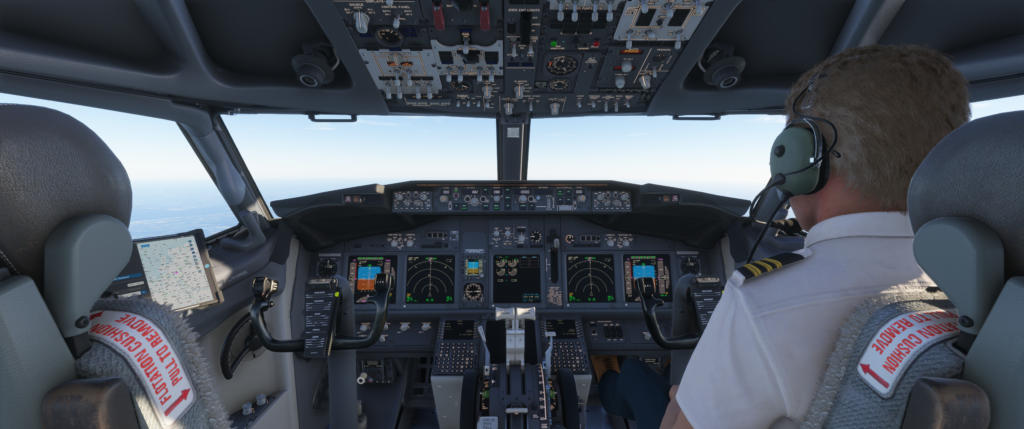
Supporting image: Flight Simulator First Officer running beside MSFS 2024 while a Boeing 737 is parked at a gate during cockpit preparation.
Before You Begin
Before starting your first flight, I recommend keeping things simple. Choose an aircraft you already know reasonably well and use a short route between two familiar airports.
Your first flight is probably not the time to learn a new aircraft, a new airport, a complicated departure and a first-officer program all at once. If something unexpected happens, it becomes difficult to know whether the problem is caused by the aircraft, the add-on or something you have missed.
Beginner Tip
Use an aircraft you already understand and choose a flight of around 45 minutes to one hour. A familiar aircraft lets you watch what the first officer is doing without also trying to learn the cockpit.
Start at a Parking Gate
For the most complete experience, I would begin at a parking gate rather than loading directly onto the runway. Starting at a gate gives the program time to follow the normal sequence from cockpit preparation through to engine start and taxi.
A runway start may already have the engines running and many aircraft systems configured. That can skip some of the procedures a virtual first officer is designed to assist with.
There is nothing wrong with using a runway start when you simply want a quick flight. However, if you are learning Flight Simulator First Officer, a gate start makes it easier to understand the complete workflow.
Prepare a Simple Flight Plan
Create your flight plan before becoming too involved with the first-officer program. You can use the MSFS flight planner or a service such as SimBrief, depending on the aircraft and the way you prefer to fly.
For the first test flight, I would avoid an unusually complicated route. A straightforward short-haul flight is enough to experience cockpit preparation, engine start, take-off, cruise, descent, approach and landing.
Setting Up Flight Simulator First Officer
The precise layout may change as the program is updated, but the general approach should remain similar. Start Flight Simulator First Officer as instructed by the developer and make sure it can detect or connect to Microsoft Flight Simulator 2024.
Before beginning the flight, check the following:
- MSFS 2024 is running correctly;
- Your selected aircraft is supported by the version or profile you are using;
- Flight Simulator First Officer shows that it is connected;
- The correct aircraft or operating profile has been selected;
- The audio volume is high enough to hear the first officer;
- The program is not hidden behind the simulator if you still need to access it; and
- You understand which tasks are assigned to you and which tasks are assigned to the first officer.
That final point is important. If you do not know who is supposed to perform a task, you may both wait for one another—or you may change a switch immediately before the virtual first officer attempts to do the same thing.
Important Note
Do not assume that every aircraft will work in the same way. Aircraft developers model systems differently, and an automated cockpit action that works correctly in one aircraft may behave differently in another. Always use the correct aircraft profile and check current compatibility information.
Do Not Turn On Everything Immediately
When I install a new add-on, there is always a temptation to activate every feature and see what it can do. With a first-officer program, that can make the first flight confusing.
I would begin with the default or recommended settings. Learn the basic sequence first. Once you understand when the first officer performs each task, you can decide whether you want more assistance or more direct control.
Using Flight Simulator First Officer on Your First Flight
The easiest way to understand the add-on is to follow a complete flight from beginning to end.
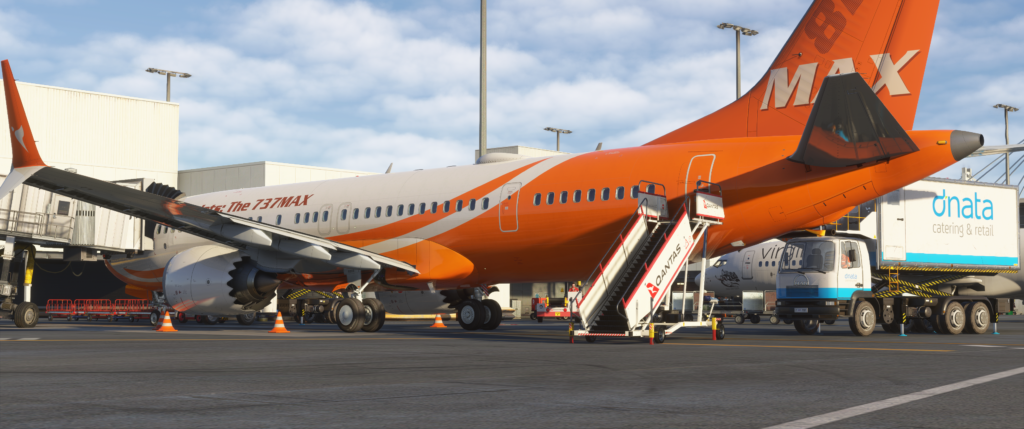
1. Load the Aircraft at the Gate
Choose your departure airport and load the aircraft at a suitable parking gate. If the aircraft supports a cold-and-dark state and you are comfortable using it, this can provide the most complete procedural experience.
If you are still learning the aircraft, there is no need to make the flight unnecessarily difficult. A powered aircraft at the gate may be a better starting point. The aim is to understand the first-officer workflow, not prove that you can complete every procedure from memory.
2. Connect Flight Simulator First Officer
Open the first-officer program and confirm that it has connected to the simulator. Select the correct aircraft or profile if required.
Take a moment to look through the available options. Check the audio settings and note any controls used to begin procedures, advance the flight phase or respond to checklist items.
If the program provides an automatic mode and a more manual mode, I would begin with the recommended setting. You can change the level of automation later.
3. Complete the Cockpit Preparation
Prepare the aircraft as you normally would. Load or enter the flight plan, check the fuel and payload, confirm the departure runway and review the initial route.
Allow the first officer to complete the tasks assigned to that position. Watch the cockpit while this happens. Do not simply assume everything has been completed correctly.
This is one of the parts I find most interesting. Seeing another crew member operate switches and complete procedures can make the cockpit feel active rather than static. It also gives you more time to concentrate on the flight plan and what the aircraft will be doing after departure.
4. Work Through the Checklists
Checklists are an important part of the crew experience. Depending on the program’s setup, checklist items may be spoken, confirmed automatically or require a response from you.
Do not rush through them. Listen to each item and check the aircraft rather than treating the checklist as background sound.
Real Pilot Tip
A checklist is normally used to confirm that important actions have been completed. It is not simply a list of switches to operate as quickly as possible. Even in the simulator, taking a moment to verify each item makes the procedure more meaningful and helps develop better habits.
5. Engine Start and Pushback
Once the aircraft is ready, begin the pushback and engine-start sequence. If you also use GSX, allow each program time to complete its part of the operation.
A busy gate departure can involve several systems at once: passenger boarding, doors, ground power, pushback, engine start and cockpit procedures. Avoid clicking ahead too quickly. Wait for one stage to finish before starting the next.
If the first officer is expected to operate parts of the overhead panel, watch the sequence. This will help you understand what is happening and make it easier to identify a missed step if something does not work.
6. Taxi and Before Take-Off
During taxi, your attention should be on controlling the aircraft, following the taxi route and remaining aware of other traffic. This is where a virtual first officer can begin to feel genuinely useful.
Instead of trying to steer the aircraft while also completing every cockpit action, you can concentrate on taxiing while the first officer assists with the appropriate procedures.
Before entering the runway, check that the aircraft is properly configured. Confirm the flap setting, trim, flight controls, transponder, lights and take-off information as appropriate for the aircraft you are using.
7. Take-Off and Climb
You remain responsible for flying and monitoring the aircraft. Follow the planned departure, watch the flight instruments and make sure the aircraft is doing what you expect.
The first officer may assist with supporting procedures as the aircraft climbs. Listen for calls and watch for cockpit changes, but do not allow them to distract you from controlling the aircraft.
Once the aircraft is established in the climb, the workload usually begins to reduce. This is a good time to check that the route, altitude and aircraft configuration are correct.
8. Cruise
Cruise is generally the quietest part of the flight. Use the time to review the arrival, expected weather, runway and descent plan.
A first-officer program may make the cockpit feel less empty during this phase, but I would not expect constant activity. Real airline flights also include long periods of monitoring and preparation.
9. Descent and Approach
Prepare for the arrival before the aircraft reaches the top of descent. Check the weather, select the expected approach and review any altitude or speed restrictions.
This is where workload can increase quickly. You may be managing the descent, watching speed, changing altitudes, configuring the aircraft and preparing for the approach. Sharing some procedural tasks with a virtual first officer can make this part of the flight feel more organised.
Do not rely on the first officer to correct poor descent planning. If the aircraft is too high, too fast or incorrectly configured, you still need to recognise the problem and take action.
10. Landing and Shutdown
After landing, clear the runway and allow the after-landing procedure to begin when appropriate. Taxi to the assigned gate and complete the shutdown sequence.
Finishing the flight properly is worth doing. Parking at the gate, shutting down the engines and securing the aircraft gives the flight a natural ending rather than simply returning to the main menu immediately after landing.
My Recommendation
For the first few flights, watch what the virtual first officer is doing. Once you trust the sequence and understand the division of duties, you can spend less time watching switches and more time flying the aircraft.
How Much Should You Automate?
This is probably the most important decision.
There is no correct amount of automation for everyone. Some simmers enjoy completing every cockpit procedure themselves. Others are mainly interested in flying the aircraft and would rather have assistance with repetitive switch work.
I prefer a middle ground.
I still want to understand what the aircraft is doing and remain involved in the important decisions. At the same time, I do not feel that I need to operate every switch personally for a flight to be enjoyable.
If a virtual first officer handles realistic supporting duties while I manage the aircraft, flight plan and overall operation, that feels like a sensible use of automation.
The best setup is the one that improves immersion without making you feel like a passenger in your own simulator.
Common Mistakes
Trying to Learn Everything at Once
Do not combine a new aircraft, a complicated route, unfamiliar airports, GSX, Passenger2 and Flight Simulator First Officer on the same first flight. Add one new element at a time.
Using the Wrong Aircraft Profile
Make sure the selected profile matches the aircraft you are flying. Similar aircraft are not necessarily identical behind the scenes.
Moving Ahead Too Quickly
Allow procedures to finish before beginning the next stage. Rapidly clicking through commands can cause the flight sequence to become confused.
Performing the First Officer’s Tasks
If you immediately operate every switch yourself, the virtual first officer may have little left to do. Learn the division of duties and allow the program to complete its assigned actions.
Not Monitoring the Aircraft
Automation should be monitored. Check that switches have moved correctly and that the aircraft is properly configured before continuing.
Expecting Every Aircraft to Behave Identically
Different aircraft use different systems and may require separate profiles or procedures. Compatibility should always be checked before planning a flight.
Troubleshooting Flight Simulator First Officer
The Program Does Not Connect to MSFS 2024
Confirm that MSFS 2024 is running and that the aircraft has fully loaded. Restart the first-officer program and check whether it reports a simulator connection.
If the problem continues, make sure you are using the current version and follow the developer’s installation instructions. Updates to MSFS 2024 can occasionally affect third-party utilities, so current compatibility information is important.
The First Officer Is Not Performing Any Actions
Check that the correct aircraft or profile has been selected. Also confirm that the flight is in the expected phase and that any required procedure has been started.
If you have already completed the first officer’s assigned tasks manually, there may be nothing left for the program to do.
I Cannot Hear the First Officer
Check the program’s audio settings and the Windows Volume Mixer. Make sure the application has not been muted and that the sound is being sent to the correct speakers or headset.
A Switch Does Not Move
First, check whether the aircraft is supported. If only one switch fails while everything else works, the aircraft may use a different system or control method.
Do not repeatedly trigger the same procedure. Check the aircraft state and restart the procedure only if the program’s instructions recommend doing so.
The Procedure Has Stopped
Look for a checklist item, aircraft condition or response that may be required before the sequence can continue. The program may be waiting for you rather than being frozen.
Troubleshooting Tip
If something goes wrong, test the add-on with a simple flight and the recommended aircraft state before reinstalling anything. Reinstallation should not be the first response to every problem. A missed setting, incorrect profile or incomplete procedure is often easier to fix.
Who Is Flight Simulator First Officer Best Suited To?
Flight Simulator First Officer is likely to appeal most to people who enjoy airline flying and want a more active cockpit environment.
It may suit you if:
- You regularly fly airliners in MSFS 2024;
- You enjoy realistic cockpit procedures;
- You want to share some of the workload;
- You like spoken checklists and crew interaction;
- You use other immersion add-ons such as GSX or Passenger2, or
- You want the cockpit to feel less like a single-person operation.
It may be less useful if:
- You mainly fly small general-aviation aircraft;
- You prefer to operate every switch yourself;
- You normally begin flights on the runway;
- You only want cabin announcements, or
- You prefer very quick flights with minimal preparation.
Does It Make MSFS 2024 More Immersive?
For airline flying, I believe the idea certainly has the potential to improve immersion.
A modern airliner is designed around a crew. When one person operates both sides of the cockpit, something is missing. A virtual first officer cannot completely reproduce the judgement and interaction of another person, but it can make the cockpit feel more active and make the division of duties more believable.
The greatest benefit may not be the number of switches the program operates. It may be the way the flight begins to feel like a crew operation.
That fits the philosophy behind FlightSimulationShowcase.com:
Helping your simulator feel more real.
Frequently Asked Questions
Does Flight Simulator First Officer fly the aircraft for me?
It is better to think of the program as a crew-assistance add-on rather than an automatic pilot. You remain responsible for managing and monitoring the aircraft. The available assistance depends on the aircraft, profile and options being used.
Do I need to start at a gate?
A gate start is recommended if you want to experience the complete workflow, including cockpit preparation, engine start, taxi and shutdown. A runway start may skip many of the procedures the add-on is intended to support.
Can I use Flight Simulator First Officer with MSFS 2024?
Use the current version intended or confirmed for MSFS 2024 and check the developer’s latest compatibility information. Third-party utilities can change as the simulator and supported aircraft are updated.
Does it work with every aircraft?
No assumption should be made that every aircraft is supported. Check the current aircraft list and use the correct profile for the aircraft you intend to fly.
Can I still operate switches myself?
Yes, although it is worth learning which duties are assigned to the first officer. If you complete every action before the program reaches it, you may interfere with the intended workflow.
Does Flight Simulator First Officer affect FPS?
A utility of this type would normally be expected to have a relatively small performance impact compared with demanding scenery, aircraft or graphics settings. Performance can vary between systems, so monitor your own simulator if you notice any change.
Can I use it with GSX?
A first-officer program and GSX perform different roles. GSX focuses mainly on ground services and passenger-handling operations, while a virtual first officer assists inside the cockpit. They can complement one another, but it is important to allow each procedure to finish and avoid triggering several actions at once.
Is it suitable for beginners?
It can be, particularly if the assistance reduces workload. However, I would still learn the basic aircraft systems rather than relying on automation without understanding what it is doing.
Is it useful if I already use checklists?
Yes. The attraction is not only having a checklist. It is adding crew interaction and sharing some of the cockpit workload.
Will it make airline flying easier?
It may reduce the number of routine tasks you need to perform, but there is an initial learning period. Once you understand the workflow, the cockpit should feel more organised rather than more complicated.
Summary
Flight Simulator First Officer is designed to add something that is naturally missing when we fly an airliner at home: another pilot.
The best way to learn it is to keep the first flight simple. Choose an aircraft you already know, start at a gate, use a short familiar route and follow the flight in its normal order. Do not activate every option immediately, and do not rush through the procedures.
I would also spend the first few flights watching what the first officer does. Understanding the sequence is far more useful than allowing the program to operate in the background without knowing what is happening.
For me, the right amount of automation is somewhere in the middle. I still want to fly the aircraft, make the decisions and understand the systems. However, sharing realistic cockpit duties with a virtual first officer can reduce workload and make an airline flight feel more like a crew operation.
If that is the experience you are looking for, Flight Simulator First Officer may earn a permanent place in your simulator.

- How to Choose a Real-World Flight for MSFS 2024 - 28 August 2026
- You Know You’re a Flight Simmer When… - 12 August 2026
- Pete’s Ultimate MSFS 2024 Graphics Settings Guide - 1 August 2026