
One of the things I enjoy most about Microsoft Flight Simulator 2024 is recreating flights that actually happen in the real world. Rather than simply choosing two airports ato what I’d see on the real service.nd flying between them, I like knowing that an airline really operates that route and that the aircraft I’m using is reasonably close
It doesn’t take much extra work, but for me it adds considerably to the immersion. Here’s the simple method I use when deciding where to fly next.
Start With the Aircraft You Want to Fly
I usually start by deciding which aircraft I feel like flying. If I’m in the mood for the 737-800, I’ll look for a real-world route where a 737 or similar narrow-body aircraft is used. If I want to take the 777 out, I’ll look for a longer international route that suits a wide-body aircraft.
This immediately narrows down the choices and avoids something that can spoil the realism: flying an aircraft on a route where you’d be very unlikely to see one in real life.
Choose a Sensible Flight Length
I don’t always want to spend eight or ten hours flying just because I’m using an airliner. In fact, some of my favourite flights are relatively short.
For a 737, around one to three hours works particularly well. There’s enough time to enjoy the departure, climb and cruise without the flight taking over the entire day.
Good examples include routes such as:
- Brisbane to Hamilton Island
- Melbourne to Hobart
- Auckland to Wellington
- London to Amsterdam
- Hamburg to Zurich
- Frankfurt to Rome
With a 777, I might choose something considerably longer, but there are also plenty of medium-haul international routes that allow you to enjoy the aircraft without sitting at cruise altitude for most of the day.
Check That the Route Actually Exists
This is an important step. Just because two major airports are reasonably close together doesn’t necessarily mean an airline operates a direct service between them.
I normally check current airline schedules or a live flight-tracking service. Searching the departure and destination airports will usually tell you which airlines operate the route and often the aircraft type being used.
Remember that airline schedules change. Some routes operate only seasonally, and the aircraft used can change from one day to another. You don’t have to reproduce a particular flight down to the registration number, but a quick check makes the experience much more believable.
Worth Knowing
If you’re trying to recreate a particular real-world flight, check the aircraft type as well as the route. An airline may operate several aircraft types between the same two airports.
Use SimBrief to Build the Flight
Once I’ve chosen the flight, SimBrief is where everything starts coming together.
Enter the departure airport, destination and aircraft type, and SimBrief can suggest suitable routes and produce an operational flight plan. It can calculate fuel, estimated flight time, weights, weather information and an alternate airport.
SimBrief can also show routes that have actually been used by real-world flights. That’s particularly useful if you’re trying to make the flight as realistic as possible rather than simply accepting any route between the two airports.
I still like to look over the suggested route rather than automatically accepting everything. Weather, runway direction and current conditions can all affect the route flown on a particular day.
Match the Airline and Livery
This is a small detail, but it makes a surprising difference.
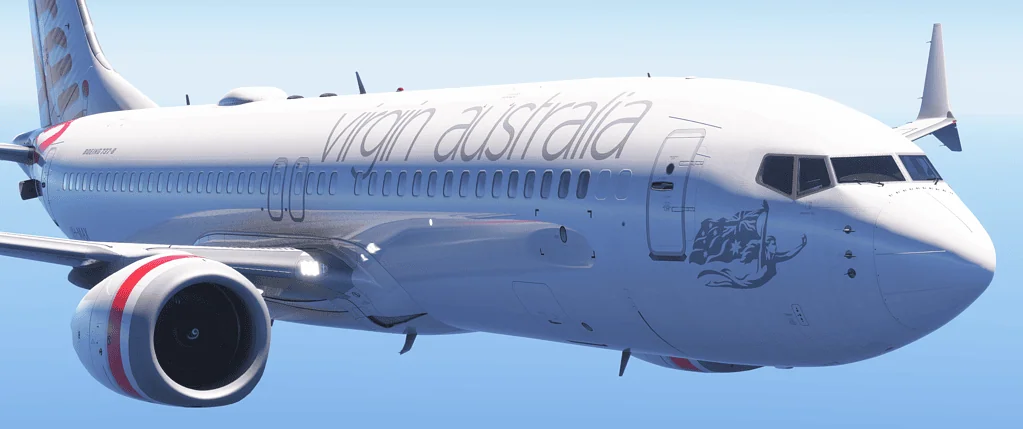
If I’m recreating a Virgin Australia 737 flight, I’ll use the appropriate Virgin livery. If I’m flying a European route, I’ll try to choose an airline that genuinely operates that service.
Once you see the correct aircraft in the correct airline colours sitting at the gate, the flight immediately feels less like a computer game and more like recreating an actual airline operation.
Think About the Airports Too
I particularly enjoy choosing routes between airports where I have good scenery. A detailed departure airport and an interesting destination make the beginning and end of the flight much more enjoyable.
However, I don’t think you need payware scenery everywhere. Some of the handcrafted airports supplied with MSFS 2024 are remarkably good. If the default airport already looks excellent, I’m quite happy to use it.
It’s also worth considering the arrival before you choose your flight. An airport with an interesting approach, surrounding mountains, coastline or challenging weather can turn an otherwise ordinary route into a memorable one.
Use Real Weather and Time – If You Want To
If I’m recreating today’s real flight, using live weather adds another layer of realism. Suddenly the runway, departure, arrival and approach aren’t entirely under my control.
On the other hand, this is still a hobby. If the real flight departs at two o’clock in the morning, I’m quite happy to move the simulator clock to a more enjoyable time of day!
Realism should make flight simulation more enjoyable, not turn it into a job.
My Simple Real-World Flight Checklist
- Choose the aircraft I want to fly.
- Decide how long I want the flight to be.
- Find a real airline route.
- Check which aircraft normally operates it.
- Choose the appropriate airline livery.
- Create the flight in SimBrief.
- Check the weather and likely runways.
- Have a look at the arrival and approach charts.
- Load the aircraft at the gate and enjoy the flight.
Final Thoughts
You certainly don’t have to recreate real airline operations to enjoy MSFS 2024, but I’ve found that adding these little touches gives each flight more purpose.
Instead of wondering where to fly, I can choose a real service, use the appropriate aircraft and airline, build the flight in SimBrief and see how closely I can reproduce the journey.
And don’t worry if everything isn’t exactly as the real airline would do it. We’re flight simmers, not airline operations departments. For me, the aim is simply to add enough real-world detail to make the experience more believable and enjoyable.
Thanks for reading. I hope the information above helps make your flight simulation more real.

- How to Choose a Real-World Flight for MSFS 2024 - 28 August 2026
- You Know You’re a Flight Simmer When… - 12 August 2026
- Pete’s Ultimate MSFS 2024 Graphics Settings Guide - 1 August 2026