Flight Simulation Glossary

Flight Simulation Glossary

If you’re new to the simulator, our Microsoft Flight Simulator 2024 Beginner Guide explains the essential setup, controls, and first-flight knowledge that make the terms in this Flight Simulation Glossary much easier to understand.

A clear, beginner-friendly flight simulation glossary explaining common aviation and simulator terms used in Microsoft Flight Simulator and modern flight sim flying. This page is designed to be evergreen, beginner‑friendly, and useful whether you’re brand new or a long‑time simmer.

A

Addon / Add‑on
Extra content that expands a simulator, such as aircraft, airports, scenery, weather engines, or utilities.

Airspeed (IAS / TAS / GS)

  • IAS (Indicated Airspeed): What the aircraft’s airspeed indicator shows.
  • TAS (True Airspeed): Actual speed through the air mass.
  • GS (Ground Speed): Speed over the ground, affected by wind.

APU (Auxiliary Power Unit)
A small onboard engine that provides electrical power and air when the main engines are off.

Autopilot (AP)
A system that automatically controls the aircraft’s attitude, altitude, speed, or navigation.

B

Base Simulator
The core flight simulation platform, before any add‑ons are installed.

Bush Flying
Low‑level flying to short, remote, or unprepared airstrips, often in rugged terrain.

C

Cold and Dark
An aircraft state where everything is powered off, simulating a realistic startup from scratch.

Control Sensitivity / Curves
Settings that adjust how your joystick, yoke, or pedals respond to input.

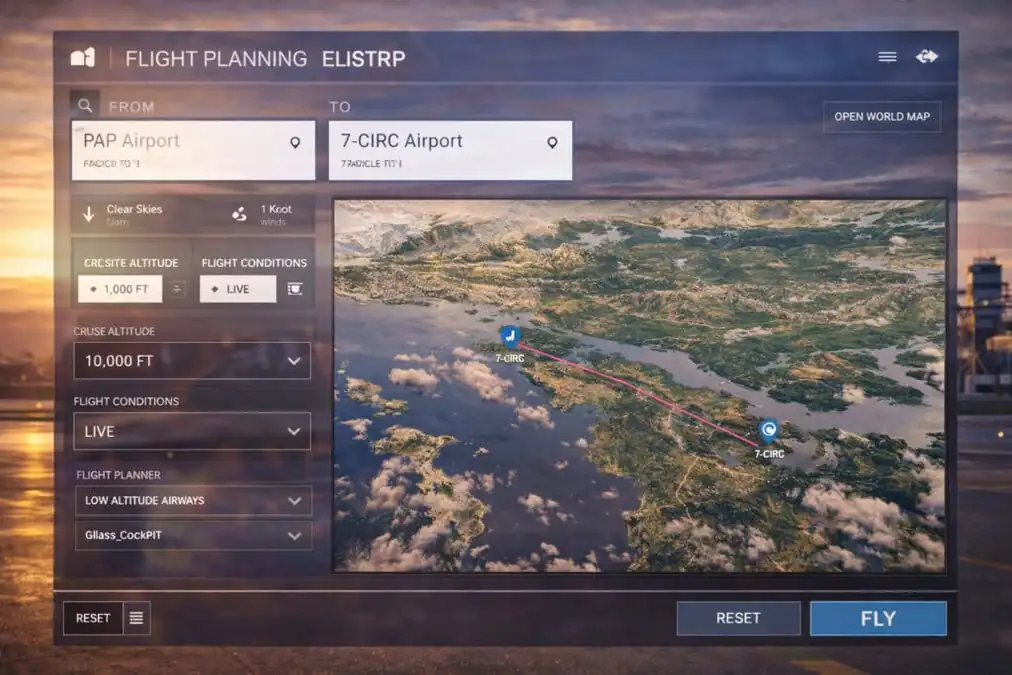
Cruise Altitude
The planned altitude at which the aircraft flies most efficiently during the cruise phase.

D

DAW (Digital Audio Workstation)
Software used to record and edit audio for videos or cockpit sounds.

Dead Reckoning
Navigating by time, speed, heading, and distance without electronic aids.

E

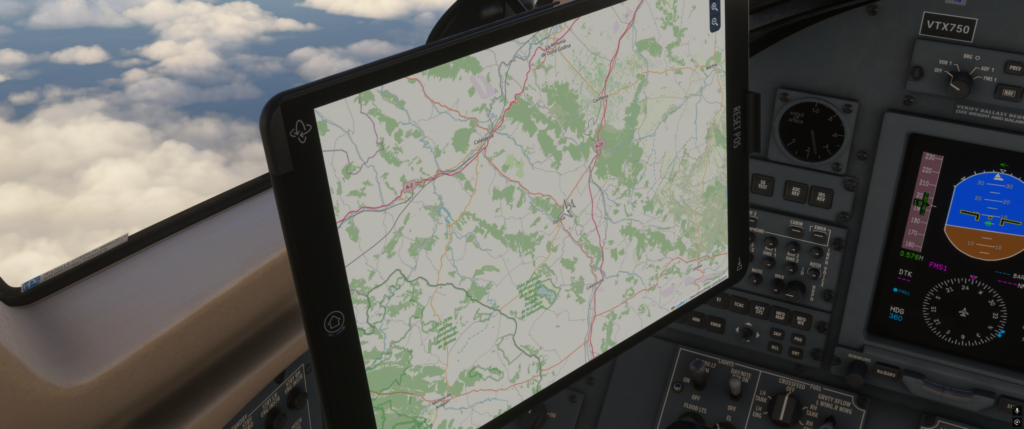
EFB (Electronic Flight Bag)
A tablet‑style interface used for flight planning, aircraft setup, weights, and performance.

Elevation
Height above mean sea level, used for airports and terrain.

F

FMC / FMGS / MCDU
The aircraft’s flight management computer is used to program routes, performance, and automation.

Flight Model
The mathematical system that determines how realistically an aircraft flies.

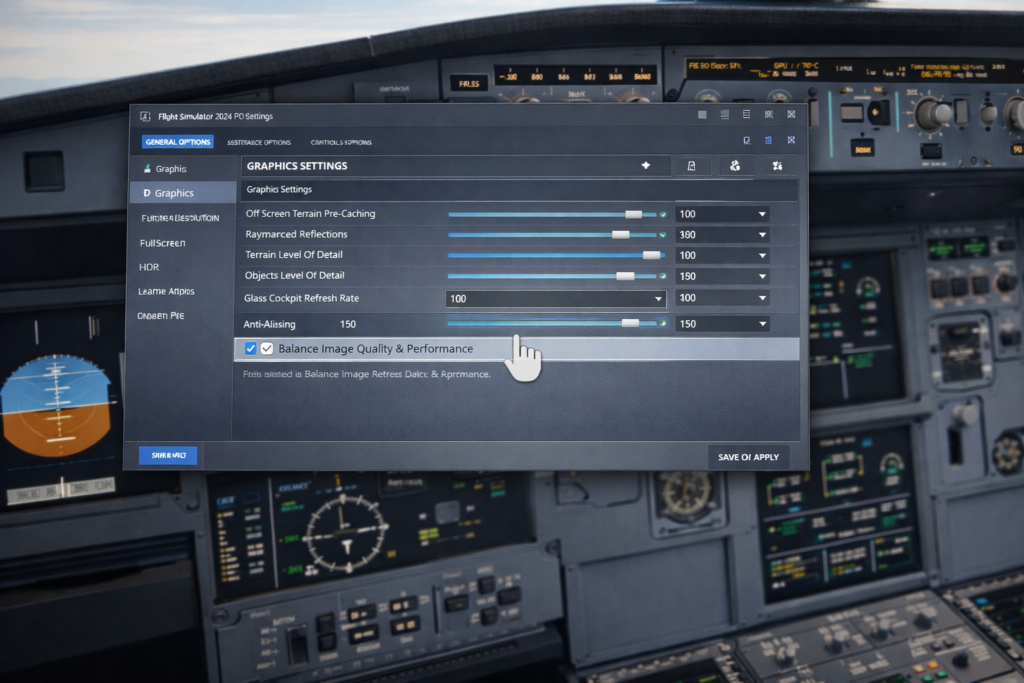
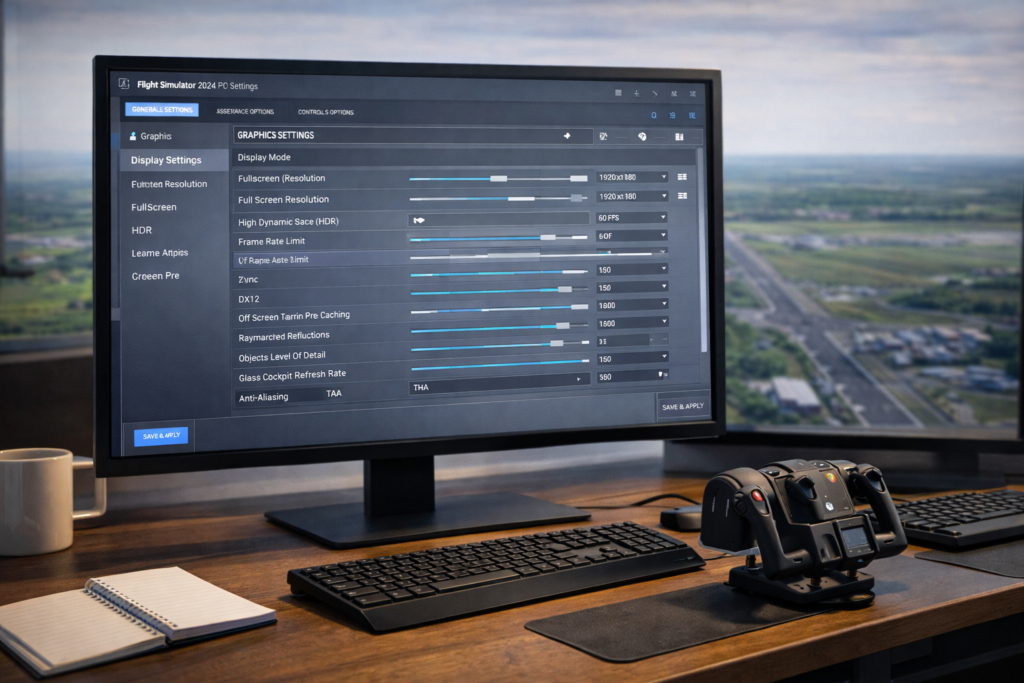
Frame Rate (FPS)
How many frames per second does your simulator display? Higher FPS usually means smoother motion.

G

Gate‑to‑Gate
A full flight simulation from parking-gate departure to arrival-gate shutdown.

Glass Cockpit
A cockpit using digital displays instead of traditional analog instruments.

H

Heading
The direction the aircraft’s nose is pointing, measured in degrees.

Holding Pattern
A racetrack‑shaped flight path is used to delay an aircraft before continuing.

I

IFR (Instrument Flight Rules)
Flying primarily by instruments and procedures, often in low visibility.

Immersion
How realistic and convincing does the simulation feel overall?

J

Joystick / Yoke
Primary flight controls are used to steer the aircraft in pitch and roll.

L

Livery
The paint scheme or airline colours applied to an aircraft.

LOD (Level of Detail)
A performance technique where distant objects are rendered with less detail.

M

Managed Mode
Automation, where the aircraft follows programmed speeds, altitudes, or routes automatically.

METAR
A coded weather report used for real‑world and simulated weather.

N

Navdata
Navigation database containing airways, procedures, and waypoints.

Night Lighting
Airport and cockpit lighting quality during night operations.

P

Payload
Passengers, cargo, and baggage are carried by the aircraft.

Procedures (SID / STAR / Approach)
Standard routes for departures, arrivals, and landings.

R

Real‑Time Weather
Live weather is injected into the simulator based on real‑world conditions.

Re‑amping (Audio)
Recording a clean signal first, then processing it later for the best sound quality.

S

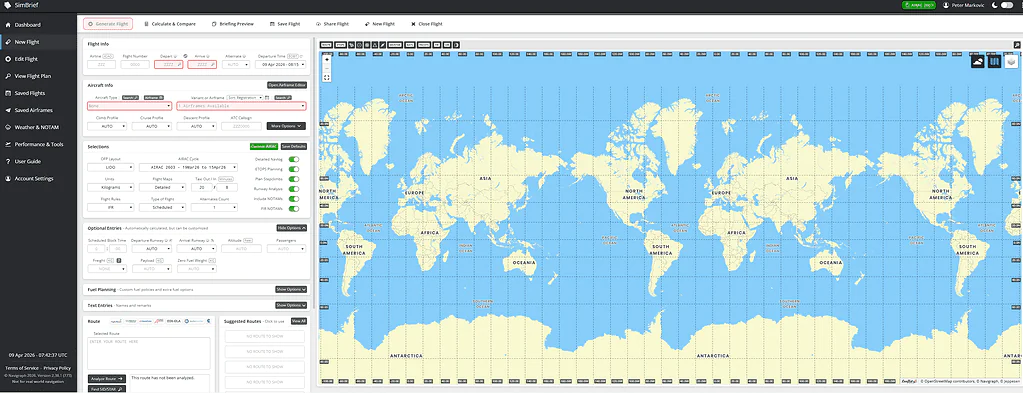
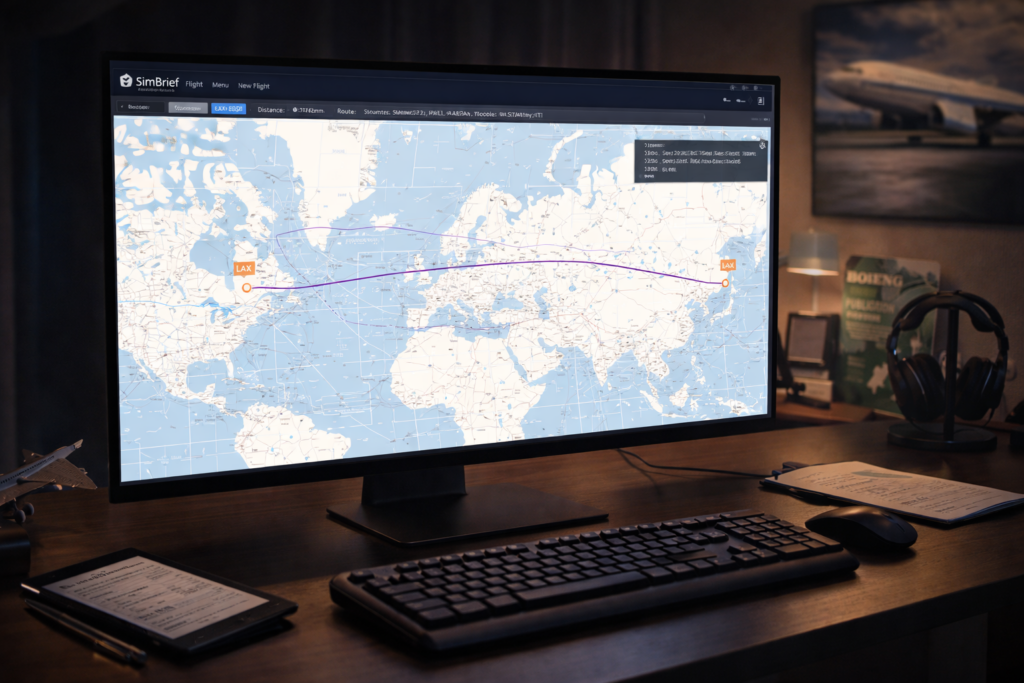
SimBrief
A popular flight planning tool that generates realistic operational flight plans.

Stutters
Momentary pauses or uneven motion caused by performance issues.

T

Terrain Mesh
The underlying 3D shape of the landscape.

Traffic (AI / Live)
Simulated aircraft moving realistically around airports and airspace.

V

VFR (Visual Flight Rules)
Flying primarily by visual reference to the ground and horizon.

Virtual Airline (VA)
An online community that simulates airline operations for fun.

W

Weights & Balance
Aircraft loading calculations that affect performance and handling.

World Updates
Large simulator updates that improve scenery and landmarks for specific regions.

About This Glossary

Flight simulation has its own language. This glossary is here to remove confusion, lower the learning curve, and help you enjoy the hobby more — whether you fly casually or aim for deep realism.

This page will continue to grow over time as new terms and technologies appear.

MSFS 2024 Live Weather

Troubleshooting

Using MSFS 2024 live weather allows pilots to experience real-world atmospheric conditions, winds, visibility, and cloud formations that make each flight feel unique and realistic. If you’re still learning how realism settings, environmental configuration, and simulator options influence the flying experience, our best realistic settings for MSFS 2024 guide explains the key adjustments that help create believable real-world conditions throughout your flights..

Common complaints include:

  • Clear skies when bad weather is expected
  • Missing cloud layers
  • Incorrect wind direction or strength
  • Weather changing mid-flight

Because live weather is such a core feature of the simulator, problems here can seriously break immersion.

This article explains why live weather issues are so common in MSFS 2024, what’s usually happening behind the scenes, and what has helped many users improve reliability.

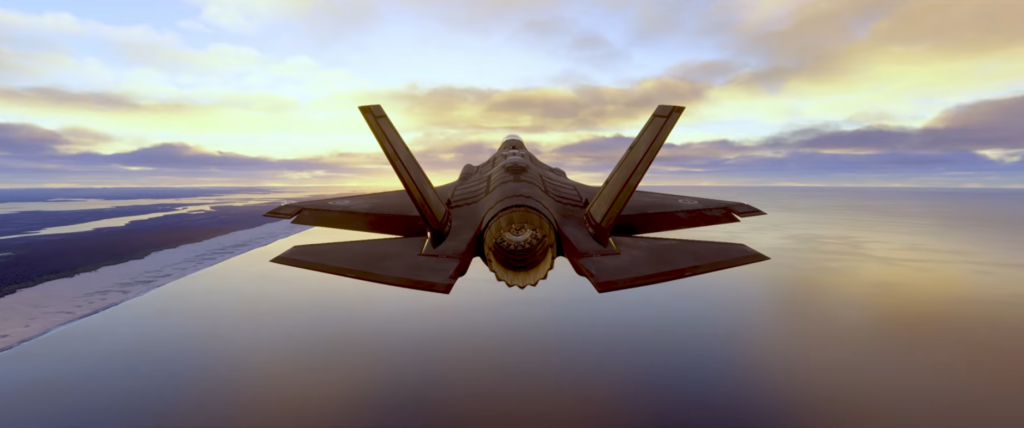
F-35 Jet in flight Rear View

A quick note before we start

There is no single fix that guarantees perfect live weather.

Live weather depends on:

  • External data sources
  • Server availability
  • Data updates over time
  • How and when the simulator refreshes conditions

The aim isn’t perfection, but understanding what’s realistic to expect and how to improve consistency.

Why live weather often feels “wrong”

Live weather in MSFS 2024 is not a live video feed of conditions. It is a model built from real-world data that is interpreted and updated periodically.

This means:

  • Conditions may lag real-time
  • Small-scale weather may be simplified
  • Rapid weather changes may not appear accurately

What looks like a failure is often a limitation of how weather data is processed.

Common reasons live weather doesn’t match reality

Weather data delays

Real-world weather data updates on intervals. If conditions have changed recently, the simulator may still be using earlier information.

Server availability issues

When weather servers are under heavy load or experiencing issues, live weather may fail silently and fall back to simplified conditions.

Cached weather data

Occasionally, previously loaded weather data persists longer than expected, especially during short flights or repeated sessions.

Location-specific limitations

Weather accuracy varies by region. Some areas have more detailed data coverage than others, which affects realism.

Incorrect presets were selected unintentionally

Sometimes live weather is disabled without the user realising it, especially after changing settings or loading saved flights.

What has helped many users (but not all)

The steps below have improved live weather behaviour for many users. Results vary, but these are sensible checks.

Confirm live weather is actually enabled

Ensure live weather is selected before the flight loads, not changed afterward.

Restart the simulator

Live weather often fails quietly. Restarting forces a fresh data request.

Avoid changing weather mid-flight

Switching between presets and live weather during a flight can cause inconsistent results.

Allow time for the weather to settle

Live weather may take several minutes after loading to fully populate clouds and wind layers.

Be cautious immediately after updates

Weather services sometimes behave inconsistently shortly after simulator updates. Waiting can be more effective than troubleshooting.

Why weather may look right at altitude but wrong on the ground

Some users notice the weather improves once airborne. This often reflects:

  • Delayed surface layer updates
  • Gradual loading of cloud data
  • Stabilisation of wind models over time

This behaviour can be confusing, but it is not uncommon.

When it’s probably not worth chasing further

If:

  • The weather is broadly plausible
  • Conditions vary realistically during flight
  • No obvious errors occur

…it may be best to accept minor inaccuracies rather than endlessly restarting flights.

Live weather is an approximation, not a perfect recreation.

A helpful way to think about live weather

A useful mindset is this:

Live weather aims for believable conditions, not exact replication.

Understanding that helps set realistic expectations and reduces frustration.

Closing thought

Live weather issues in MSFS 2024 are frustrating precisely because they affect immersion so directly. In most cases, they aren’t the result of user error, but of data delays, modelling limits, or temporary server issues.

Real-world weather data used in aviation is based on METAR reports, forecasts, and atmospheric modelling that update continuously throughout the day. Aviation weather resources such as Aviation Weather Center provide real-time observations and forecasts, offering helpful context when comparing simulator conditions with actual weather patterns.

Your window seat to the skies.

Microsoft “Handcrafted” Airports in MSFS 2024

Add-ons First Officer for FS2024

To explore more of the highest-quality aircraft and scenery available, our Best MSFS 2024 Aircraft Addons guide highlights the most recommended simulator upgrades and pairs naturally with the featured locations in this Microsoft “Handcrafted” Airports in MSFS 2024 overview.

About this guide

Microsoft’s handcrafted airports in Microsoft Flight Simulator 2024 showcase highly detailed terminals, accurate layouts, and enhanced ground environments designed to deliver a more realistic flying experience. This guide explains what handcrafted airports are, how they differ from default scenery, and what to expect when flying to these premium locations.

If you’ve ever loaded into an airport expecting something special and thought, “This feels fairly ordinary,” you’re not imagining things. Even experienced simmers can find the term confusing, because handcrafted doesn’t mean one single thing, and it certainly doesn’t guarantee a consistent level of detail.

This article exists to clarify what the term means in MSFS 2024 — calmly, without hype, and without turning it into a checklist or a debate.

Quick Answer

A handcrafted airport in Microsoft Flight Simulator 2024 is an airport that has received manual developer attention rather than being created entirely from generic scenery. Handcrafted airports usually feature more accurate layouts, custom buildings and greater realism, but the level of detail can vary quite a lot between locations.

What “handcrafted” means in MSFS 2024

In MSFS 2024, a handcrafted airport has received manual developer attention, rather than being built entirely from procedural or generic assets.

In practical terms, this usually means:

  • Custom or semi-custom terminal models
  • Manually adjusted airport layouts
  • Hand-placed details beyond pure autogen
  • A closer match to the real-world footprint

What it does not automatically mean is:

  • Payware-level detail
  • Perfect accuracy
  • Identical quality across all handcrafted airports

Microsoft has stated that MSFS 2024 includes a curated set of handcrafted airports, carried over and upgraded from MSFS 2020, with totals depending on the edition you own. It’s a defined group, not a label applied to every major airport.

Pete’s Take

I think this is where a lot of the confusion starts. The word handcrafted sounds as though every airport should be a showpiece. In reality, I’ve learned to treat it more as a useful guide than a guarantee. Some handcrafted airports are genuinely impressive, while others are simply a better version of default scenery.

Handcrafted does not mean one quality level

This is the point where expectations most often clash with reality.

The word handcrafted sounds like it should imply a single, high standard. In practice, it describes how an airport was created, not how far that work was taken.

Key point: Handcrafted describes how an airport was created, not how detailed it will necessarily be.

Some handcrafted airports feel rich, convincing, and atmospheric. Others represent a more modest improvement over default — better shapes and layout, but still fairly simple up close.

That doesn’t mean something is wrong or mislabeled. It usually reflects:

  • When the airport was created
  • How much time and budget it received
  • Whether it was part of a major world update or base-sim package

Understanding this early avoids a lot of unnecessary disappointment.

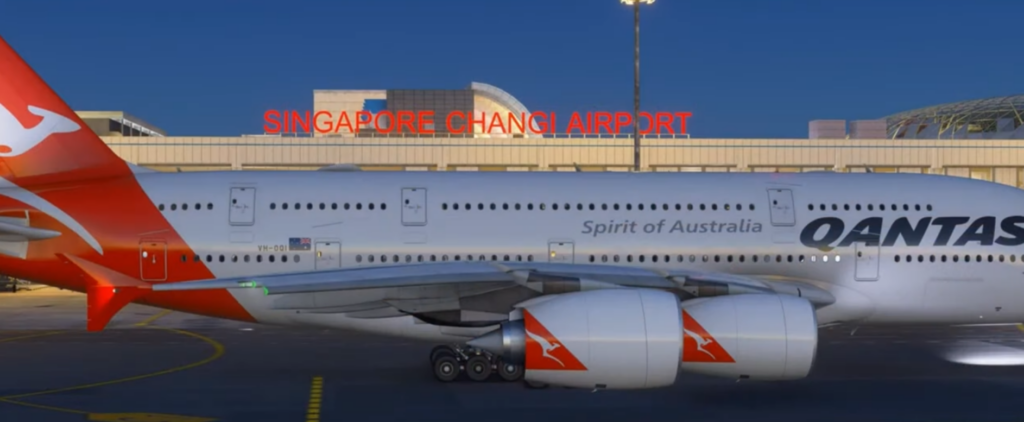
Qantas A380 at Singapore Changi Airport for flight simulation display.

Why people often talk past each other about handcrafted airports

When someone says “that airport is handcrafted,” they may be referring to different things:

  • Microsoft’s official handcrafted airports are included with the sim
  • Airports introduced or upgraded through World or City Updates
  • Third-party bespoke airports, either payware or freeware

All of these involve manual design work, but only the first category aligns with how Microsoft uses the term in edition comparisons and official descriptions.

This is why discussions can feel contradictory. Two people can both be correct while talking about different categories.

How to recognise a handcrafted airport in practice

If you want to work out whether an airport in MSFS 2024 is handcrafted without relying on marketing material, there are a few practical clues.

A handcrafted airport will usually show:

  • Terminal buildings that don’t rely on repeated generic shapes
  • Aprons and taxiways that closely match real-world layouts
  • Signage and stand placement that feels intentional
  • A stronger sense of local character

Worth Knowing

A handcrafted airport is not automatically the best airport to visit. Some of my favourite destinations in Microsoft Flight Simulator are smaller regional airports surrounded by spectacular scenery. A beautifully modelled terminal is nice, but the approach, the light, the surrounding landscape and the overall atmosphere often matter just as much.

That said, some handcrafted airports are subtle. Not all improvements are decorative, and lighter-touch examples can be easy to miss at first glance.

If an airport feels broadly interchangeable with many others, it may not be handcrafted — or it may be a more restrained example.

Why handcrafted airports can look inconsistent

Another common source of confusion is inconsistency between users.

Two simmers can load into the same airport and come away with noticeably different impressions. Factors can include:

This doesn’t mean airports change dramatically from one user to another, but it can affect how detailed and textures are presented, particularly after updates.

It’s one reason sweeping claims about quality should always be treated cautiously.

Why the term still matters

Even with all these caveats, handcrafted remains a useful term.

A handcrafted airport is generally:

  • More accurate in layout
  • More convincing from the air
  • Better suited as a destination
  • More interesting to explore at ground level

For flight planning, it works best as a strong hint rather than a promise. It suggests an airport is worth a look — and that’s often all you need when choosing where to fly next.

A sensible way to think about handcrafted airports

The most helpful mindset in MSFS 2024 is this:

Handcrafted describes intention, not perfection.

Some airports shine because of lighting, surroundings, or approach paths. Others work better as believable backdrops than close-up showcases.

Neither is wrong. Understanding that difference makes the simulator far more enjoyable.

My Experience

For me, the best airport in MSFS is not always the one with the most detail. Sometimes it is the one that gives me the most enjoyable arrival, the best scenery on approach, or the strongest sense of actually being somewhere.

That is why I try not to judge handcrafted airports purely by close-up terminal detail. If the approach feels believable and the airport fits nicely into the surrounding scenery, that often matters more to me than counting every window, vehicle or sign.

Frequently Asked Questions

Are handcrafted airports included in MSFS 2024?

Yes. Microsoft Flight Simulator 2024 includes a selection of handcrafted airports, although the exact number depends on which edition of the simulator you own.

Are handcrafted airports better than default airports?

Generally, yes, but not always by a huge margin. Some handcrafted airports are a clear improvement over default scenery, while others are more subtle. It depends on how much manual work was done and how detailed the airport was made.

Do handcrafted airports improve performance?

Not usually. Handcrafted airports are mainly about improving realism, layout accuracy and visual detail. Depending on the airport and your system, they may even be slightly more demanding than a simpler default airport.

Can freeware airports be handcrafted?

Yes. Many freeware developers create airports manually with custom buildings, corrected layouts and extra details. In everyday simming, people may call these handcrafted too, although Microsoft usually uses the term for airports included with the simulator or official packages.

Are all major airports handcrafted in MSFS 2024?

No. Many major airports in MSFS 2024 still use a mixture of generic, procedural and customised scenery. Only selected airports are officially presented as handcrafted.

How do I know if an airport is worth visiting?

The best way is still to fly there and judge it for yourself. Screenshots and lists can help, but the overall experience depends on the approach, surrounding scenery, lighting, weather and the type of flying you enjoy.

Closing thought

The word handcrafted in MSFS 2024 isn’t misleading — it’s simply broader than many people expect.

Once it’s understood as a description of process rather than polish, it becomes a genuinely helpful part of flight planning instead of a source of frustration.

Your window seat to the skies

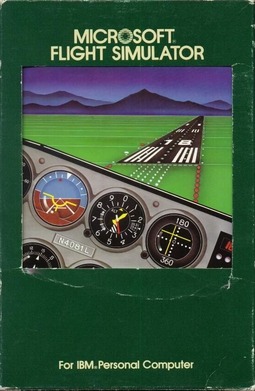
The History of Microsoft Flight Simulator Era 1 — The Beginning (1977–1983)

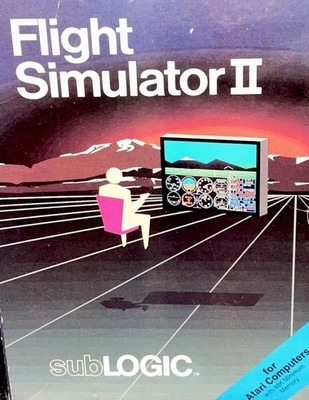
Flight Simulator 11 Sublogic

The History of Microsoft Flight Simulator began between 1977 and 1983, when primitive graphics and pioneering ideas proved that real flight could exist on a personal computer. Explore the earliest days of Microsoft Flight Simulator from 1977 to 1983, when primitive graphics, bold innovation, and personal computers launched a simulation legend.

If you want to understand why Microsoft Flight Simulator still matters today, you really do have to go back to the very beginning. Not to powerful PCs, detailed scenery, or complex aircraft systems — but to a time when simply seeing a horizon move on a screen felt like magic.

The late 1970s and early 1980s were a very different world for computing. Machines were slow, memory was measured in kilobytes, storage came on floppy disks, and colour displays were a luxury rather than the norm. And yet, somehow, this was where flight simulation took its first real steps.

Computers of the time

Early personal computers weren’t built for entertainment, let alone simulation. They were noisy, slow, and often temperamental. Booting a machine could take time, and loading software from a floppy disk required patience — lots of it.

Most systems had:
  • extremely limited memory
  • very basic graphics
  • simple keyboards (no mice yet)
  • monochrome or low-resolution colour monitors

There were no GPUs, no multi-core processors, and no expectation of smooth performance. If something moved convincingly on screen, it was impressive.

The first simulators

The earliest versions of Flight Simulator were astonishingly simple by modern standards — but revolutionary for their time. The world was sparse, the aircraft basic, and the instruments minimal. There were no satellite images, no real-world weather, and certainly no detailed airports.

And yet, for the first time, you could:

  • Control an aircraft
  • Watch the horizon tilt as you banked
  • climb, descend, and turn, and feel a sense of being somewhere else

It wasn’t about realism as we define it today. It was about imagination filling in the gaps.

What it felt like to fly

This is hard to explain unless you were there.

Flying in these early simulators required patience and curiosity. Frame rates were low. Controls felt crude. Sometimes the simulator struggled just to keep up. But when everything lined up — when the screen responded, and the aircraft behaved as expected — it felt deeply rewarding.

You weren’t chasing perfection. You were discovering a possibility.

Many users weren’t pilots. Some had never even been in a small aircraft. But for the first time, aviation felt accessible — something you could explore from your desk at home.

  • Limitations? Plenty. Magic? Absolutely.
  • Simple wireframe or blocky graphics
  • Very basic flight models
  • Little sense of scale or geography

But those limitations didn’t matter as much as you might think. In fact, they encouraged imagination. The simulator gave you just enough information to believe, and your mind did the rest.

That sense of “what if?” — what if this could be better, smoother, more detailed — was already there.

A foundation quietly laid

Looking back now, it’s remarkable how much was achieved with so little. Era 1 didn’t try to be everything. It didn’t promise realism or accuracy in the modern sense. What it did do was prove that flight simulation belonged on personal computers — and that people wanted it.

Everything that came later was built on this foundation.

The computers would get faster. The graphics would improve. The worlds would grow larger and more detailed. But the core idea — sitting down and flying, simply for the joy of it — was already firmly in place.

And with that foundation laid, flight simulation was ready to move into its next phase.

Next Era >

The History of Microsoft Flight Simulator Era 6 — A New Beginning (2020–Present)

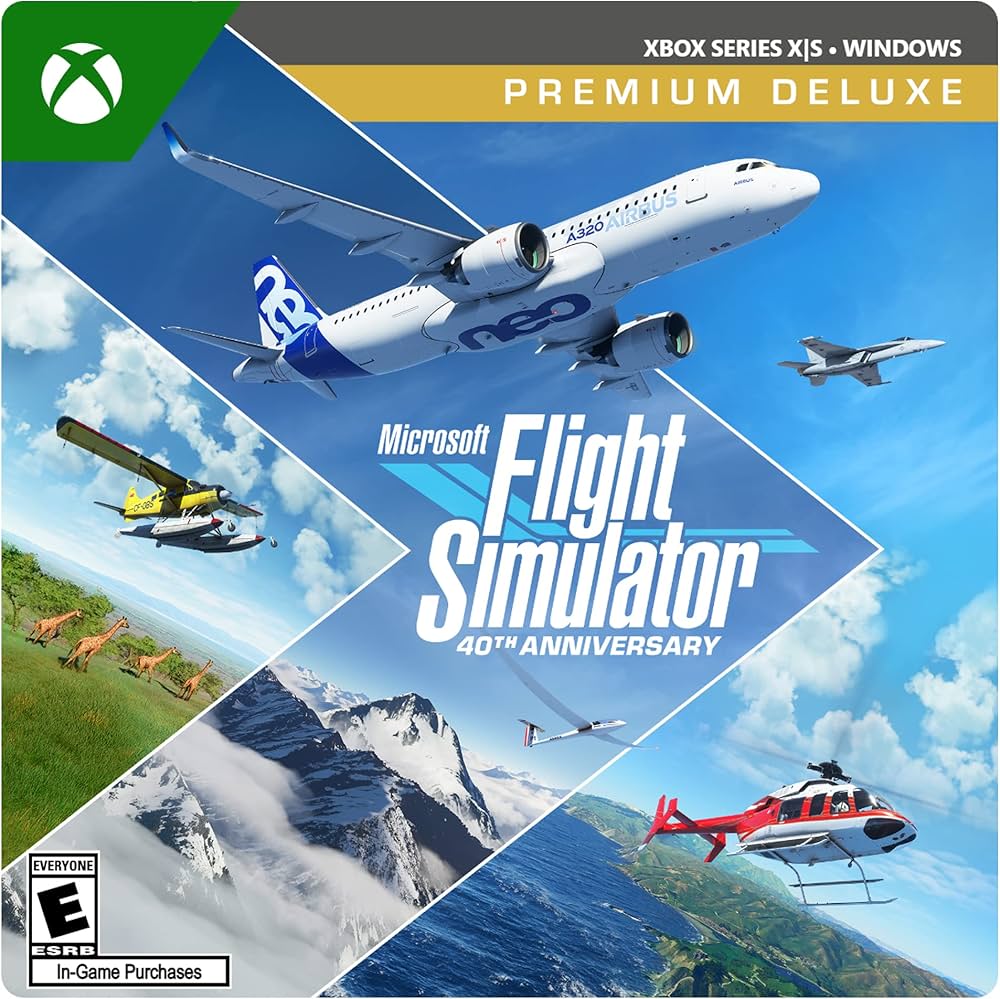
Microsoft Flight Simulator 40th Anniversary Edition

The History of Microsoft Flight Simulator Era 6 — A New Beginning (2020–Present). Beginning in 2020, Microsoft Flight Simulator returned with breathtaking global scenery, live weather, and technology that redefined what home flight simulation could become. After years of uncertainty, flight simulation didn’t just return — it re-entered the spotlight in a way few could have imagined.

Era 6 represents more than a technical upgrade. It marks a reset — a moment where flight simulation stepped out of its niche and reintroduced itself to a much wider audience.

A fresh start

When the modern era of flight simulation arrived, it was immediately clear that something fundamental had changed.

This wasn’t just an update built on old foundations. It was a rethinking of what a flight simulator could be — visually, technically, and culturally.

For the first time:

  • The entire world was available
  • Scenery felt alive and recognisable
  • Flying anywhere felt meaningful

You no longer had to imagine the landscape — you could see it.

Technology finally aligned

What made Era 6 possible wasn’t just ambition — it was timing.

By this point:

  • Modern CPUs and GPUs were powerful enough
  • Internet connectivity was fast and widespread
  • Cloud technology could be leveraged
  • Storage and memory were no longer major constraints

Flight simulation could finally take advantage of modern computing rather than fighting against it.

The result was an experience that felt expansive, fluid, and alive.

A broader audience returns

Perhaps the most striking change in Era 6 was who came back — and who arrived for the first time.

Long-time simmers returned, curious to see what had changed. New users discovered flight simulation through visuals alone, often without any prior aviation background.

For some, it became:

  • A learning tool
  • A creative outlet
  • A way to relax
  • A way to explore the world

Flight simulation once again felt accessible, without losing its depth.

Depth still matters

Despite the visual leap, Era 6 didn’t abandon realism.

Serious simulation:

  • Procedures
  • Navigation
  • Aircraft systems

remained central for those who wanted it. Third-party developers once again played a vital role, expanding the simulator in directions that catered to both casual flyers and dedicated enthusiasts.

The difference this time was choice.

You could fly casually — or deeply.
You could explore — or train.
Keep it simple — or go all in.

A living platform

Unlike previous eras, Era 6 doesn’t feel finished.

The simulator continues to evolve:

Flight simulation is no longer something you install and leave unchanged for years. It’s a living platform — growing, adapting, and improving over time.

Looking back, looking forward

Seen as a whole, the six eras tell a remarkable story.

From wireframe horizons and floppy disks, through golden years and uncertain transitions, to a modern, connected world — flight simulation has quietly reflected the evolution of personal computing itself.

What’s remained constant is the appeal:

Era 6 doesn’t replace what came before — it builds on it.

And just like those early simulators, it leaves one question hanging in the air:

Where do we go next?

Final thoughts

Flight simulation has never been just about technology. It’s about curiosity, patience, imagination, and the simple pleasure of flying — wherever and however you choose to do it.

That spirit has survived every era.

And it’s very much alive today.

The History of Microsoft Flight Simulator Era 5 — Transition and Uncertainty (2006–2019)

Microsoft Flight Simulator X Deluxe Edition

The History of Microsoft Flight Simulator. From 2006 to 2019, Microsoft Flight Simulator faced uncertainty after FSX, yet a dedicated global community ensured the spirit of virtual flight never disappeared. Era 5 is often remembered as an awkward, uneven period in the history of flight simulation — not because it lacked potential, but because it sat between two worlds.

The ambition was there. The technology was advancing rapidly. But something fundamental had shifted, and for a long time it wasn’t clear where flight simulation was headed.

Technology races ahead

By the mid-2000s, computer hardware was improving at a remarkable pace.

Systems now featured:

  • Multi-core processors
  • Powerful graphics cards
  • Vastly increased memory
  • High-resolution widescreen monitors

On paper, this should have been a golden age. The raw computing power available to home users was unprecedented.

But flight simulators, built on older foundations, struggled to take full advantage of it.

A simulator under strain

This era exposed a growing tension between legacy design and modern hardware.

The simulator still carried:

  • Older architecture
  • Performance limitations
  • Heavy reliance on single-core processing

Users found themselves with powerful machines that still struggled under the weight of complex scenery and add-ons. Tweaking settings became part of the experience — sometimes more than flying itself.

It could be rewarding, but also frustrating.

Add-ons grow more complex

Third-party developers continued to push boundaries.

Aircraft became:

  • incredibly detailed
  • system-rich
  • closer to study-level simulations

Scenery reached new levels of realism. Weather engines became more sophisticated. The simulator could look stunning — but only if everything was carefully balanced.

For some, this depth was the ultimate reward. For others, it felt like the hobby was becoming harder to access.

A divided experience

During Era 5, flight simulation began to split into different paths.

Some users embraced:

  • complexity
  • realism
  • procedural accuracy

Others missed:

  • simplicity
  • smooth performance
  • easy immersion

The hobby was still alive and active, but it no longer felt unified. Different platforms emerged, each with their own strengths and weaknesses, and users often had to choose what mattered most to them.

The quiet years

Perhaps the defining feature of this era was uncertainty.

There were moments of excitement, but also long stretches of quiet. Development felt slow. Official communication was limited. Many wondered whether flight simulation would ever truly evolve beyond its existing framework.

And yet, the community endured.

Dedicated simmers kept flying. Developers kept building. Knowledge was shared, refined, and preserved. The passion never disappeared — it simply waited.

A foundation held together by loyalty

What kept flight simulation alive during Era 5 wasn’t flashy innovation — it was commitment.

  • long-time users stayed invested
  • communities continued to support one another
  • the love of flying never faded

In hindsight, this era was less about progress and more about holding the line.

And sometimes, that’s just as important.

On the edge of something new

By the end of the 2010s, it was clear that something had to change. Expectations had outgrown the technology. The audience was ready for a fresh start — something that could bring flight simulation into a new age.

Few could have predicted just how dramatic that change would be.

Next Era

The History of Microsoft Flight Simulator Era 4 — The Golden Years (1996–2005)

Microsoft Flight Simulator 2000

The History of Microsoft Flight Simulator. Between 1996 and 2005, Microsoft Flight Simulator embraced full 3D environments, richer aircraft systems, and a thriving community that defined a golden era of simulation. For many flight simulation enthusiasts, this era is where everything truly came together. The hardware was finally capable, the software had matured, and flight simulation found a balance between ambition and accessibility that’s still talked about today.

If earlier eras were about getting there, Era 4 was about arriving.

PCs come into their own

By the late 1990s and early 2000s, personal computers had taken a huge step forward.

Typical systems now featured:

  • Significantly faster processors
  • Dedicated graphics cards
  • Far more memory
  • Larger hard drives that actually felt roomy

Windows had become the norm, mice were universal, and monitors were clearer and larger than ever. You could finally run a flight simulator without feeling like you were asking too much of your machine — even if performance still required the occasional tweak.

The computer was no longer the bottleneck it once had been.

A big leap in realism

This was the era when realism became a genuine goal rather than a distant dream.

Aircraft gained:

  • Recognisable cockpits
  • More accurate instruments
  • Improved flight dynamics
  • A stronger sense of weight and momentum

The scenery improved dramatically, too. Airports felt like airports. Cities felt like cities. You could follow coastlines, recognise landmarks, and plan flights with a sense of place rather than imagination alone.

For the first time, the world felt connected.

Add-ons change everything

One of the defining features of Era 4 was the rise of third-party add-ons.

Suddenly, flight simulation wasn’t just what came in the box. Users could:

This opened the door to endless customisation. People began tailoring their simulators to suit their interests — airliners, GA flying, military aircraft, bush flying, or simply exploring the world.

Flight simulation became a hobby you could shape yourself.

Online communities take off

With the growth of the internet, something else happened: flight simmers found each other.

Forums, websites, and online groups became places to:

  • Share tips
  • Discuss realism
  • Exchange add-ons
  • Help troubleshoot problems

This sense of community added a whole new dimension. Flight simulation no longer felt like a solitary pursuit — it became something shared.

For many, this was when the hobby truly came alive.

Hardware gets serious

This era also saw an explosion in dedicated flight simulation hardware.

  • Better joysticks
  • Yokes and pedals
  • Throttle quadrants
  • Multiple monitors

People started building proper setups. Desks began to resemble cockpits. Flying felt more physical, more immersive, and more rewarding.

Once again, it was hard to go back.

Why is this era remembered so fondly

Era 4 hit a sweet spot.

The simulators were:

  • Complex enough to be interesting
  • Forgiving enough to enjoy
  • Powerful without being overwhelming

You could fly casually, or dive deep into procedures. You could explore, learn, or simply relax. It didn’t demand perfection — it invited curiosity.

For many simmers, this era represents hours of enjoyment, discovery, and quiet satisfaction.But change was coming

As successful as this period was, it also raised expectations. People wanted more realism, more detail, and more immersion. And delivering that would come at a cost.

The next era would bring ambition — but also growing pains.

Next Era

The History of Microsoft Flight Simulator Era 3 — The PC Takes Over (1989–1995)

Microsoft Flight Simulator 98

The History of Microsoft Flight Simulator. From 1989 to 1995, Microsoft Flight Simulator entered a new era of colour graphics, sound, and expanding worlds that made virtual flying more immersive than ever. If the first two eras were about possibility and experimentation, Era 3 was about confidence. By the early 1990s, personal computers had reached a point where flight simulation could finally stretch out and breathe a little.

This was the era when the PC stopped feeling like it was barely coping and started to feel like it was meant to do this.

The hardware finally catches up

Computers were still slow by today’s standards, but compared to what came before, they felt positively powerful.

Typical systems now had:

  • megabytes of memory instead of kilobytes
  • VGA graphics with proper colour
  • hard drives as standard
  • faster processors that could actually keep up

Monitors were larger, sharper, and easier on the eyes. You could sit in front of a simulator for longer without feeling like you were staring into a flickering experiment.

Things still crashed. Things still stuttered. But for the first time, the experience felt stable enough to enjoy.

The simulator becomes recognisable

This is where flight simulation really began to look like… flight simulation.

Aircraft gained:

  • clearer instrument panels
  • more believable flight behaviour
  • a stronger sense of pitch, roll, and speed

The scenery improved too. Terrain wasn’t just abstract shapes anymore — it began to suggest landscapes, coastlines, and cities. You could tell where you were, at least in a general sense.

Navigation started to matter. Headings, headings bugs, and basic procedures became part of the experience. It wasn’t just about flying around — it was about flying somewhere.

The rise of peripherals

Era 3 also marked the time when hardware beyond the keyboard became part of the hobby.

Joysticks, yokes, and rudder pedals started appearing on desks. They weren’t perfect, and they certainly weren’t cheap, but they transformed the experience. Suddenly, control felt more natural, more physical.

Once you’d flown with a joystick, it was very hard to go back.

This was also the moment when flight simulation began to feel more serious — less like a curiosity, and more like a commitment.

Learning becomes part of the fun

By this point, flight simulation was no longer something you could just dabble in casually. To get the most out of it, you had to learn.

For many users, this was the appeal. The simulator didn’t rush you. It rewarded patience and curiosity. You weren’t chasing high scores — you were building understanding.

And quietly, almost without realising it, people were learning real aviation concepts along the way.

The imagination gap nearly disappears

Compared to the earlier eras, something subtle but important had changed.

You no longer had to work as hard to believe.

The illusion of flight held together for longer periods. The aircraft behaved in ways that felt logical. The world, while still abstract, felt coherent. You could lose yourself in a flight rather than constantly being reminded of the technology behind it.

This was a big deal.

A golden foundation is laid

By the mid-1990s, flight simulation had firmly established itself as one of the most demanding and rewarding things you could do with a home computer.

The audience was growing. Expectations were rising. And the idea that a simulator could be both educational and enjoyable was now widely accepted.

Everything was in place for the next leap forward — one that many still remember with a great deal of fondness.

Next Era

The History of Microsoft Flight Simulator Era 2 — Growing Ambitions (1984–1988)

Microsoft Flight Simulator 3 Cover

The History of Microsoft Flight Simulator. Between 1984 and 1988, Microsoft Flight Simulator evolved rapidly, improving realism, expanding features, and reaching a growing generation of home PC pilots. By the mid-1980s, something important had changed. Personal computers were still slow by today’s standards, but they were becoming more capable — and people were starting to expect more from them.

Flight simulation was no longer just a clever technical demonstration. It was beginning to feel like a proper hobby.

Computers were getting better… slowly

This era didn’t arrive with a sudden leap in technology. Instead, improvements came gradually — but noticeably.

Computers now had:

  • a little more memory
  • better colour graphics
  • improved sound (sometimes)
  • faster processors, though still painfully slow

Hard drives were starting to appear, but floppy disks were still very much part of daily life. Loading times were long, and crashes weren’t uncommon. The dreaded blue screen was never far away.

But when things worked, you could feel that progress was happening.

The simulator starts to take shape

During Era 2, flight simulation began to look and feel more intentional. The basic flying experience was still simple, but there was more structure now — more thought given to how the simulator behaved and what it tried to represent.

You could see:

  • clearer instruments
  • improved horizon and terrain rendering
  • a growing sense of space

It still wasn’t realistic in the modern sense, but it was becoming more believable. The simulator wasn’t just showing movement anymore — it was starting to suggest a world.

A growing audience

Something else changed during this time: who was using flight simulators.

More people were discovering them — not just programmers or tech enthusiasts, but everyday computer owners. Some were drawn in by aviation, others by curiosity, and some simply by the idea that their computer could do something so unusual.

For many users, this was their first taste of “serious” simulation. It wasn’t a game you could master in five minutes. It demanded patience, experimentation, and a willingness to learn.

And that was part of the appeal.

Still limited — but confidence was growing

Let’s be clear: Era 2 simulators were still full of limitations.

  • Frame rates could be painfully low
  • Controls felt stiff
  • Visual detail was minimal
  • Navigation was basic at best

But compared to Era 1, there was a growing confidence. The simulator felt less like an experiment and more like a platform that could be built upon.

You could sense that this wasn’t the end of the road — it was the beginning of something bigger.

The imagination gap narrows

One of the most interesting shifts in Era 2 was how much less imagination you needed to “fill in the gaps”.

The simulator still relied on the user’s imagination, but it was starting to do more of the work itself. The illusion of flight held together for longer. You could settle into a session and forget, just briefly, about the limitations of the hardware.

That feeling — when the technology fades into the background — is something flight simulation has always chased. And in Era 2, it was becoming achievable for moments at a time.

Setting the stage for what came next

By the end of the 1980s, flight simulation had found its footing. It had survived its experimental phase and proven there was a genuine audience willing to invest time and effort into the experience.

The groundwork was laid:

  • Better computers were on the way
  • Expectations were rising, and the idea of realism was beginning to take hold

The next era would take full advantage of this momentum, as personal computers became more powerful and flight simulation began to resemble something much closer to what we recognise today.

Next Era