Best Aircraft for Long Haul Flights in MSFS 2024

Tutorials

Best aircraft for long-haul flights MSFS-2024. Long-haul flying in Microsoft Flight Simulator 2024 is a completely different experience from short regional hops. Instead of quick climbs and frequent landings, long-haul operations demand careful planning, fuel management, cruise monitoring, and approach preparation hours later in a completely different environment.
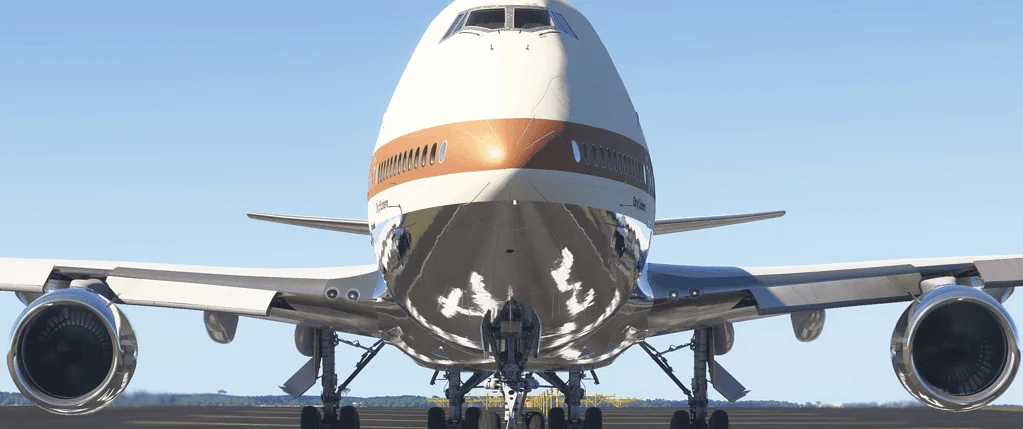
The right aircraft makes all the difference.

Long-haul aircraft are built for:

  • Intercontinental range
  • High-altitude efficiency
  • Advanced automation
  • Stable cruise performance
  • Realistic step climbs
  • This guide explores the best aircraft for realistic long-haul flying in MSFS 2024.

What Defines Long Haul?

In the simulator, long haul typically means:

  • 1,500 to 8,000+ nautical miles
  • 3 to 15+ hours of flight time
  • Cruise altitudes above FL350
  • Complex arrival planning

Aircraft suited for this type of flying are almost always widebody jets.

Best Overall Long Haul Aircraft – Boeing 787
The Boeing 787 is one of the most capable long-range aircraft available in MSFS 2024.

Why it excels:

  • Long-range capability
  • Modern avionics
  • Efficient fuel burn
  • Smooth high-altitude performance
  • Advanced LNAV and VNAV

The 787 is ideal for:

  • Transatlantic flights
  • US to Europe
  • Europe to the Middle East
  • Medium ultra-long routes

It balances automation with Boeing-style pilot control.

Best Ultra Long Haul Aircraft – Airbus A350 or 787-10 Class

If available in your setup, modern widebodies designed for ultra-long range provide the most realistic experience for 10–15 hour routes.

Characteristics:

  • Efficient high-altitude cruise
  • Optimised long-range performance
  • Strong VNAV logic
  • Advanced FMS planning

Ideal for:

  • Europe to Asia
  • Australia to the US West Coast
  • US East Coast to the Middle East

For serious long-haul simulation, this category delivers the most immersion.

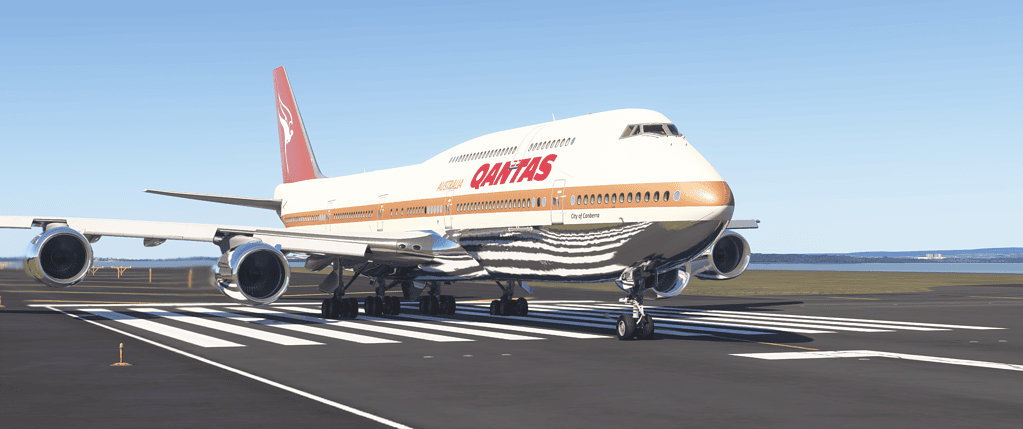
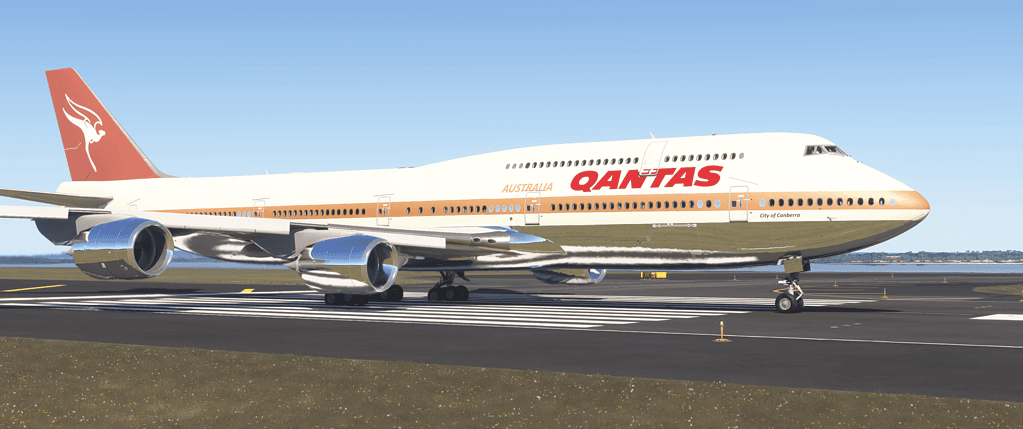
Best Classic Long Haul Experience – Boeing 747
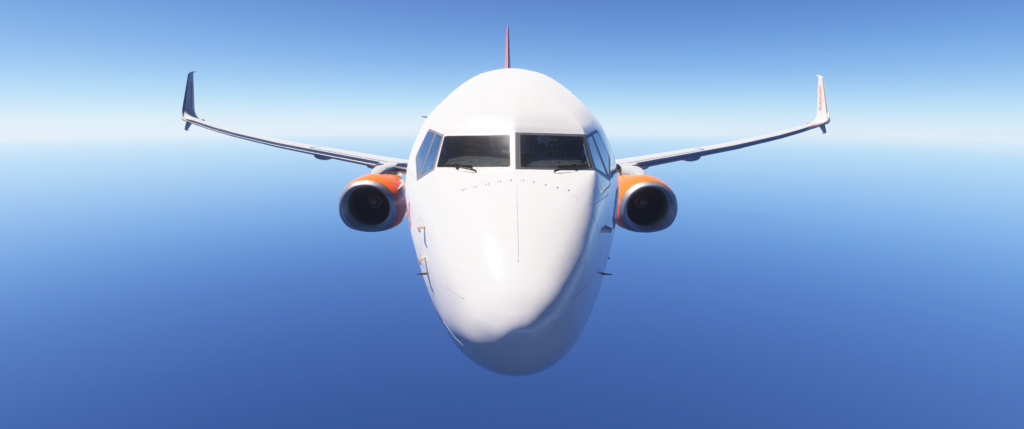
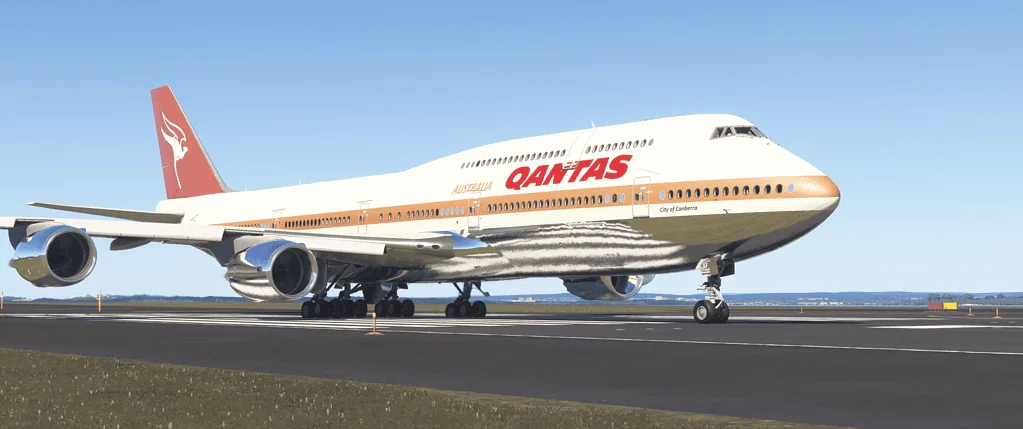
The 747 remains iconic for long-distance flying.

Why it works well:

  • Massive range
  • Heavy aircraft handling
  • Classic widebody feel
  • High cruise altitude

Perfect for:

  • Cargo operations
  • Long Pacific routes
  • Heavy international hubs

The 747 feels powerful and demands careful descent planning due to its weight.

Best Airbus Widebody Experience – Airbus A330

The A330 family is extremely popular in real-world medium-to-long-haul operations.

Advantages:

  • Smooth Airbus automation
  • Efficient cruise
  • Comfortable 6–10 hour sectors

The Airbus managed mode philosophy makes long cruise segments relaxing and predictable.

Best Study-Level Long Haul (If Available)

For sim pilots who want maximum realism:

  • Fully simulated FMC
  • Detailed fuel modelling
  • Realistic step climbs
  • Accurate performance calculations

Study-level widebodies provide the deepest immersion but require more planning and system knowledge.

Why Long Haul Aircraft Are Different

Long-haul flying is not just about distance. It requires:

Aircraft designed for long haul handle:

  • Heavy takeoff weights
  • Long climb phases
  • High cruise altitudes

Smaller aircraft struggle on these routes.

Route Examples for Long Haul Aircraft

4–6 hours

  • New York to Los Angeles
  • London to Dubai

6–10 hours

  • Frankfurt to New York
  • Singapore to Tokyo

10+ hours

  • Sydney to Los Angeles
  • London to Singapore

Matching aircraft range to route length enhances realism.

Common Mistakes in Long Haul Flying

  • Ignoring step climbs
    As fuel burns off, climb to higher cruise levels for efficiency.
  • Descending too late
    Heavy widebodies require long descent planning.
  • Not monitoring fuel
    Long-haul flights demand careful fuel awareness.

How to Make Long Haul More Enjoyable

Long haul does not mean staring at the cruise for hours.

Ways to stay engaged:

  • Monitor fuel burn against plan
  • Adjust cruise altitude
  • Check winds aloft
  • Prepare for arrival well in advance
  • Practice manual landings after a long cruise

Even cruise segments require active monitoring.

Best Aircraft by Route Length

Up to 5 hours

  • 787
  • A330
  • 747

6–10 hours

  • 787
  • A350 class aircraft
  • 747

10+ hours

  • Ultra-long range variants of 787 or A350

Choose aircraft based on realistic operational use.

Why Long Haul Is Rewarding

Long-haul flights provide:

Arriving at sunrise after an overnight flight is one of the most satisfying experiences in MSFS.

Summary

The best aircraft for long-haul flights in MSFS 2024 are widebody jets such as the Boeing 787, Airbus A330 or 747. These aircraft are designed for high-altitude efficiency, long cruise segments, and realistic intercontinental operations. Choosing an aircraft that matches your route length enhances realism and performance. With proper planning and fuel management, long-haul flying becomes one of the most immersive experiences in the simulator.

How to Land in Microsoft Flight Simulator 2024

Beginner Guides

Learning how to land in Microsoft Flight Simulator 2024 is one of the most satisfying skills to master in Microsoft Flight Simulator 2024. After completing a flight, guiding the aircraft smoothly onto the runway feels incredibly rewarding.

For beginners, however, landings can feel difficult at first. Aircraft may bounce, float down the runway, or touch down too hard.

The good news is that a good landing follows a simple and predictable sequence. Once you understand the fundamentals of approach speed, glide path, and the flare, landing becomes far easier.

This guide explains how to land smoothly in MSFS 2024, whether you’re flying a small training aircraft or a large airliner.

The Basic Landing Sequence

A typical landing follows five main steps:

  1. Set up the approach
  2. Control your speed
  3. Follow the glide path
  4. Flare just before touchdown
  5. Roll out and slow down

Understanding these steps will dramatically improve your landings.

Step 1: Set Up Your Approach

Before landing, you must position the aircraft correctly for the runway.

This stage begins several miles from the airport.

Your goal is to:

  • align with the runway centreline
  • descend gradually toward the runway
  • maintain a stable approach

If you’re using the simulator’s flight planning tools, your approach will often guide you toward the runway automatically.

If you’re new to the simulator, it may help to review the Microsoft Flight Simulator 2024 Beginner Guide, which explains navigation basics and flight setup.

Step 2: Control Your Speed

Speed management is one of the most important parts of landing.

If you approach too fast, the aircraft will float along the runway and refuse to land.

If you approach too slowly, you risk stalling before reaching the runway.

Typical approach speeds:

Small aircraft
≈ 60–70 knots

Business jets
≈ 110–130 knots

Airliners
≈ 130–150 knots

Gradually reducing the throttle allows the aircraft to descend smoothly while maintaining a safe airspeed.

Cessna 182 Cockpit 3

Step 3: Follow the Glide Path

As you approach the runway, your aircraft should follow a gentle descent angle known as the glide path.

Most runways use an approach angle of approximately:

3 degrees

You can visualize this as a long, gentle slope leading down to the runway.

To maintain the correct glide path:

If the runway appears to rise in your windshield, you are too low.
If it appears to move downward, you are too high.

Maintaining a stable approach is key to a smooth landing.

Step 4: The Flare

Just before the aircraft reaches the runway, you perform the flare.

The flare is a gentle pitch-up movement that slows the descent rate.

At roughly 10–20 feet above the runway, slowly pull back on the control column.

This does two things:

  • reduces the descent rate
  • allows the aircraft to settle gently onto the runway

The goal is not to climb, but simply to soften the touchdown.

Pulling back too aggressively can cause the aircraft to balloon upward.

Step 5: Touchdown and Rollout

As the aircraft settles onto the runway:

Once on the runway, gently apply braking as needed.

For larger aircraft, spoilers and reverse thrust may also be used to slow down.

Maintaining directional control during the rollout is important, especially in crosswinds.

Common Landing Mistakes

Many beginner landing problems come from just a few common mistakes.

Approaching Too Fast

Excessive speed causes the aircraft to float down the runway.

Reducing speed earlier in the approach usually solves this problem.

Flaring Too Early

Pulling back too high above the runway causes the aircraft to climb again.

Wait until you are close to the runway before flaring.

Pulling Back Too Much

A large pitch-up movement can cause the aircraft to stall or bounce.

The flare should be gentle and gradual.

Aircraft Differences

Landing behaviour varies depending on aircraft type.

Small Training Aircraft

Aircraft like the Cessna 172 are very forgiving and ideal for practicing landings.

They require relatively slow approach speeds and short runways.

Business Jets

Aircraft such as the Cessna Citation X approach much faster and require careful speed control. Airliners

Large aircraft like the PMDG 737-800 require more precise approach speeds and longer runways.

The landing technique is similar, but everything happens at higher speeds.

Practicing Landings

Landing improves quickly with practice.

Try practicing:

  • short flights between nearby airports
  • Repeated traffic patterns
  • Different weather conditions

Short scenic routes are perfect for practicing both takeoffs and landings.

You might enjoy trying some of the Best Short Scenic Flights in MSFS 2024.

Improving Your Landing Technique

If your landings still feel unstable, it may be due to speed control, flare timing, or sensitivity settings.

For more help, see:

Why Your Landings Feel Unstable in MSFS 2024

This guide explains the most common causes of difficult landings and how to fix them.

Final Thoughts

Landing in Microsoft Flight Simulator 2024 becomes much easier once you understand the fundamentals of approach speed, glide path, and the flare.

By maintaining a stable approach and applying a gentle flare just before touchdown, you can achieve smooth and realistic landings every time.

With practice, landing will soon become one of the most enjoyable parts of flying in the simulator.

How to Take Off in Microsoft Flight Simulator 2024

Beginner Guides

Learning how to Take Off in Microsoft Flight Simulator 2024is one of the most exciting moments in Microsoft Flight Simulator 2024. The aircraft accelerates, the runway begins to disappear beneath you, and within seconds, you are climbing into the sky.

For beginners, however, takeoffs can sometimes feel a little chaotic. The aircraft may veer off the runway, lift too early, or struggle to climb smoothly.

Fortunately, a proper takeoff is actually quite simple once you understand the basic steps. This guide explains how to perform a smooth and realistic takeoff in MSFS 2024, whether you are flying a small trainer aircraft or a large airliner.

The Basic Takeoff Sequence

A standard takeoff follows a simple sequence:

  1. Line up with the runway
  2. Apply throttle smoothly
  3. Maintain runway centerline
  4. Rotate at the correct speed
  5. Establish a stable climb

Once you understand these steps, takeoffs become predictable and much easier to control.

Step 1: Line Up on the Runway

Before applying power, make sure the aircraft is properly aligned with the runway.

Taxi to the runway centreline and stop with the aircraft pointing straight down the runway.

If you are using ATC in the simulator, you will normally receive a Cleared for Takeoff instruction before entering the runway.

If you are new to the simulator, you may find it helpful to read the Microsoft Flight Simulator 2024 Beginner Guide, which explains basic controls and cockpit setup.

A proper runway alignment helps ensure a smooth acceleration without drifting left or right.

Step 2: Apply Throttle Smoothly

Once aligned, begin increasing the throttle.

For most aircraft:

• Push the throttle forward smoothly
• Avoid sudden movements
• Apply full power once the aircraft starts rolling

Large airliners typically advance power more gradually, while smaller aircraft can apply full throttle almost immediately.

As power increases, the aircraft will begin accelerating rapidly down the runway.

Step 3: Maintain the Runway Centreline

As the aircraft accelerates, you must keep it aligned with the runway centreline.

Most aircraft naturally drift slightly during the takeoff roll because of:

• engine torque
• crosswind
• propeller forces

Use rudder input to keep the aircraft straight.

If the aircraft begins to drift left or right, gently apply the opposite rudder to correct the direction.

This stage is important because a poorly aligned aircraft can easily leave the runway.

Step 4: Rotate at the Correct Speed

As the aircraft gains speed, it will eventually reach rotation speed.

Rotation speed (often called Vr) is the point at which you gently pull back on the control column to lift the nose.

Typical rotation speeds:

Small prop aircraft
≈ 55–70 knots

Business jets
≈ 100–130 knots

Airliners
≈ 140–160 knots

At this point:

• gently pull back on the controls
• raise the nose slightly
• allow the aircraft to lift off naturally

Avoid pulling back too aggressively, as this can cause a stall or unstable climb.

Step 5: Establish a Stable Climb

Once airborne, maintain a steady climb.

Typical climb attitudes:

Small aircraft
≈ 7–10° nose up

Airliners
≈ 10–15° nose up

Keep the climb smooth and maintain airspeed while retracting landing gear or flaps if required.

At this stage, you can begin following your planned departure route.

If you want to learn more about realistic flight planning, see How to Plan Better Flights in MSFS 2024.

Common Takeoff Mistakes

Beginners often encounter the same problems during takeoff. Fortunately, they are easy to fix once you understand the causes.

Pulling Back Too Early

If you pull back before reaching rotation speed, the aircraft may struggle to lift off.

Allow the aircraft to accelerate fully before rotating.

Veering Off the Runway

This usually happens because rudder corrections are not being applied.

Use gentle rudder input to maintain the runway centreline.

Over-rotating

Pulling back too aggressively can cause the aircraft to pitch up too steeply.

This may lead to:

• loss of airspeed
• stall warning
• unstable climb

Instead, rotate gradually and smoothly.

Aircraft Differences

Each aircraft type behaves slightly differently during takeoff.

Small General Aviation Aircraft

Aircraft such as the Cessna 172 or Diamond DA40 require relatively little runway and lift off quickly.

These aircraft are ideal for beginners.

Business Jets

Jets such as the Cessna Citation X accelerate much faster and require careful speed management during rotation.

Airliners

Airliners require longer runways and more precise speeds.

For example, aircraft such as the PMDG 737-800 rely on calculated takeoff speeds and careful rotation technique.

Practicing Takeoffs

The best way to improve takeoffs is simply to practice.

Try experimenting with:

• different aircraft
• different airports
• different weather conditions

Practicing short flights between nearby airports is an excellent way to build confidence.

You might also enjoy trying some of the Best Short Scenic Flights in MSFS 2024, which are ideal for practicing takeoffs and landings.

What to Learn Next

Once you are comfortable with takeoffs, the next skill to master is landing.

Landing is slightly more complex because it requires precise speed control and a smooth flare before touchdown.

If you want to improve your landing technique, read:

Why Your Landings Feel Unstable in MSFS 2024

Understanding both takeoffs and landings will dramatically improve your confidence when flying in the simulator.

Final Thoughts

Taking off in Microsoft Flight Simulator 2024 becomes second nature once you understand the fundamentals.

By lining up correctly, applying throttle smoothly, maintaining the runway centreline, and rotating at the proper speed, you can achieve smooth and realistic departures every time.

With practice, these steps will quickly become instinctive, allowing you to focus on navigation, weather, and the joy of exploring the world from the cockpit.

Learn the basics of flying with our How to Take Off in MSFS 2024 guide.

Microsoft Flight Simulator Guides

Tutorials

FLIGHT SIMULATOR GUIDES

Guides,
Tutorials & Simulator Help

Beginner-friendly flight simulator tutorials, setup guides,
flying tips and practical Microsoft Flight Simulator advice.

SIMULATOR LEARNING

Flight Simulation Guides & Tutorials

Flight simulator guides

GUIDES & TUTORIALS

Browse Flight Simulator Guides

Explore tutorials, setup walkthroughs, flying techniques,
beginner help and practical Microsoft Flight Simulator advice.

Browse Flight Simulator Guides →

Beginner Friendly
Clear tutorials and practical simulator guidance.
Simulator Focused
Built specifically for Microsoft Flight Simulator users.
Easy to Follow
Helpful explanations without unnecessary complexity.

What Is Microsoft Flight Simulator 2024?

Tutorials

Microsoft Flight Simulator 2024 is the latest version of the long-running flight simulation platform developed by Microsoft and Asobo Studio. It allows users to fly aircraft anywhere on Earth using a highly detailed digital recreation of the planet.

Microsoft Flight Simulator has a long history dating back to the early 1980s. The modern versions of the simulator are developed by Asobo Studio and published by Microsoft, with official updates and development news regularly shared on the Microsoft Flight Simulator website.

Unlike traditional video games that focus on missions or levels, Microsoft Flight Simulator is designed to simulate real-world aviation. Pilots can fly airliners, business jets, military aircraft, and light planes while navigating using realistic instruments, weather systems, and air traffic control.

The simulator combines satellite imagery, advanced weather modelling, and detailed aircraft systems to create one of the most immersive aviation experiences available today.

For many people, it’s the closest thing to flying a real aircraft without leaving the ground.

Boeing-737-MAX-

Quick Facts: Microsoft Flight Simulator 2024

FeatureDetails
DeveloperAsobo Studio
PublisherMicrosoft
Release Year2024
PlatformsWindows PC, Xbox Series X/S
Game TypeCivil aviation flight simulator
World CoverageEntire Earth using satellite imagery
Weather SystemReal-time global weather simulation
Aircraft TypesAirliners, business jets, GA aircraft, helicopters, military aircraft
Main FocusRealistic flight experience and global exploration
MultiplayerOnline multiplayer flying with other pilots

What Can You Do in the Simulator?

One of the most impressive aspects of Microsoft Flight Simulator is the freedom it gives you as a virtual pilot.

You can:

Whether you want to take a relaxing sightseeing flight over the Alps, fly a transatlantic airliner route, or practise landings at challenging airports, the simulator allows you to do it.

Many real pilots also use flight simulators to rehearse procedures, practise navigation techniques or stay familiar with cockpit layouts.

How Realistic Is the Flight Experience?

Microsoft Flight Simulator is widely regarded as one of the most realistic consumer flight simulators available.

Several technologies contribute to this realism.

The simulator uses satellite data and aerial imagery to recreate the entire planet in remarkable detail. Major cities include photogrammetry models, meaning buildings and landmarks appear very close to their real-life counterparts.

The weather is another impressive feature. The simulator models real atmospheric conditions, including cloud systems, wind layers, turbulence, and storms.

Aircraft themselves can be extremely detailed. Many aircraft simulate real-world cockpit systems, navigation instruments, and flight behaviour.

While it is not a certified training simulator, the level of realism is remarkable and continues to improve through regular updates and third-party add-ons.

If you want to optimise the simulator’s visual quality and performance, see the MSFS 2024 Graphics & Performance Guide.

Key Features of Microsoft Flight Simulator 2024

Microsoft Flight Simulator 2024 includes a range of advanced features that make it one of the most immersive flight simulators available today.

Global Scenery
The simulator recreates the entire Earth using satellite imagery and aerial mapping data, allowing you to fly virtually anywhere in the world.

Real-World Weather Systems
Live weather modelling simulates cloud formations, wind, turbulence, and storms based on real atmospheric conditions.

Wide Range of Aircraft
Players can fly everything from small general aviation aircraft to large commercial airliners and military jets.

Highly Detailed Cockpits
Many aircraft include realistic cockpit instruments and systems that mirror their real-world counterparts.

Career and Mission Activities
Microsoft Flight Simulator 2024 introduces structured aviation careers and missions, allowing pilots to take on roles such as search-and-rescue, firefighting, and cargo operations.

Large Add-On Ecosystem
A vast community of third-party developers provides additional aircraft, airports, scenery, and utilities that expand the simulator.

System Requirements and Hardware

Microsoft Flight Simulator runs on modern PCs and Xbox consoles.

For the best experience on a PC, you will generally need:

  • A modern multi-core CPU
  • A dedicated graphics card
  • At least 16 GB of RAM (more is recommended)
  • Fast SSD storage
  • A stable internet connection for scenery streaming

While the simulator can be controlled using a keyboard or game controller, many enthusiasts prefer dedicated flight controls such as joysticks, yokes, throttle quadrants, and rudder pedals.

These devices make flying much more immersive and allow finer control of the aircraft.

Is It Suitable for Beginners?

Despite its realism, Microsoft Flight Simulator is surprisingly accessible for beginners.

The simulator includes training lessons that introduce the basics of flying, including:

Modern aircraft cockpits can appear complex at first, but most beginners start with simpler aircraft and gradually learn more advanced systems as they gain experience.

If you’re completely new to flight simulation, the best place to start is the Microsoft Flight Simulator 2024 Beginner Guide, which walks through everything you need to know to begin flying.

How Does Microsoft Flight Simulator Compare to Other Simulators?

If you’re exploring flight simulation for the first time, you may wonder how Microsoft Flight Simulator compares with other platforms such as X-Plane or Prepar3D.

Each simulator has its strengths, but they focus on slightly different priorities.

SimulatorStrengthsBest For
Microsoft Flight Simulator 2024Stunning global scenery, realistic weather, large add-on ecosystemBeginners and immersive flying
X-Plane 12Highly regarded flight physics and aircraft systemsSystem-focused simmers
Prepar3DLegacy platform with long-standing add-on supportExperienced sim users and training environments

For most beginners today, Microsoft Flight Simulator offers the best balance of realism, visuals, and accessibility.

If you would like a more detailed comparison of these platforms, see Which Flight Simulator You Should Choose in 2026?

A Gateway Into the World of Aviation

For many people, Microsoft Flight Simulator becomes more than just a game — it becomes a gateway into aviation itself.

Some users enjoy relaxing sightseeing flights around the world, while others dive deeply into realistic procedures, flight planning, and air traffic control operations.

Whether you want to explore the world from the air or learn the fundamentals of flying, Microsoft Flight Simulator offers an experience that is both educational and incredibly enjoyable.

Which Flight Simulator Should I Choose?

Tutorials

If you’re getting into flight simulation — or thinking about switching platforms — one of the first questions you’ll face is:

Should I choose Microsoft Flight Simulator, X-Plane, or something else?

The honest answer?

It depends on what kind of pilot you want to be.

Let’s break it down into simple terms.

Microsoft Flight Simulator (MSFS 2024)

Best for: Visual realism, accessibility, and a broad add-on ecosystem

Microsoft Flight Simulator 2024 is currently the most visually impressive simulator available. With satellite scenery, photogrammetry cities, and detailed weather systems, it offers an unmatched sense of immersion.

Microsoft Flight Simulator 2024 is currently the most visually impressive simulator available. With satellite scenery, photogrammetry cities, and detailed weather systems, it offers an unmatched sense of immersion. If you want to optimise the experience on your system, see my MSFS 2024 Graphics & Performance Guide.

If you decide to start with Microsoft Flight Simulator, you may want to read my MSFS 2024 Beginner Guide.

It’s also beginner-friendly and has a huge community, which means:

  • Plenty of tutorials
  • Massive add-on support
  • Active developer updates
  • Strong third-party ecosystem

If you want stunning global scenery and wide support from developers, MSFS is hard to beat.

Ideal for:

  • Beginners
  • Casual simmers
  • Real-world pilots want visual realism
  • Add-on enthusiasts

If you decide to start with Microsoft Flight Simulator, you may want to read my Microsoft Flight Simulator 2024 Beginner Guide, which walks through everything you need to get started.

X-Plane 12

Best for: Flight physics and procedural depth

X-Plane has long been respected for its aerodynamic modeling. Many users praise its flight physics and systems modeling.

It may not match MSFS visually out of the box, but it appeals strongly to simmers who prioritize aircraft behavior and procedural flying.

Ideal for:

  • System-focused simmers
  • Users who enjoy tweaking and realism
  • Pilots who care deeply about flight modeling

Prepar3D (P3D)

Best for: Legacy users and specific training environments

Prepar3D evolved from Microsoft Flight Simulator X and is now developed by Lockheed Martin.

While it still has a loyal user base, development momentum has slowed compared to MSFS and X-Plane.

It’s typically used by:

  • Long-time sim enthusiasts
  • Some training environments
  • Users with legacy add-ons

For most new users today, it’s not the first recommendation.

Other Options

Aerofly FS

Smooth performance and good VR support, but a smaller ecosystem.

FlightGear

Open-source and free, but less polished and with a smaller user base.

So… Which Should You Choose?

Here’s a simple decision guide:

Microsoft Flight Simulator if:

  • You want the most immersive scenery
  • You want broad community support
  • You’re new to flight simulation
  • You want the largest add-on ecosystem

Choose X-Plane if:

  • You prioritize flight physics above visuals
  • You enjoy deeper system modeling
  • You prefer a slightly more technical platform

Choose Prepar3D if:

  • You already own legacy add-ons
  • You’re invested in that ecosystem
  • You have specific training requirements

My Perspective

For most people starting today, Microsoft Flight Simulator offers the best balance of realism, visuals, accessibility, and community support.

However, there is no “wrong” simulator — only different priorities.

The best simulator is the one that keeps you flying.

If you’re exploring flight simulation for the first time, you may also find my Recommended Resources for Flight Simulation useful. It lists trusted websites, tools, and communities used by flight sim enthusiasts.

Recommended Resources for Microsoft Flight Simulator 2024

Add-ons First Officer for FS2024

Welcome! In a word, while I create detailed guides, aircraft lessons, and fault-finding help. Also, here at Flight Simulation Showcase, the flight simulation community is huge. In addition, there are some excellent specialist resources out there that I don’t try to duplicate.

Below is a curated list of high-quality websites, tools, and forums that complement my work here. So, if you’re looking for official updates, community discussion, advanced tools, or real-world aviation data, these resources are worth bookmarking.

In addition, if there’s a site you think belongs on this list, feel free to get in touch — I’m also always happy to expand it.

Official Simulator & Developer Resources

Microsoft Flight Simulator (Official)
https://www.flightsimulator.com/
Primary official site for news, updates, and announcements (Microsoft/Asobo)

Communities & Forums

AVSIM Forums
https://www.avsim.com/
Large flight sim community with forums, add-ons, and discussions going back decades

FlightSim.com
https://www.flightsim.com/
One of the longest-running flight sim sites with news, files, and community content

Reddit – r/flightsim
https://www.reddit.com/r/flightsim/
Active flight sim discussion, tips, screenshots, and add-on suggestions

Reddit – r/VATSIM
https://www.reddit.com/r/VATSIM/
Community hub for VATSIM pilots and controllers

Add-on Developers & Product Hubs

PMDG (Precision Manuals Development Group)
https://pmdg.com/
High-fidelity payware airliners that are popular with serious sim pilots

(Note: PMDG doesn’t host direct download links — purchases are through this site.)

Fenix Simulations
https://fenixsimulations.net/
Developer of quality airliner add-ons (A320 series, etc.)

Just Flight
https://www.justflight.com/
Wide range of aircraft add-ons and tools

Tools & Utilities

SimBrief
https://www.simbrief.com/
Free flight planner and dispatch tool used widely by virtual and real pilots

Navigraph
https://navigraph.com/
Charts, navigation data and nav-data subscriptions for detailed flight planning

VATSIM (Virtual Air Traffic Simulation Network)
https://www.vatsim.net/
Network for online ATC and pilot traffic, real-time aviation environment

IVAO (International Virtual Aviation Organisation)
https://ivao.aero/
Alternative multiplayer network supporting ATC & pilot connections

SkyVector
https://skyvector.com/
Free real-world aviation charts and planning tool

Real-World Aviation & Learning

FAA (Federal Aviation Administration)
https://www.faa.gov/
Official aviation authority with resources useful for flight sim realism

Aviation Weather Center
https://www.aviationweather.gov/
Real-world aviation weather reports, METARs/TAFs

Other Helpful Community Sites

Flight planning & charts index (community list)
https://flightsim.to/file/47440/useful-websites-and-tools-for-flow-pro
A community-compiled list of useful tools and web resources for flight sim pilots

Flight Simulation Articles

Tutorials

Flight simulation is one of the most fascinating hobbies in aviation, allowing enthusiasts to experience the world of flying from their own home cockpit. Modern simulators such as Microsoft Flight Simulator 2024 recreate aircraft, weather systems, airports, and landscapes with extraordinary realism.

In this section, you’ll find a growing collection of articles covering many aspects of the hobby, including aircraft guides, simulator settings, troubleshooting tips, and insights that help both beginners and experienced sim pilots get more enjoyment from their flights. Whether you’re learning the basics or refining your virtual flying skills, these articles aim to make the flight simulation experience clearer, richer, and more rewarding.

MSFS 2024 Library

MSFS 2024 Library

Welcome to the MSFS 2024 Library — a structured index of guides, troubleshooting fixes, aircraft experiences, and simulator insights. This page brings together the core knowledge base of Flight Simulation Showcase, organised for clarity rather than chronology.

Whether you’re new to Microsoft Flight Simulator 2024 or refining advanced setups, everything here is designed to help you better understand the simulator and its evolving ecosystem.

Beginner Guides

Simulator Foundations

These core guides explain how the simulator works and how to get the best experience from it.

Troubleshooting & Fixes

If something isn’t working as expected, start here. These structured troubleshooting guides address installation issues, performance problems, control behaviour, and common simulator glitches.

Aircraft Experiences

This series documents what it feels like to fly different aircraft in MSFS 2024 — from structured airline operations to high-performance jets and heritage warbirds. These are not traditional reviews, but practical flying insights and handling observations.

Ecosystem & Expansion

Microsoft Flight Simulator 2024 continues to evolve through aircraft, airports, scenery, and third-party add-ons. These guides provide context on where products fit within the simulator and how they expand the overall experience.

Ongoing Updates

New guides and simulator insights are added regularly. This library will continue to expand as the platform evolves and as new aircraft, features, and performance considerations emerge.

Browse All Articles