

FSRealistic+ Review – Is It Worth Adding More Realism to Microsoft Flight Simulator?
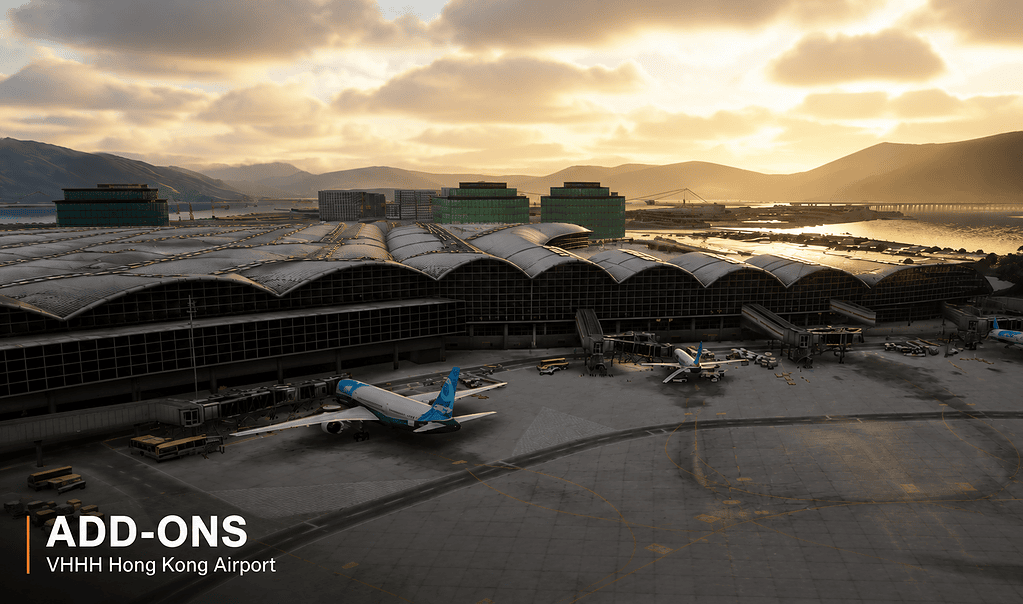
Bringing Microsoft Flight Simulator to life in a different way.
Helping Your Simulator Feel More Real
One thing I have learned over many years of flight simulation is that realism is not just about graphics. Microsoft Flight Simulator can look absolutely stunning, especially with a good aircraft, decent weather, detailed scenery, and a nice monitor. But even when everything looks right, the simulator can still feel a little too smooth and perfect.
That is where FSRealistic+ comes in.
This is one of those add-ons I did not fully understand until I actually spent time using it. At first glance, it does not seem very exciting. There is no new aircraft to learn, no airport scenery to explore, and no big visual upgrade to admire. You cannot really judge FSRealistic+ from screenshots because screenshots do not show what it does.
What it adds is feel.
And that is something Microsoft Flight Simulator, even on high settings, does not quite capture on its own. A real aircraft is never perfectly still. There are vibrations, tiny bumps, small movements, engine sounds, airflow changes, braking forces, and all those little cues that remind you that you are sitting inside a machine.
FSRealistic+ tries to bring some of that missing sensation back into the simulator.
What Is FSRealistic+?
FSRealistic+ is an immersion enhancement add-on for Microsoft Flight Simulator. It runs alongside the simulator and adds realistic camera movement, vibration effects, sound effects, touchdown feedback, turbulence movement, runway bumps, and other environmental cues.
Unlike an aircraft add-on, it does not change what you fly. Unlike scenery, it does not change where you fly. Unlike a weather engine, it does not create the conditions around you.
Instead, it changes how the aircraft feels while you are flying it.
That includes things such as:
- Engine vibrations during startup
- Movement and bumps while taxiing
- Runway roll and braking feedback
- Acceleration effects during take-off
- Turbulence and air disturbance movement
- Wind interaction with the aircraft
- Touchdown feel and rollout movement
- Extra cockpit and environmental sounds
- Subtle cockpit shake and vibration
None of this is meant to be over the top. In fact, when FSRealistic+ is set up properly, most of the effects are quite subtle. But that is the point. It is the combination of small details that makes the simulator feel more believable.
My First Real Impression Using It
The first thing I noticed was not during a dramatic landing or a rough-weather approach. It was during engine start and taxi.
Without FSRealistic+, the aircraft can feel a bit locked in place. Everything may look correct, but the cockpit itself often feels too still. With FSRealistic+ running, there is suddenly a bit of life in the aircraft. You get small movements, slight vibration, and a better sense that the aircraft has weight.
Taxiing in particular feels different.
The aircraft feels more like it is rolling over a real surface rather than sliding across glass. You become more aware of speed, braking, and the surface beneath the aircraft. It is not dramatic, but it does make taxiing feel more natural.
That was probably the moment I started to understand the add-on properly. It was not trying to impress me with something flashy. It was simply filling in a part of the simulator that normally feels a little empty.
Suggested image caption: FSRealistic+ allows you to adjust individual effects such as engine vibration, taxi movement, turbulence, touchdown feedback, and cockpit sounds.
Where FSRealistic+ Really Starts to Shine
Once you are airborne, FSRealistic+ settles into the background, but in a good way. It is not something I want constantly shouting for attention. The best immersion add-ons are often the ones you stop noticing because they become part of the normal flying experience.
In flight, you start to notice gentle movement in light turbulence, more response to wind conditions, and a subtle sense that the aircraft is actually moving through air rather than floating through a perfectly smooth digital world.
That is probably one of the biggest improvements for me.
Microsoft Flight Simulator can sometimes feel very smooth and controlled, especially in calm weather. FSRealistic+ adds just enough movement to remind you that an aircraft is never completely static. Even in good conditions, there is always something happening.
My Favourite FSRealistic+ Features
Taxi and Ground Roll
This is one of the first features I noticed, and it remains one of my favourites. Taxiing feels more believable because the aircraft reacts to bumps and movement on the ground. It gives the impression that the tyres are actually rolling over pavement instead of the aircraft gliding along perfectly smoothly.
Take-off Roll
The take-off roll feels better because the subtle shaking and movement help create a greater sense of speed. As the aircraft accelerates, the cockpit feels more alive, and the whole process feels more connected.
Turbulence Effects
Turbulence is another area where FSRealistic+ makes a real difference. Even light turbulence can make the cockpit feel more dynamic. It does not need to be violent or exaggerated. In fact, I prefer it when turbulence is fairly subtle, because that feels more natural to me.
Landing Feedback
Landing is one of the most satisfying parts of the add-on. You get a better sense of touchdown, rollout, braking, and weight transfer. Good landings feel more satisfying, and harder landings are more obvious.
It makes landing feel more connected rather than just a visual event.
Cockpit Sounds
One thing I did not expect to appreciate as much was the sound. FSRealistic+ adds subtle cockpit creaks, environmental sounds, and movement-related audio cues. None of it jumps out at you, but if you turn it off after using it for a while, you notice something missing.
Can You Customise the Effects?
Yes, and this is one of the strongest parts of FSRealistic+.
You are not stuck with one setup for every aircraft. You can adjust individual effects, change intensity levels, turn features on or off, and create different profiles for different aircraft.
This matters because a Cessna 172 should not feel the same as a Boeing 737. A turboprop should not feel the same as a business jet. A helicopter should not feel the same as an airliner.
FSRealistic+ lets you fine-tune the experience so each aircraft can have its own feel.
You can adjust things such as:
- Engine vibration strength
- Taxi bump intensity
- Ground roll effects
- Camera movement strength
- Turbulence effects
- Touchdown feedback
- Braking movement
- Sound effects
- Aircraft-specific profiles
I like this because everyone has a slightly different idea of what feels realistic. Some simmers prefer very subtle effects. Others like a more dramatic cockpit experience. FSRealistic+ gives you enough control to find your own balance.
[SUPPORTING IMAGE HERE – FSRealistic+ Profile Screen]
Suggested image caption: Aircraft profiles are useful because a light aircraft, business jet, helicopter, and airliner should not all feel the same.
Does FSRealistic+ Affect FPS?
This is one of the first questions many simmers ask, and rightly so. Microsoft Flight Simulator can already be demanding, especially with complex aircraft, detailed airports, live traffic, and high graphics settings.
The good news is that FSRealistic+ is not the kind of add-on that usually causes major performance concerns. It is not adding a large visual load to the simulator. It is mainly enhances movement and sound.
Every PC is different, of course, but I would not put FSRealistic+ in the same category as heavy scenery or traffic add-ons when it comes to FPS impact.
Works With Airliners, GA Aircraft, Business Jets, and Helicopters
Another reason I like FSRealistic+ is that it is not tied to one aircraft. Once installed, it can become part of your normal simulator setup across many different types of flying.
Many simmers use it with:
- PMDG aircraft
- iFly aircraft
- Fenix aircraft
- A2A aircraft
- Black Square aircraft
- Business jets
- General aviation aircraft
- Helicopters
- Default Microsoft Flight Simulator aircraft
That flexibility makes it easy to recommend, because you are not buying something that only improves one aircraft or one type of flight. It can improve the whole simulator experience.
How It Fits Into My Setup
For me, FSRealistic+ sits alongside the other immersion add-ons I enjoy using. It does not replace anything. It enhances everything.
If I am flying an airliner, it adds movement, taxi feel, touchdown feedback, and cockpit life. If I am flying a smaller general aviation aircraft, it helps the aircraft feel less static. If I am using weather, ATC, passenger, or traffic add-ons, FSRealistic+ adds another layer underneath them.
That is probably the best way to think about it.
It is not the star of the show. It is the layer that makes the rest of the show feel more convincing.
What I Like Most
The thing I like most about FSRealistic+ is that it improves almost every flight without asking much from me. Once it is set up, I do not have to constantly manage it, open menus, or think about it during the flight.
It just works in the background.
That matters to me because I do not want every add-on to become another job. Some programs are wonderful, but they require planning, configuration, procedures, or constant interaction. FSRealistic+ is different. Once you have your profiles set the way you like them, it simply becomes part of the simulator.
I also like that it improves the ordinary parts of flying. Taxi, take-off, turbulence, landing, rollout, braking — these are moments we experience on almost every flight. FSRealistic+ makes those moments feel more connected.
What I Do Not Like
No add-on is perfect, and I think it is important to be honest about that.
The main issue with FSRealistic+ is that it can be overdone if you are not careful. If you turn too many effects up too high, the simulator can start to feel exaggerated rather than realistic. Camera movement especially needs to be treated carefully, because what feels impressive for five minutes can become tiring over a longer flight.
There is also a little bit of personal tuning involved. The default profiles are a good starting point, but not every aircraft will feel perfect straight away. If you want the best result, you may need to spend a little time adjusting profiles for the aircraft you fly most often.
That is not a major complaint, but it is worth knowing before buying. FSRealistic+ is at its best when it is tuned subtly.
Pros and Cons
Pros
- Makes the simulator feel more alive
- Improves taxi, take-off, turbulence, landing, and rollout
- Adds useful cockpit sounds and movement cues
- Works across many aircraft types
- Very little performance impact
- Highly customisable
- Good for immersion-focused simmers
- Especially effective in cockpit view and VR
Cons
- Can feel exaggerated if settings are pushed too high
- Requires some tuning for best results
- Not a visual upgrade, so screenshots do not show its value
- Some users may prefer a completely still cockpit camera
- Less useful if you mostly fly from external views
Buying Advice – Should You Buy This Before Other Immersion Add-ons?
I would not say FSRealistic+ should necessarily be the first add-on every simmer buys. If you are brand new to Microsoft Flight Simulator, you may get more immediate value from learning the aircraft you already have, setting up your controls properly, and choosing the type of flying you enjoy most.
But once you have the basics sorted, FSRealistic+ becomes very attractive because it improves the whole experience rather than just one aircraft or one airport.
If you fly airliners, it works nicely alongside add-ons like BeyondATC, Passenger2, FS2Crew, FSFO Next, GSX, and traffic add-ons. If you fly general aviation, it pairs well with good weather, realistic aircraft, and proper hardware controls.
It is not a replacement for those add-ons. It is the layer that makes them feel more convincing.
Common Mistakes New Users Make
Turning Everything Up Too High
This is probably the most common mistake. FSRealistic+ works best when the effects feel natural. If everything is turned up too high, the aircraft can start to feel exaggerated rather than realistic.
Using One Profile for Every Aircraft
A small Cessna should not feel like a Boeing 737. One of the best things you can do is create or adjust profiles for the aircraft you fly most often.
Ignoring the Sound Effects
Many users focus on camera movement and forget how much the audio contributes. The small cockpit sounds and environmental cues are a big part of the overall experience.
Changing Too Much Too Quickly
If you adjust ten things at once, it becomes hard to know which setting helped and which one made things worse. Make small changes and test them during normal flights.
Expecting It to Be a Visual Add-on
FSRealistic+ is not about screenshots. It is about feel. You will not fully understand it by looking at images. You need to fly with it.
Who Should Buy FSRealistic+?
FSRealistic+ is a good fit if you:
- Care about immersion
- Fly airliners regularly
- Enjoy general aviation
- Use VR
- Want better taxi, take-off, turbulence, and landing feedback
- Already own detailed aircraft and want them to feel more alive
- Prefer subtle realism over flashy features
It may be less important if you only fly occasionally, spend most of your time outside the cockpit, or are mainly interested in scenery and sightseeing. But if you spend a lot of time in the cockpit, I think FSRealistic+ makes a noticeable difference.
[SUPPORTING IMAGE HERE – FSRealistic+ Settings Screen]
Suggested image caption: FSRealistic+ is best when tuned subtly. The goal is believable feedback, not exaggerated movement.
Real Pilot Tip
Frequently Asked Questions
Does FSRealistic+ work with Microsoft Flight Simulator 2024?
Yes, FSRealistic+ is designed for current Microsoft Flight Simulator use. If you are using MSFS 2024, I would still check the developer’s latest compatibility notes before installing, but it is actively used by modern MSFS simmers.
Does FSRealistic+ change the flight model?
No. FSRealistic+ does not change the way the aircraft flies. It changes the feeling of flight through camera movement, vibration, sound, and immersion effects.
Will FSRealistic+ reduce my FPS?
In most cases, the performance impact is very small. It is not a heavy scenery or graphics add-on, so FPS loss is usually minimal.
Can I turn off effects I do not like?
Yes. Individual effects can be adjusted or disabled. This is one of the reasons FSRealistic+ works well for different types of simmers.
Does FSRealistic+ work in VR?
Yes, and many VR users find it especially immersive. That said, VR comfort varies from person to person, so it is best to keep camera movement subtle at first.
Does it work with airliners?
Yes. FSRealistic+ is commonly used with airliners such as PMDG, iFly, and Fenix aircraft.
Does it work with general aviation aircraft?
Yes. In fact, smaller aircraft can benefit greatly because they often feel more lively and responsive with subtle movement and vibration effects.
Is FSRealistic+ good for beginners?
Yes, but beginners should avoid over-adjusting the settings straight away. Use the default profiles first and make small changes later.
Is FSRealistic+ worth buying?
If immersion matters to you, I think it is worth considering. It will not transform the simulator visually, but it can make flying feel much more believable.
Summary
FSRealistic+ does not try to impress you with visuals or big headline features. Instead, it improves something more subtle and, in many ways, more important: how Microsoft Flight Simulator feels.
After using it for a while, going back without it can make the simulator feel a bit lifeless. The aircraft may still look beautiful, the scenery may still be impressive, and the weather may still be convincing, but something about the experience feels flatter.
That is the real strength of FSRealistic+.
It adds movement, vibration, sound, and feedback in a way that makes the cockpit feel more alive. It does not make the aircraft fly differently, but it does make you feel more connected to what the aircraft is doing.
For me, FSRealistic+ is one of those add-ons that fits perfectly into the immersion side of Microsoft Flight Simulator. It works quietly in the background, improves almost every flight, and supports the whole idea behind FlightSimulationShowcase.com: helping your simulator feel more real.
Related Articles
- How to Make Microsoft Flight Simulator Feel More Real
- Best Microsoft Flight Simulator Add-ons
- BeyondATC for Microsoft Flight Simulator
- Passenger2 for Microsoft Flight Simulator
- Best Aircraft Add-ons for Microsoft Flight Simulator

- How to Choose a Real-World Flight for MSFS 2024 - 28 August 2026
- You Know You’re a Flight Simmer When… - 12 August 2026
- Pete’s Ultimate MSFS 2024 Graphics Settings Guide - 1 August 2026