
Complete beginner to advanced answers to the most common MSFS questions
If you’ve spent any time in Microsoft Flight Simulator, you’ll know that questions come up very quickly.
At first, they tend to be simple. You might wonder what aircraft to start with, or why the controls feel difficult. Then, as you spend more time in the simulator, the questions become more specific.
- Why won’t the aircraft descend?
- What exactly is autopilot doing?
- Why does everything seem to behave differently from one aircraft to another?
This is completely normal.
Flight simulation combines real-world aviation concepts with a highly detailed environment, and it takes time for everything to make sense. I’ve been through that process myself, starting right back with the very first version of Microsoft Flight Simulator. I enjoyed it enough that it eventually led me to gain my pilot’s licence.
These days, I don’t fly in the real world anymore, but I still fly regularly in the simulator and still enjoy it just as much. And when I’m not flying, I enjoy writing about it, which is what this site is all about.
This FAQ is designed to answer the most common questions clearly and practically. You don’t need to understand everything at once. Just dip in where you need help, and come back whenever something doesn’t quite make sense.
Getting Started

Is Microsoft Flight Simulator good for beginners?
Yes, but only if you approach it properly.
The simulator is incredibly detailed, and if you try to take everything in at once, it can feel overwhelming very quickly. The key is to simplify things right at the beginning.
Use a basic aircraft like the Cessna 172, focus on learning how to control the aircraft, and ignore most of the advanced systems. Once you are comfortable flying, everything else becomes much easier to understand.
What aircraft should I start with?
The best aircraft to start with is something simple and predictable, such as the Cessna 172.
It gives you time to think, responds smoothly to inputs, and doesn’t rely on complex automation. This allows you to concentrate on the fundamentals of flying rather than trying to manage systems you don’t yet understand.
Starting with large airliners is one of the most common mistakes beginners make.
Do I need a joystick or yoke to enjoy the simulator?
No, you can start with whatever you already have.
A controller works perfectly well for getting started. A joystick gives you more precision and tends to feel more natural. A yoke adds realism, particularly for larger aircraft.
The most important thing is not the hardware itself, but how comfortable and predictable it feels when you use it.
Why does everything feel so complicated at the beginning?
Because you’re being exposed to multiple layers of complexity all at once.
You’re not just learning how to control an aircraft. You’re also being introduced to navigation, systems, procedures, and real-world aviation concepts. The trick is to ignore most of that early on.
Focus on flying first. Everything else can come later.
How long does it take to feel comfortable?
That depends on how often you fly, but most people notice improvements quite quickly.
Within a few flights, basic control starts to feel more natural. Within a few weeks, confidence builds. Over time, understanding develops.
There isn’t a single moment where everything clicks, but there is a gradual shift where things start to feel easier.
Flying Basics
Why is my aircraft difficult to control?
This is almost always caused by sensitivity settings.
If the controls feel too responsive or unpredictable, the aircraft will be difficult to manage. Reducing sensitivity slightly makes a significant difference and helps smooth out your inputs.
Overcontrolling is another common issue. Small, gentle movements are far more effective than large corrections.
Why do I keep crashing when I try to land?
Landing is one of the most difficult parts of flying, especially when you’re starting out.
Most crashes happen because the aircraft is either too fast, too high, or not stabilised on approach. A better approach is to reduce speed earlier, establish a steady descent, and avoid making large control inputs close to the ground.
Landing improves with practice and patience.
Why do I float along the runway instead of landing?
This happens when your speed is too high.
At higher speeds, the aircraft continues to generate lift, which prevents it from settling onto the runway. Reducing speed earlier in the approach makes a big difference.
Why do I bounce on landing?
Bouncing usually occurs when the aircraft is descending too quickly or when you try to force it onto the runway.
A smooth landing comes from a stable approach and allowing the aircraft to settle naturally rather than pushing it down.
Why does my aircraft stall?
A stall happens when the aircraft is no longer generating enough lift to stay in the air.
This is usually caused by flying too slowly or pulling back too aggressively on the controls. Maintaining proper airspeed and avoiding steep climbs helps prevent stalls.
Why does the aircraft veer off the runway on takeoff?
This is very common, particularly in smaller aircraft.
It can be caused by engine torque, crosswinds, or overcorrection. Small rudder inputs are the key to maintaining a straight line during takeoff.
Why does the aircraft feel unstable in flight?
In most cases, this is due to overcontrolling.
Aircraft are designed to be stable. If you constantly try to correct every small movement, you actually introduce instability. Smooth, minimal inputs produce much better results.
How can I improve my flying?
The best way to improve is to keep things simple and fly regularly.
Focus on one area at a time, such as takeoffs or landings, and avoid trying to learn everything at once. Over time, your control, awareness, and confidence will naturally improve.

Autopilot and Airliners
Why isn’t my autopilot working?
Autopilot is almost always working correctly, but it only does what you tell it to do.
If the wrong mode is active, the aircraft will not behave as expected. Understanding which mode is engaged is essential.
What does autopilot actually do?
Autopilot follows instructions. It maintains headings, altitudes, and vertical speeds based on the modes you select.
It does not make decisions on its own or understand what you intend to do.
Why won’t my aircraft descend?
This is one of the most common issues in flight simulation.
The usual cause is that descent was started too late. Aircraft require distance to descend, not just time. If you wait too long, you will arrive at your destination too late.
When should I start descending?
A simple guideline is the 3-to-1 rule.
For every 1,000 feet of altitude you need to lose, allow approximately 3 nautical miles. This gives you a rough idea of when to begin descent.
What is VNAV?
VNAV controls the vertical profile of the aircraft.
It manages climb and descent based on programmed data. However, it only works properly if everything has been set up correctly.
What is LNAV?
LNAV controls the aircraft’s horizontal path and allows it to follow the programmed route.
Why is my aircraft not following the route?
This usually means LNAV is not active or the flight plan has not been entered correctly.
Why does the aircraft level off instead of descending?
This happens when altitude hold is still active or when descent has not been initiated. The aircraft will maintain its current altitude unless instructed otherwise.
Why does autopilot disconnect unexpectedly?
Autopilot may disengage if the aircraft becomes unstable or if manual inputs override it. This is normal and part of how the system is designed.
Airbus or Boeing, which is easier?
Airbus aircraft are more automated and rely heavily on systems.
Boeing aircraft are more direct and respond closely to pilot inputs. Many beginners find Boeing aircraft easier to understand because of this.
Navigation and Flight Planning

Do I need to understand navigation?
No, but learning basic navigation greatly improves the experience.
It gives your flights structure and purpose, rather than simply flying around randomly.
Why does my route look unusual?
This can happen when the simulator generates a route automatically or when incorrect settings are used.
Adjusting your route or selecting different options can improve this.
Can I use real-world flight plans?
Yes, and doing so can make the simulator feel much more realistic.
What is the best way to plan flights?
Start simple using the world map, then gradually explore more advanced planning methods as your understanding improves.
Performance and Technical Issues
Why do buildings appear slowly or look distorted?
This is caused by streaming.
The simulator loads scenery data in real time, and slower connections can result in delayed or distorted visuals.
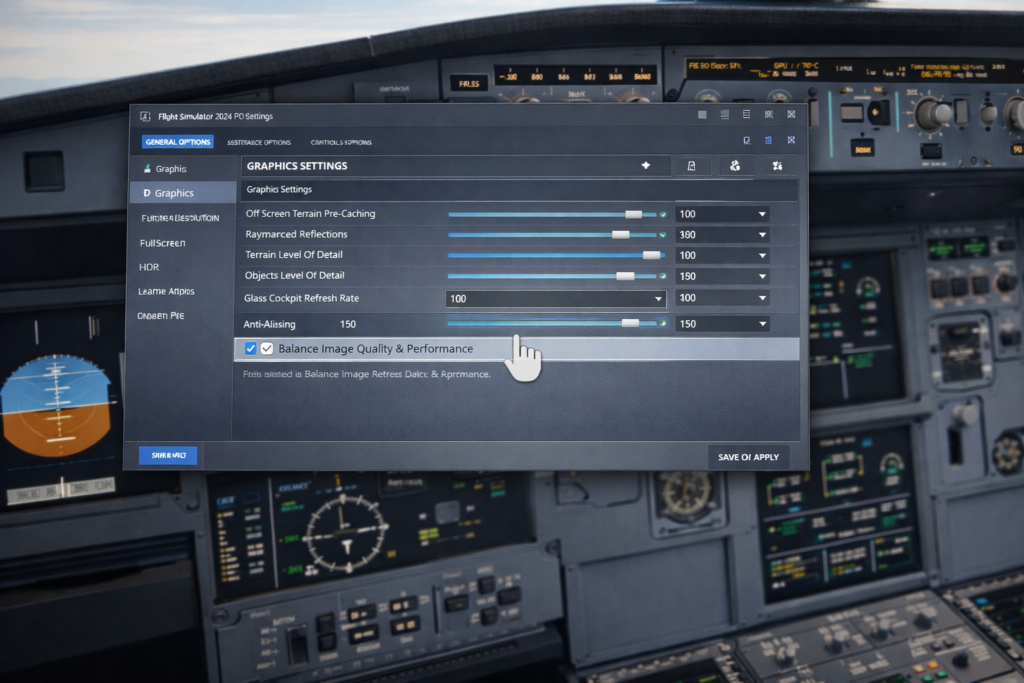
Why is my simulator stuttering?
This is usually caused by settings that are too high or background applications using system resources.
Reducing a few settings can significantly improve performance.
Why does the simulator crash?
Crashes are often caused by add-ons or conflicts between software components.
Removing add-ons is a good first step when troubleshooting.
Why does the simulator look blurry?
This can be related to graphics settings, resolution scaling, or streaming quality.
Why does the simulator take so long to load?
MSFS loads a large amount of data, including aircraft and scenery, so longer load times are normal.
Add-ons
Do I need add-ons?
No, the simulator is already very capable on its own.
Add-ons enhance the experience but are not essential.
What add-ons should I start with?
A high-quality aircraft is usually the best starting point. From there, you can explore weather or scenery enhancements.
Can add-ons cause issues?
Yes, they are a common cause of crashes and performance problems.
Installing them gradually helps reduce these risks.
Can too many add-ons affect performance?
Yes, they can increase load times and reduce overall performance.
Realism and Progression
How long does it take to become proficient?
Progress varies, but improvement happens steadily over time.
Regular practice leads to increased confidence and understanding.
Do I need to follow real-world procedures?
No, unless you choose to.
You can enjoy the simulator casually or incorporate realism gradually.
What is the most important skill?
Understanding what the aircraft is doing and why.
Why does everything eventually start to make sense?
Because learning builds over time.
At some point, you begin to anticipate what the aircraft will do instead of reacting to it.
Final Thoughts
Flight simulation can seem complex at first, but most of that complexity comes from trying to do too much too soon.
If you focus on the basics, build gradually, and take your time, everything starts to fall into place.
Where to go next
For a complete step-by-step walkthrough, see your Complete MSFS Guide.
Final Note
This FAQ is designed as a practical reference.
Use it whenever you have questions, and continue building your experience one flight at a time.