
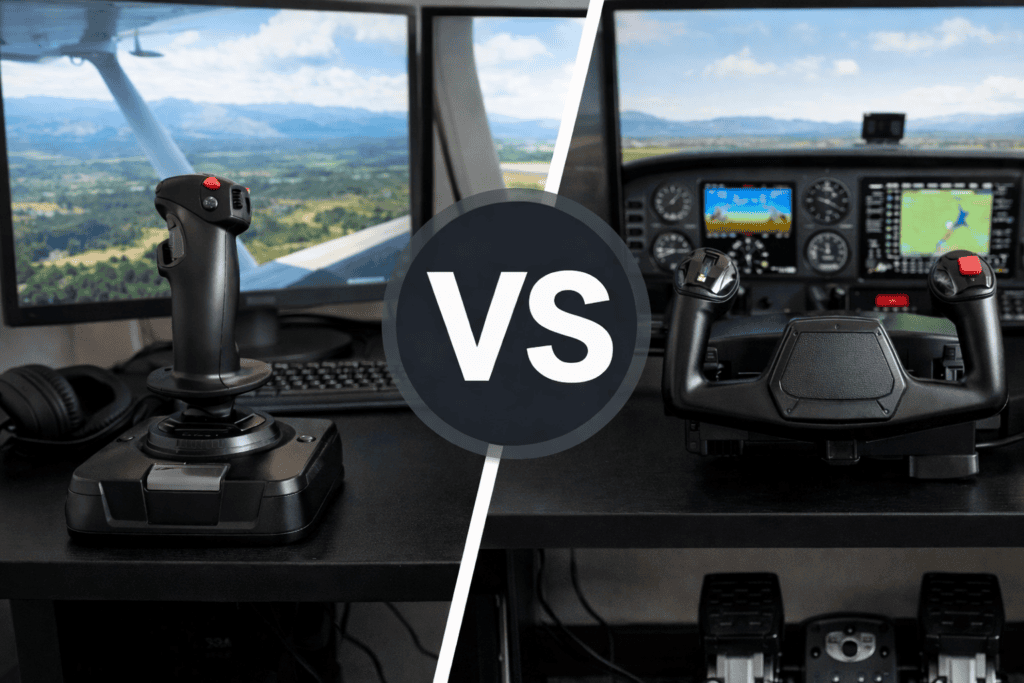
Joystick vs yoke flight simulator. One of the most common questions new flight simulation enthusiasts ask is whether they should use a joystick or a yoke when flying Microsoft Flight Simulator. Both control types can provide an enjoyable and realistic flying experience, but they each suit different aircraft types and flying styles.
Choosing between a joystick and a yoke often depends on the aircraft you enjoy flying, the space available for your setup, and the level of realism you want to achieve. Some pilots prefer the simplicity and versatility of a joystick, while others enjoy the authentic feel of a yoke that closely resembles the controls used in many real aircraft.
This guide explains the differences between joysticks and yokes, how they work in Microsoft Flight Simulator, and how to choose the control type that best suits your simulator setup.
What Is a Joystick?
A joystick is one of the most common flight simulator control devices. It typically consists of a central stick mounted on a base with buttons and a throttle lever.
Moving the joystick forward and backward controls the aircraft’s pitch, while moving it left and right controls the aircraft’s roll. Many joysticks also include a twist function that allows the pilot to control the rudder without using separate rudder pedals.
Joysticks are popular because they are compact, affordable, and easy to set up. They work well with a wide range of aircraft types, including fighter jets, bush aircraft, and many modern aircraft that use side-stick controls.
What Is a Flight Simulator Yoke?
A flight simulator yoke replicates the control wheel found in many real aircraft. Instead of moving a stick, the pilot pushes and pulls the yoke while also rotating it left and right.
Pulling the yoke back raises the aircraft’s nose, while pushing it forward lowers the nose. Rotating the yoke left or right controls the aircraft’s roll during turns.
Many general aviation aircraft and large commercial airliners use yokes, so this control style often feels more authentic when flying these aircraft in the simulator.
Advantages of Using a Joystick
Joysticks offer several advantages, particularly for pilots who are just beginning their flight simulation journey.
One of the biggest benefits is simplicity. Joysticks require very little desk space and are easy to install and configure. Many models also include built-in throttle controls and rudder twist functionality, allowing you to control multiple aircraft functions with a single device.
Joysticks are also extremely versatile. They work well with many different aircraft types, including fighter jets, aerobatic aircraft, and helicopters.
Advantages of Using a Yoke
Yokes are often preferred by pilots who want to replicate the control style used in real general aviation aircraft or airliners.
Because the motion of a yoke closely matches the controls found in many real cockpits, it can create a stronger sense of realism when flying aircraft such as the Cessna 172 or Boeing airliners.
Yokes also tend to provide very smooth pitch and roll inputs, which can be particularly helpful during approaches and landings.
Space and Setup Considerations
Another factor when choosing between a joystick and a yoke is the available space for your simulator setup.
Joysticks are compact and typically sit directly on a desk. They are ideal for smaller setups or users who want a simple control solution.
Yokes are usually larger and often clamp to a desk or cockpit frame. While they provide a more realistic control experience, they may require a little more space and a stable mounting surface.
Can You Use Both?
Some flight simulation enthusiasts use both a joystick and a yoke, depending on the aircraft they plan to fly.
For example, a joystick might be used when flying fighter jets or aircraft that use side-stick controls, while a yoke may be used for general aviation aircraft and airliners.
Microsoft Flight Simulator allows multiple control devices to be connected and configured, making it easy to switch between different hardware setups.
SUMMARY
Both joysticks and yokes provide excellent control options for Microsoft Flight Simulator. A joystick offers versatility, compact design, and ease of use, making it a great choice for beginners or pilots with limited desk space.
A yoke, on the other hand, provides a control style that closely replicates many real aircraft cockpits and can enhance realism when flying general aviation aircraft and airliners.
The best choice ultimately depends on the type of aircraft you enjoy flying and the style of flight simulation experience you wish to create.