
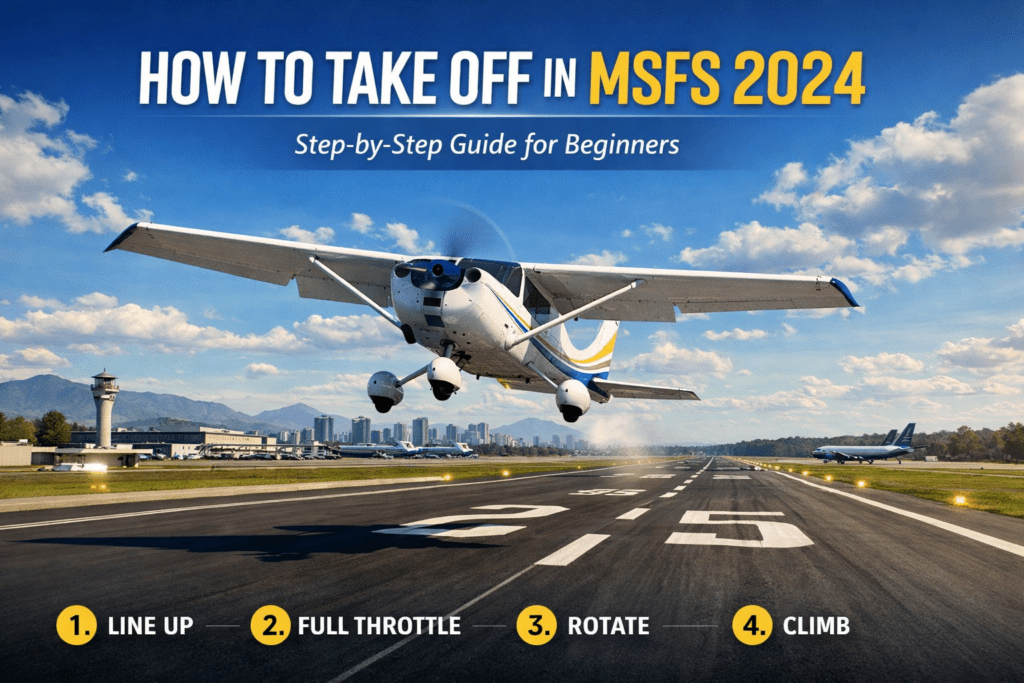
(Step-by-Step Guide)
Learning how to Take Off in Microsoft Flight Simulator 2024is one of the most exciting moments in Microsoft Flight Simulator 2024. The aircraft accelerates, the runway begins to disappear beneath you, and within seconds, you are climbing into the sky.
For beginners, however, takeoffs can sometimes feel a little chaotic. The aircraft may veer off the runway, lift too early, or struggle to climb smoothly.
Fortunately, a proper takeoff is actually quite simple once you understand the basic steps. This guide explains how to perform a smooth and realistic takeoff in MSFS 2024, whether you are flying a small trainer aircraft or a large airliner.
The Basic Takeoff Sequence
A standard takeoff follows a simple sequence:
- Line up with the runway
- Apply throttle smoothly
- Maintain runway centerline
- Rotate at the correct speed
- Establish a stable climb
Once you understand these steps, takeoffs become predictable and much easier to control.
Step 1: Line Up on the Runway
Before applying power, make sure the aircraft is properly aligned with the runway.
Taxi to the runway centreline and stop with the aircraft pointing straight down the runway.
If you are using ATC in the simulator, you will normally receive a “Cleared for Takeoff” instruction before entering the runway.
If you are new to the simulator, you may find it helpful to read the Microsoft Flight Simulator 2024 Beginner Guide, which explains basic controls and cockpit setup.
A proper runway alignment helps ensure a smooth acceleration without drifting left or right.
Step 2: Apply Throttle Smoothly
Once aligned, begin increasing the throttle.
For most aircraft:
• Push the throttle forward smoothly
• Avoid sudden movements
• Apply full power once the aircraft starts rolling
Large airliners typically advance power more gradually, while smaller aircraft can apply full throttle almost immediately.
As power increases, the aircraft will begin accelerating rapidly down the runway.
Step 3: Maintain the Runway Centreline
As the aircraft accelerates, you must keep it aligned with the runway centreline.
Most aircraft naturally drift slightly during the takeoff roll because of:
• engine torque
• crosswind
• propeller forces
Use rudder input to keep the aircraft straight.
If the aircraft begins to drift left or right, gently apply the opposite rudder to correct the direction.
This stage is important because a poorly aligned aircraft can easily leave the runway.
Step 4: Rotate at the Correct Speed
As the aircraft gains speed, it will eventually reach rotation speed.
Rotation speed (often called Vr) is the point at which you gently pull back on the control column to lift the nose.
Typical rotation speeds:
Small prop aircraft
≈ 55–70 knots
Business jets
≈ 100–130 knots
Airliners
≈ 140–160 knots
At this point:
• gently pull back on the controls
• raise the nose slightly
• allow the aircraft to lift off naturally
Avoid pulling back too aggressively, as this can cause a stall or unstable climb.
Step 5: Establish a Stable Climb
Once airborne, maintain a steady climb.
Typical climb attitudes:
Small aircraft
≈ 7–10° nose up
Airliners
≈ 10–15° nose up
Keep the climb smooth and maintain airspeed while retracting landing gear or flaps if required.
At this stage, you can begin following your planned departure route.
If you want to learn more about realistic flight planning, see How to Plan Better Flights in MSFS 2024.
Common Takeoff Mistakes
Beginners often encounter the same problems during takeoff. Fortunately, they are easy to fix once you understand the causes.
Pulling Back Too Early
If you pull back before reaching rotation speed, the aircraft may struggle to lift off.
Allow the aircraft to accelerate fully before rotating.
Veering Off the Runway
This usually happens because rudder corrections are not being applied.
Use gentle rudder input to maintain the runway centreline.
Over-rotating
Pulling back too aggressively can cause the aircraft to pitch up too steeply.
This may lead to:
• loss of airspeed
• stall warning
• unstable climb
Instead, rotate gradually and smoothly.
Aircraft Differences
Each aircraft type behaves slightly differently during takeoff.
Small General Aviation Aircraft
Aircraft such as the Cessna 172 or Diamond DA40 require relatively little runway and lift off quickly.
These aircraft are ideal for beginners.
Business Jets
Jets such as the Cessna Citation X accelerate much faster and require careful speed management during rotation.
Airliners
Airliners require longer runways and more precise speeds.
For example, aircraft such as the PMDG 737-800 rely on calculated takeoff speeds and careful rotation technique.
Practicing Takeoffs
The best way to improve takeoffs is simply to practice.
Try experimenting with:
• different aircraft
• different airports
• different weather conditions
Practicing short flights between nearby airports is an excellent way to build confidence.
You might also enjoy trying some of the Best Short Scenic Flights in MSFS 2024, which are ideal for practicing takeoffs and landings.
What to Learn Next
Once you are comfortable with takeoffs, the next skill to master is landing.
Landing is slightly more complex because it requires precise speed control and a smooth flare before touchdown.
If you want to improve your landing technique, read:
Why Your Landings Feel Unstable in MSFS 2024
Understanding both takeoffs and landings will dramatically improve your confidence when flying in the simulator.
Final Thoughts
Taking off in Microsoft Flight Simulator 2024 becomes second nature once you understand the fundamentals.
By lining up correctly, applying throttle smoothly, maintaining the runway centreline, and rotating at the proper speed, you can achieve smooth and realistic departures every time.
With practice, these steps will quickly become instinctive, allowing you to focus on navigation, weather, and the joy of exploring the world from the cockpit.
Learn the basics of flying with our How to Take Off in MSFS 2024 guide.