
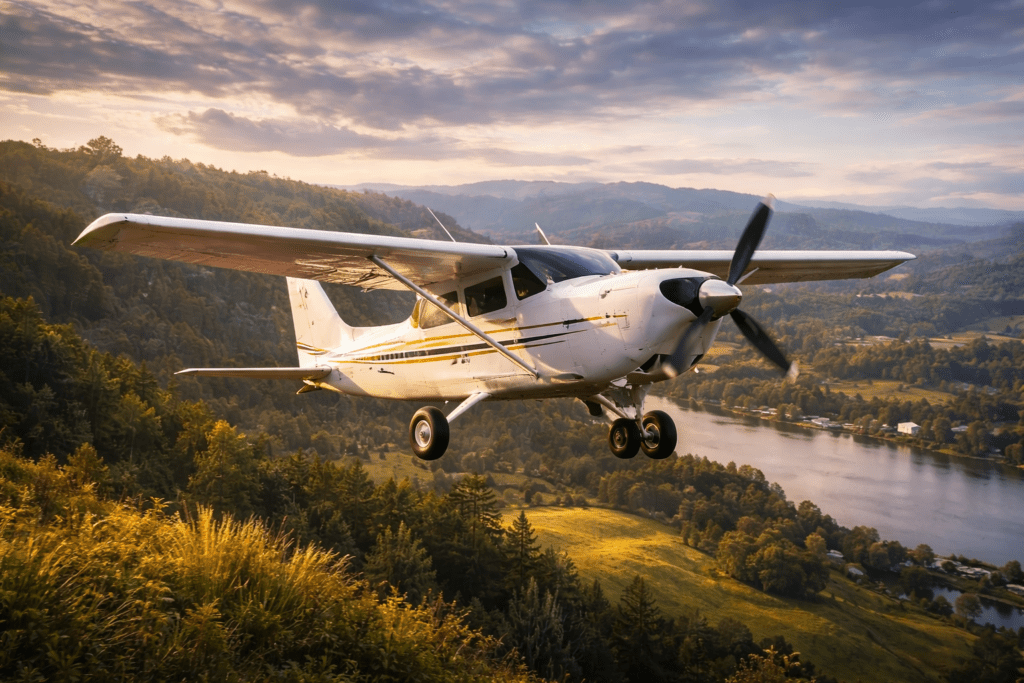
The Cessna 172 is one of the most popular training aircraft in the world and one of the best aircraft to learn in Microsoft Flight Simulator 2024. Stable, predictable and forgiving, it is ideal for beginners while still rewarding precise flying.
Whether you are flying the steam gauge version or the G1000 glass cockpit model, the C172 teaches core flying skills that apply to every aircraft in the simulator.
This guide walks through startup, taxi, takeoff, cruise, navigation, and landing in a practical, beginner-friendly way.
Quick Summary
- The Cessna 172 is one of the best aircraft for beginners in MSFS 2024
- Cruise speed is typically around 110–120 knots
- Takeoff rotation occurs around 55 knots
- Normal climb speed is 70–80 knots
- Typical landing approach speed is 65–70 knots
- Proper trim and smooth control inputs are essential for stable flight
Understanding the Cessna 172
The C172 is a high-wing, single-engine piston aircraft.
Key characteristics:
- Cruise speed around 110–120 knots
- Fixed landing gear
- Simple systems
- Very stable handling
- Excellent visibility
Unlike airliners, you are flying the aircraft directly. There is no complex automation doing the work for you.
Pre-Flight and Startup
Basic cold and dark startup procedure:
Battery and Avionics
- Master switch ON
- Avionics ON (normally after engine start in real life)
Fuel
- Fuel selector BOTH
- Mixture RICH
Throttle
- Slightly open
Engine Start
- Turn ignition to START
- Release when the engine fires
Oil pressure should rise within a few seconds.
Then set:
- Alternator ON
- Check fuel gauges
- Set altimeter
- Tune radios
Taxiing the Cessna 172
The C172 uses differential braking and rudder for steering.
To taxi smoothly:
- Use minimal throttle
- Apply gentle rudder inputs
- Tap brakes lightly when needed
Avoid overusing throttle. The aircraft moves easily at low power.
Takeoff Procedure
Before takeoff:
- Flaps UP (normal takeoff)
- Trim set for takeoff
- Mixture RICH
- Lights ON
Line up on the runway and advance the throttle smoothly to full power.
Maintain directional control with the rudder.
Rotate around 55 knots.
Climb out at:
- 70–80 knots for normal climb
Avoid pulling back too aggressively. Let the aircraft lift off naturally.
Climb and Cruise
During climb:
- Monitor engine RPM
- Keep the mixture RICH at low altitude
- Maintain steady climb speed
Level off at cruise altitude.
Set:
- Throttle around 2200–2400 RPM
- Trim for hands-off flight
Cruise speed typically settles around 110 knots.
If flying at a higher altitude:
- Lean the mixture slightly
- Watch engine performance
Basic Navigation
With steam gauges:
- Use VOR navigation
- Follow visual landmarks
- Use the heading indicator
With the G1000:
- Program a simple Direct-To route
- Follow the magenta line
- Monitor altitude and speed
The C172 is excellent for:
- VFR flying
- Short scenic flights
- Pattern work
Descent Planning
Start descent early.
Reduce power gradually.
Aim for:
- 500–700 feet per minute descent
- Maintain 80–90 knots
Avoid steep dives. Plan ahead.
Landing the Cessna 172
Approach checklist:
- Mixture RICH
- Carb heat ON (if model supports it)
- Reduce power
- Extend flaps gradually
Typical approach speed:
- 65–70 knots with flaps
On final:
- Maintain a stable speed
- Small pitch corrections
- Gentle power adjustments
During flare:
- Slowly reduce power
- Raise the nose slightly
- Allow the aircraft to settle
Do not force it onto the runway.
After touchdown:
- Keep back pressure on the yoke
- Apply the brakes gently
Common Beginner Mistakes
Pulling Back Too Hard on Takeoff
This can cause ballooning or a stall.
Approaching Too Fast
Excess speed causes the aircraft to float long down the runway.
Forgetting Rudder
The rudder is essential during takeoff and landing.
Not Trimming Properly
Trim reduces workload and improves aircraft control.
Flying the Pattern
The C172 is perfect for practicing traffic patterns:
- Takeoff
- Crosswind
- Downwind
- Base
- Final
Practicing consistent speeds and altitude control builds strong flying skills quickly.
Steam Gauge vs G1000 Version
Steam Gauge Version
- Teaches traditional instrument scanning
- Encourages manual navigation
- Excellent for learning basic flying skills
G1000 Version
- Modern glass cockpit
- GPS-based navigation
- Easier route management
Both are excellent training platforms.
Why the Cessna 172 Is Important
Mastering the C172 teaches fundamental aviation skills, including:
- Energy management
- Proper landing technique
- Visual navigation
- Basic instrument flying
These skills transfer to every aircraft in Microsoft Flight Simulator.
Conclusion
Flying the Cessna 172 in MSFS 2024 is one of the best ways to build real flying skills inside the simulator. The aircraft is stable, forgiving, and ideal for learning core techniques like smooth takeoffs, controlled approaches, and proper landing flare.
By mastering trim, speed control, and planning, you will build a strong foundation that carries into larger and more complex aircraft later in your flight simulation journey.