
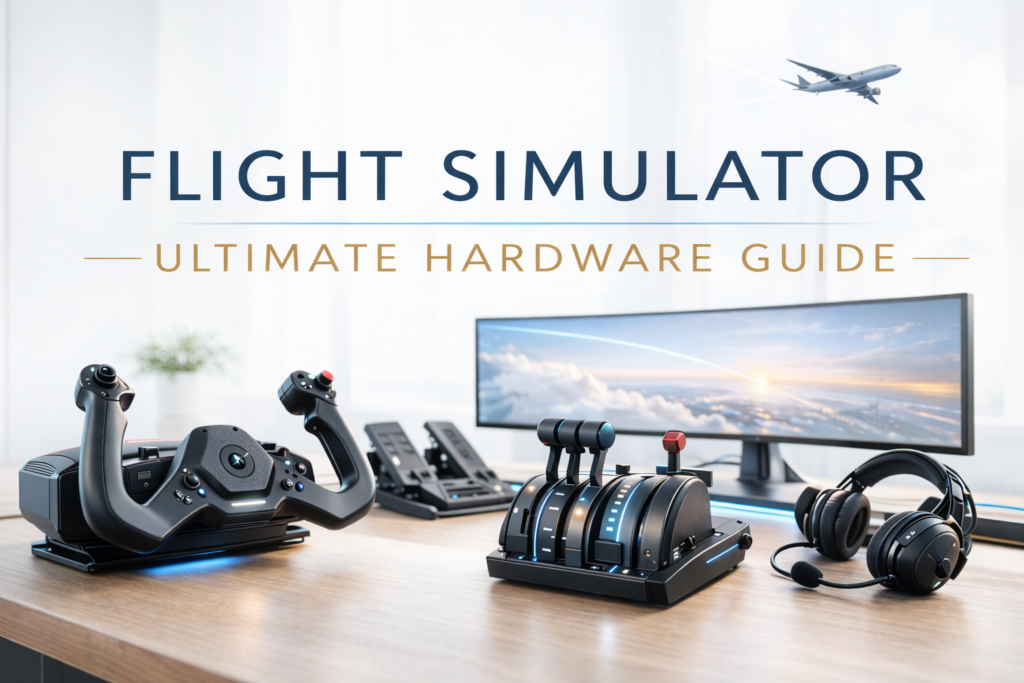
Introduction
Flight simulation has come a very long way over the past few decades. What once required expensive professional simulators can now be experienced at home with modern software like Microsoft Flight Simulator 2024.
But while the software itself is incredibly advanced, the hardware you use to control the aircraft can make an enormous difference to the overall experience.
Flying with a keyboard or a basic game controller may let you get airborne, but it rarely captures the feeling of actually flying an aircraft. Dedicated flight simulator controls, on the other hand, bring a level of realism and precision that transforms the simulator into something much closer to a true training environment.
For many enthusiasts, the moment they upgrade from a keyboard or controller to a proper flight control system is the moment the simulator truly comes alive.
In this guide, we’ll explore the full range of hardware available for flight simulation, including:
- Flight yokes
- Joysticks and HOTAS systems
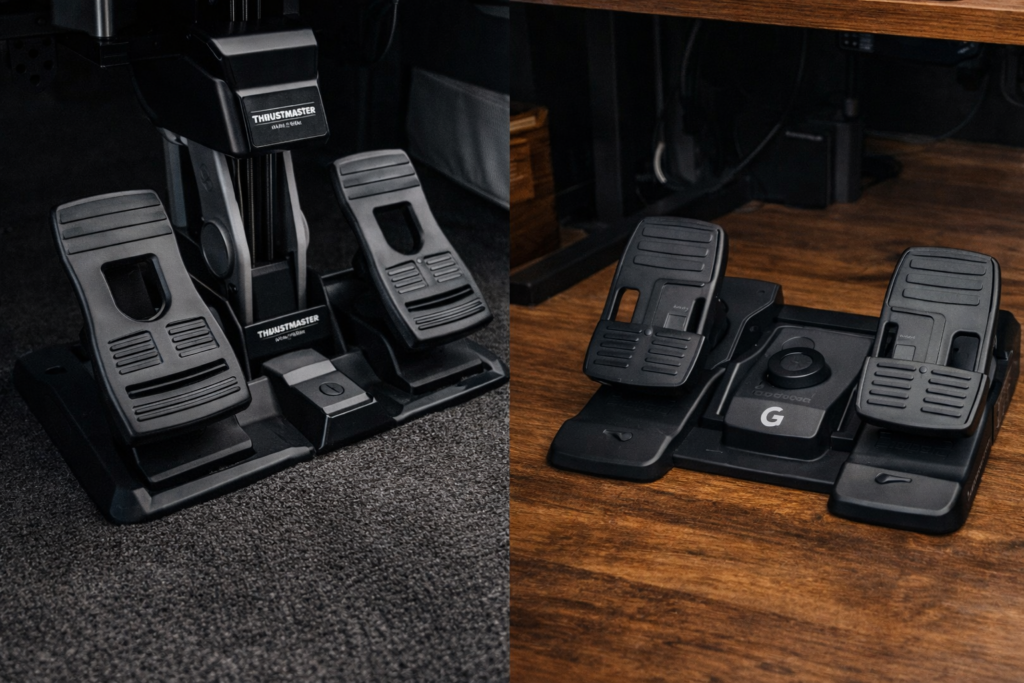
- Rudder pedals
- Throttle quadrants
- Instrument panels and switches
- Head tracking and VR
- Monitor setups
- Complete cockpit builds
Whether you’re building a simple beginner setup or planning a full home cockpit, this guide will help you understand what equipment is available and how it can improve your flying experience.
Understanding Flight Simulator Hardware
Before looking at specific devices, it helps to understand how flight simulator hardware is usually organised.
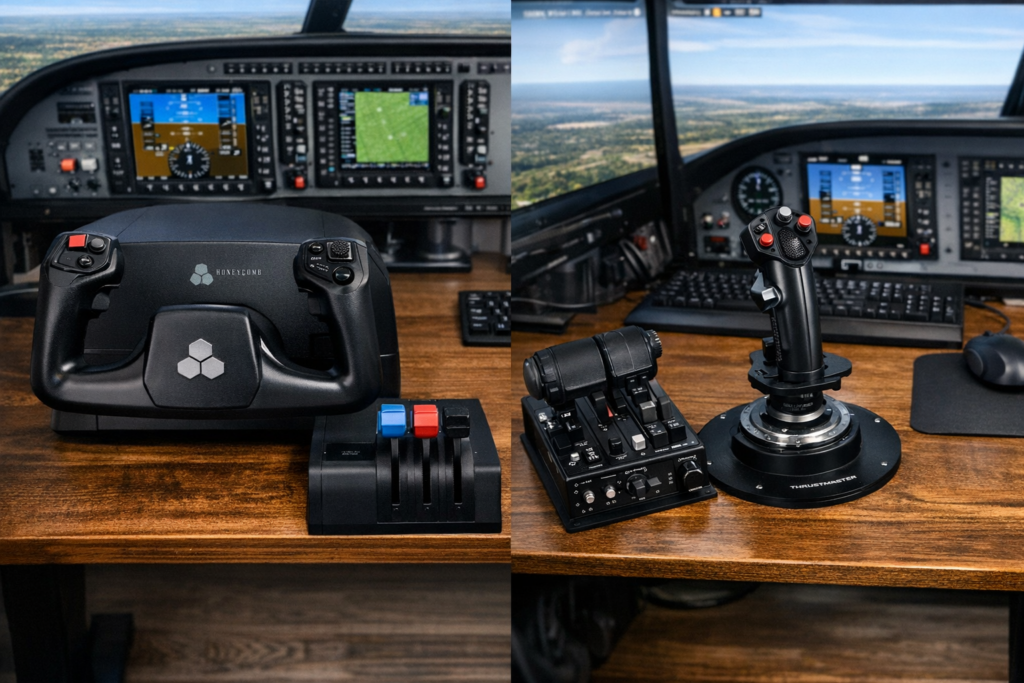
Most flight simulation setups are built around a few core components that replicate the primary controls found in real aircraft.
These components can then be expanded over time as your interest in simulation grows.
Primary Flight Controls
The most important devices are the ones that control the aircraft’s movement.
These include:
- Yokes
- Joysticks
- Rudder pedals
Together, these replicate the three primary flight axes used to control an aircraft.
A yoke or joystick controls pitch and roll, while rudder pedals control yaw.
In real aircraft, these inputs must be coordinated carefully, particularly during takeoff, landing, and crosswind conditions. Using proper flight controls in a simulator makes those manoeuvres feel much more natural.
Power and Engine Controls
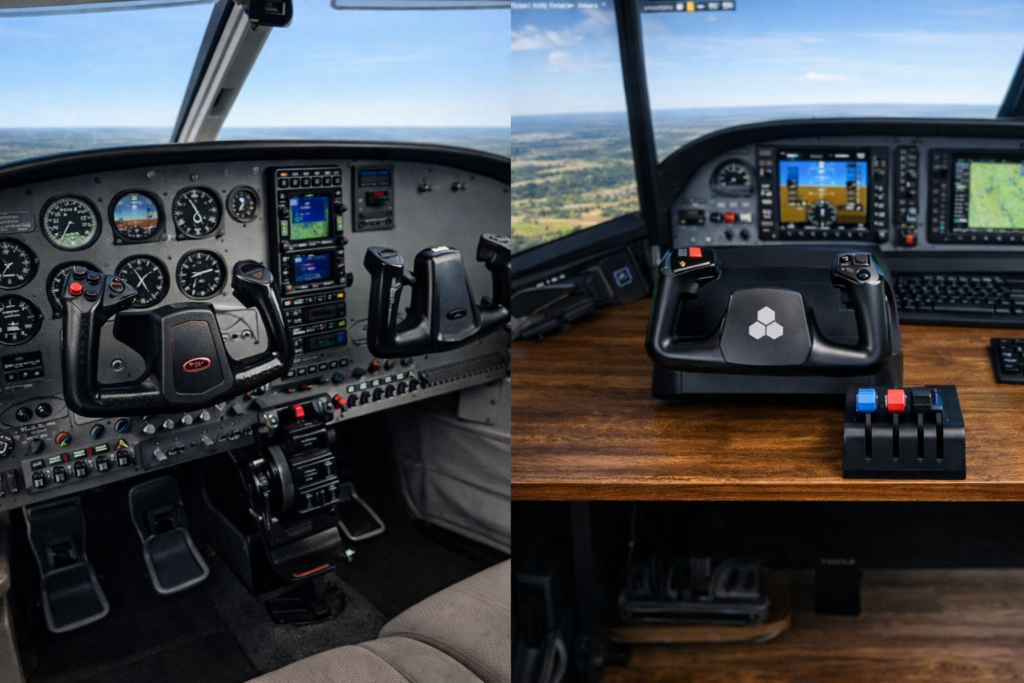
The next category of hardware controls engine power.
These devices include:
- Throttle quadrants
- Jet throttles
- Propeller and mixture controls
In piston aircraft, throttle quadrants often include multiple levers controlling throttle, propeller pitch, and fuel mixture.
Jet aircraft typically use dual throttles and sometimes additional switches for engine management.
Using a proper throttle system allows far finer control over aircraft speed and climb performance.
Secondary Panels and Controls
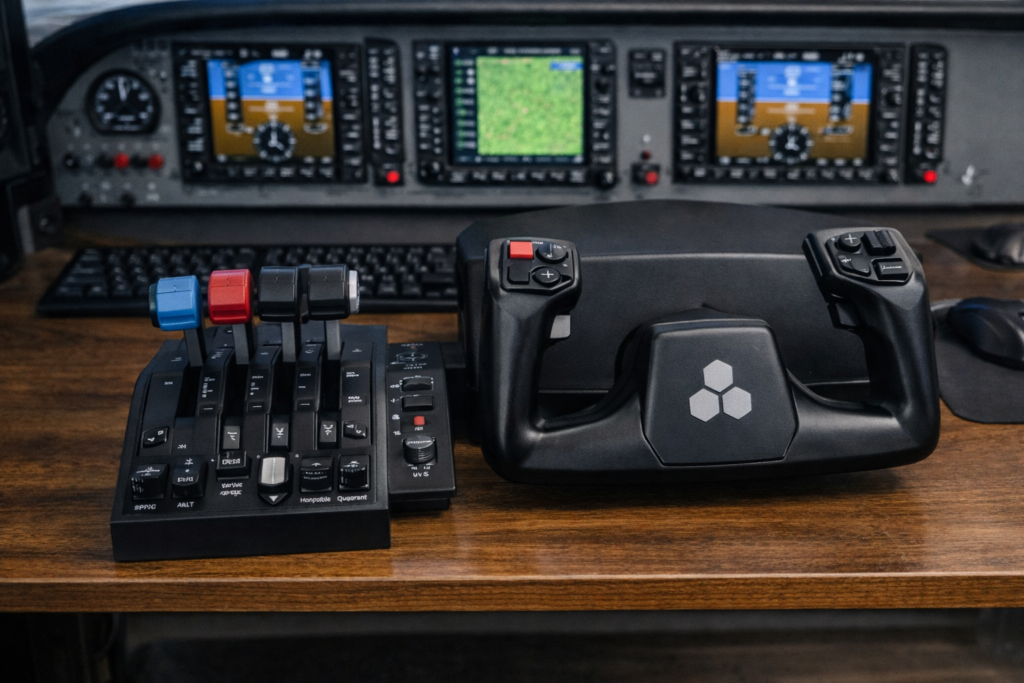
Once the primary controls are in place, many enthusiasts begin adding extra panels that replicate real cockpit systems.
Examples include:
- Autopilot panels
- Radio stacks
- Switch panels
- Landing gear controls
- Trim wheels
These devices let you interact with cockpit systems without constantly reaching for the mouse.
They are not strictly necessary for beginners, but they add a tremendous amount of immersion.
Display and Visual Systems
The final category of flight simulator hardware focuses on the visual experience.
These include:
- Single or multi-monitor setups
- Ultra-wide displays
- VR headsets
- Head-tracking systems
The visual system you choose can dramatically change the feeling of being inside the cockpit.
Some sim pilots prefer a wide multi-monitor setup for maximum visibility, while others enjoy the full immersion of virtual reality.
Why Hardware Makes Such a Difference
The difference between basic controls and dedicated simulation hardware is difficult to appreciate until you experience it for yourself.
With a proper control setup:
- Aircraft handling becomes smoother and more precise
- Small corrections during landing become easier
- Taxiing on the ground feels far more natural
- Engine power can be adjusted gradually rather than abruptly
In many ways, proper flight controls allow the simulator to behave more like a real aircraft.
For people interested in aviation, this can turn the simulator from a simple game into something that feels much closer to genuine flying.
The Hardware Upgrade Path
Most flight simulator enthusiasts gradually expand their setup over time.
A typical upgrade path looks something like this:
Beginner Setup
- Joystick or basic yoke
- Keyboard for secondary controls
Intermediate Setup
- Yoke or HOTAS system
- Throttle quadrant
- Rudder pedals
Advanced Setup
- Multiple panels
- Head tracking or VR
- Multi-monitor displays
Full Cockpit Setup
- Cockpit frame
- Mounted controls
- Multiple instrument panels
- Dedicated displays
The important thing to remember is that you do not need everything at once. Even a simple setup can provide a fantastic flying experience.
Hardware Manufacturers You Will Encounter
Several companies specialise in flight simulation hardware.
Some of the most widely used brands include:
- Honeycomb Aeronautical
- Thrustmaster
- Logitech G
- VKB Sim
- Next Level Racing
Each company focuses on slightly different parts of the market, ranging from beginner-friendly gear to professional-level simulation equipment.
In the sections that follow, we’ll explore the different types of hardware available and how they fit into a complete flight simulator setup.
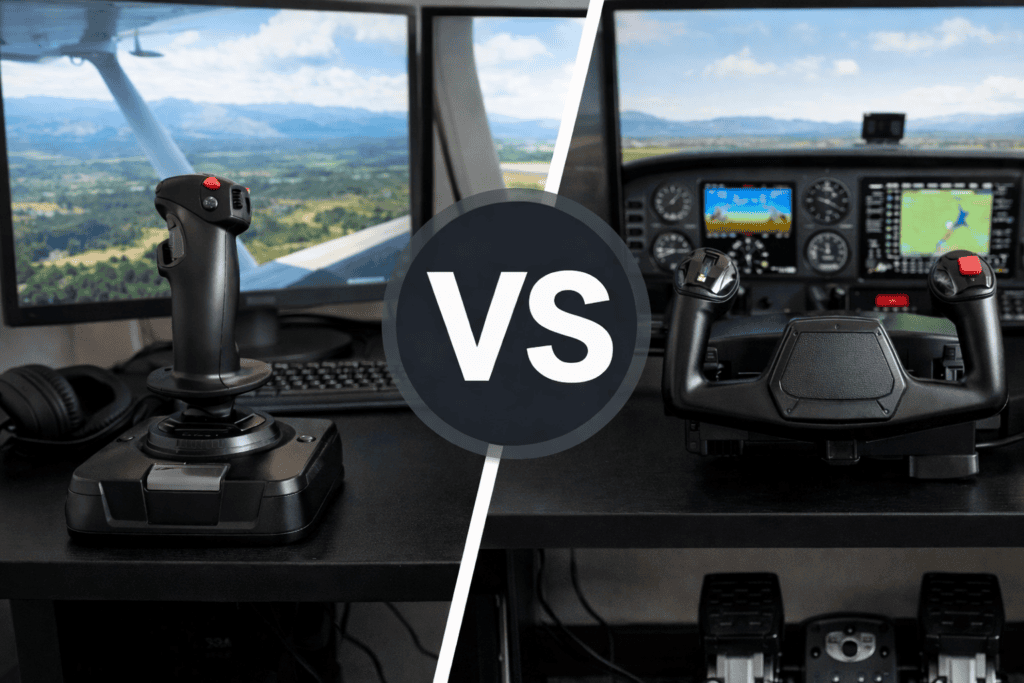
Yokes vs Joysticks — Which Is Better for Flight Simulation?
One of the first decisions many flight simulator enthusiasts face is whether to use a yoke or a joystick as their primary control device.
Both replicate the main flight controls of an aircraft, but they are designed for different types of flying.
Understanding the differences will help you choose equipment that best matches the aircraft you enjoy flying in the simulator.
What a Flight Simulator Yoke Replicates
A flight simulator yoke replicates the control system used in many real aircraft, particularly general aviation aircraft and airliners.
Instead of pushing a stick forward and backward, the pilot holds a control wheel that moves in and out and rotates left and right.
In flight terms, this controls:
- Pitch – pushing or pulling the yoke
- Roll – turning the yoke left or right
Yokes are most commonly used in aircraft such as:
- Cessna trainers
- Turboprops
- Commercial airliners
Because many civilian aircraft use yokes, they are often the preferred choice for pilots who enjoy realistic airline routes or general aviation flying in Microsoft Flight Simulator 2024.
Advantages of Using a Yoke
Realistic Airliner Flying
If you enjoy flying airliners such as the Boeing 737 or turboprops, a yoke closely matches the controls used in those aircraft.
This makes procedures like takeoff rotation, trimming, and the landing flare feel much more natural.
Comfortable Long Flights
Because the control wheel sits directly in front of you, many pilots find yokes comfortable for longer flights.
You can rest your hands on the yoke in a more relaxed position compared with holding a joystick for long periods.
Multiple Switches and Buttons
Many modern yokes include programmable switches that can control functions such as:
- Trim
- Landing gear
- Autopilot disengage
- Push-to-talk
These shortcuts make it easier to interact with the simulator without constantly reaching for the keyboard.
Popular Flight Simulator Yokes
Several companies manufacture high-quality flight simulator yokes.
Some of the most widely used models include:
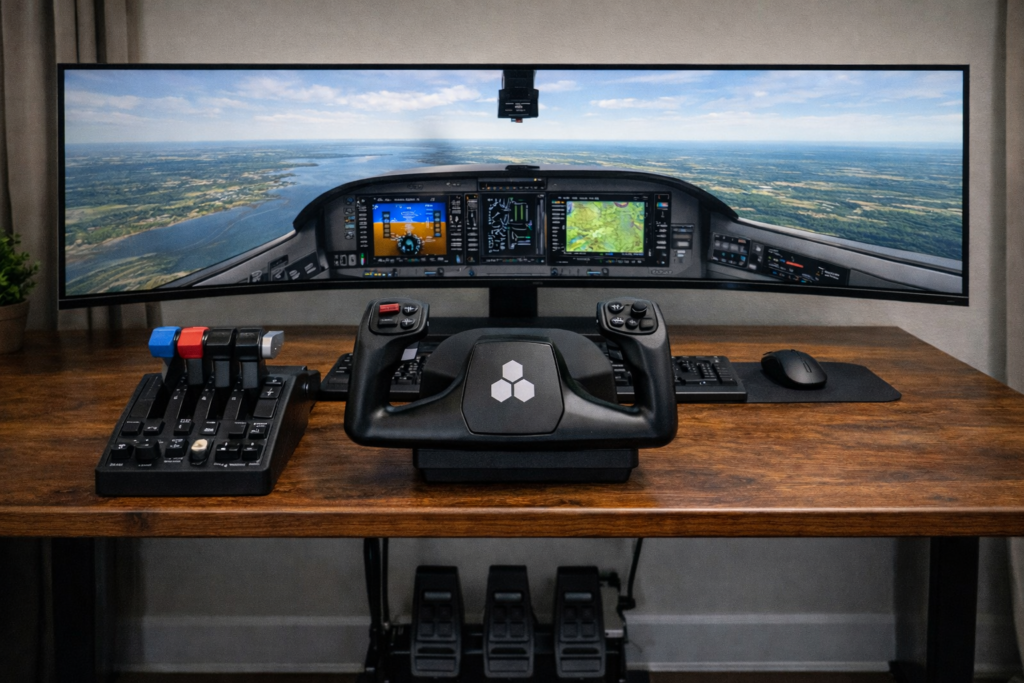
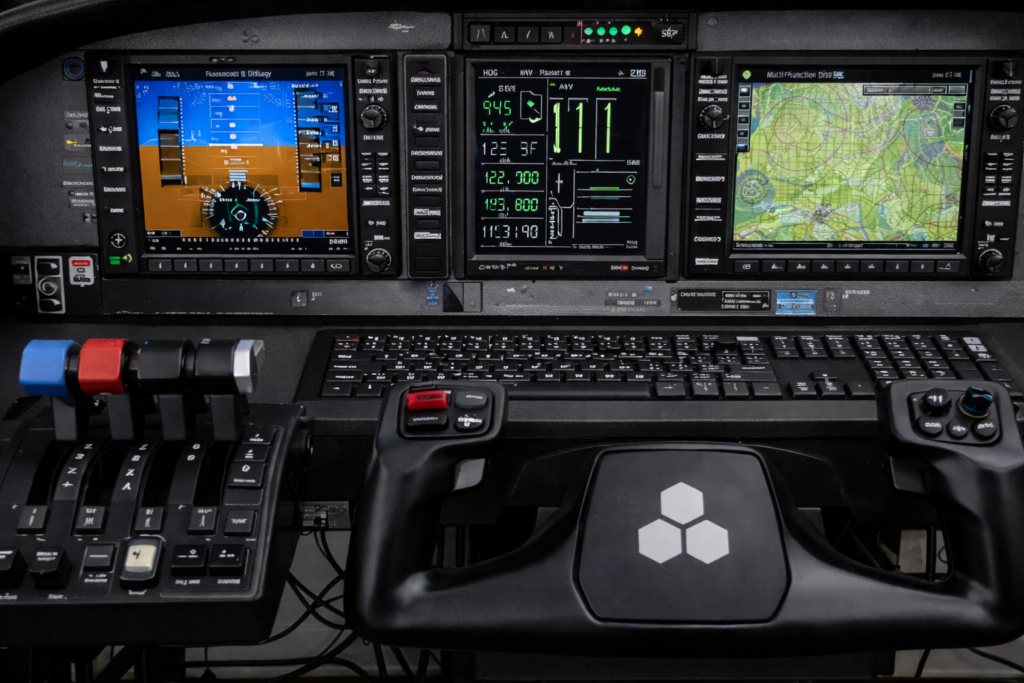
- Honeycomb Alpha Flight Controls
- Logitech G Pro Flight Yoke System
These devices are designed specifically for flight simulation and provide much smoother control inputs than basic gaming controllers.
Many enthusiasts pair them with a separate throttle quadrant to complete the setup.
What a Flight Simulator Joystick Does
A joystick replicates the control system used in aircraft that use a centre stick or side stick instead of a control wheel.
The stick moves in all directions to control the aircraft.
These inputs correspond to:
- Pitch (forward and backward movement)
- Roll (left and right movement)
- Yaw (often controlled through a twist grip or pedals)
Joysticks are commonly used in:
- Fighter aircraft
- Helicopters
- Aerobatic aircraft
- Some modern airliners
Because of this, they are extremely popular among simulator pilots who enjoy military or high-performance aircraft.
Advantages of Using a Joystick
Precision Control
High-quality joysticks often provide extremely precise control inputs, which can be helpful for:
- Helicopter flying
- Aerobatics
- Formation flying
Compact Setup
A joystick setup usually requires less desk space than a yoke system.
This makes it popular for people with smaller desks or limited space.
Flexible Aircraft Types
Joysticks work well across a wide range of aircraft types, including jets, helicopters, and smaller aircraft.
This flexibility makes them a good choice for pilots who enjoy flying a variety of aircraft.
Popular Flight Simulator Joysticks
Several companies produce highly regarded joystick systems.
Some well-known models include:
- Thrustmaster HOTAS Warthog
- VKB Gladiator NXT
These systems often include a separate throttle unit, allowing the user to control engine power independently.
This configuration is commonly referred to as HOTAS, which stands for Hands-On Throttle And Stick.
Which One Should You Choose?
There is no single correct answer to this question.
The best choice depends largely on which aircraft you enjoy flying most.
A Yoke Is Often Better If You Prefer
- General aviation aircraft
- Turboprops
- Airline simulation
- Realistic IFR flying
A Joystick May Be Better If You Prefer
- Fighter jets
- Helicopters
- Aerobatic aircraft
- Space simulation
Many enthusiasts eventually own both.
Expanding Your Control Setup
Whichever control type you choose, most simulator setups eventually include additional devices such as:
- Rudder pedals
- Throttle quadrants
- Switch panels
These components allow you to build a control system that closely resembles a real cockpit.
One of the most important additions for realistic flight control is the rudder pedal set.
Rudder Pedals — Why They Matter
Rudder pedals control the yaw axis of the aircraft.
In simple terms, they allow the aircraft’s nose to move left or right.
While beginners sometimes overlook them, rudder pedals are actually extremely important for realistic flying.
They are used for:
- Coordinated turns
- Crosswind landings
- Taxi steering on the ground
- Correcting asymmetric thrust
Without rudder control, aircraft movements can feel less realistic and less precise.
What Rudder Pedals Do in Real Aircraft
In real aircraft, rudder pedals serve several important functions.
They control:
- The rudder, which helps coordinate turns
- Nose wheel steering during taxi
- Differential braking during ground manoeuvres
Using rudder pedals in a simulator replicates these same functions, allowing much finer control of the aircraft.
Benefits of Using Rudder Pedals in a Simulator
More Realistic Turns
Proper coordinated turns require slight rudder input.
Pedals allow you to perform these naturally.
Better Ground Control
Taxiing becomes far easier when you can steer with your feet instead of using keyboard commands.
Improved Landing Control
Crosswind landings often require precise rudder adjustments to keep the aircraft aligned with the runway.
Pedals make these corrections far smoother.
Popular Rudder Pedals
Some commonly used flight simulator rudder pedals include:
- Thrustmaster TPR Pendular Rudder
- Logitech G Pro Flight Rudder Pedals
These devices connect directly to the simulator and allow precise rudder control using natural foot movements.
Throttle Quadrants and Engine Controls
While the yoke or joystick controls the direction of the aircraft, the throttle controls the aircraft’s power. In many ways, throttle management is just as important as steering the aircraft itself.
In real aircraft, pilots constantly adjust power during flight. Throttle inputs control:
- Climb performance
- Descent rate
- Cruise speed
- Approach stability
- Landing flare
Trying to control power with a keyboard or mouse can feel very unnatural. A dedicated throttle system allows small and precise adjustments that make flying far smoother and more realistic.
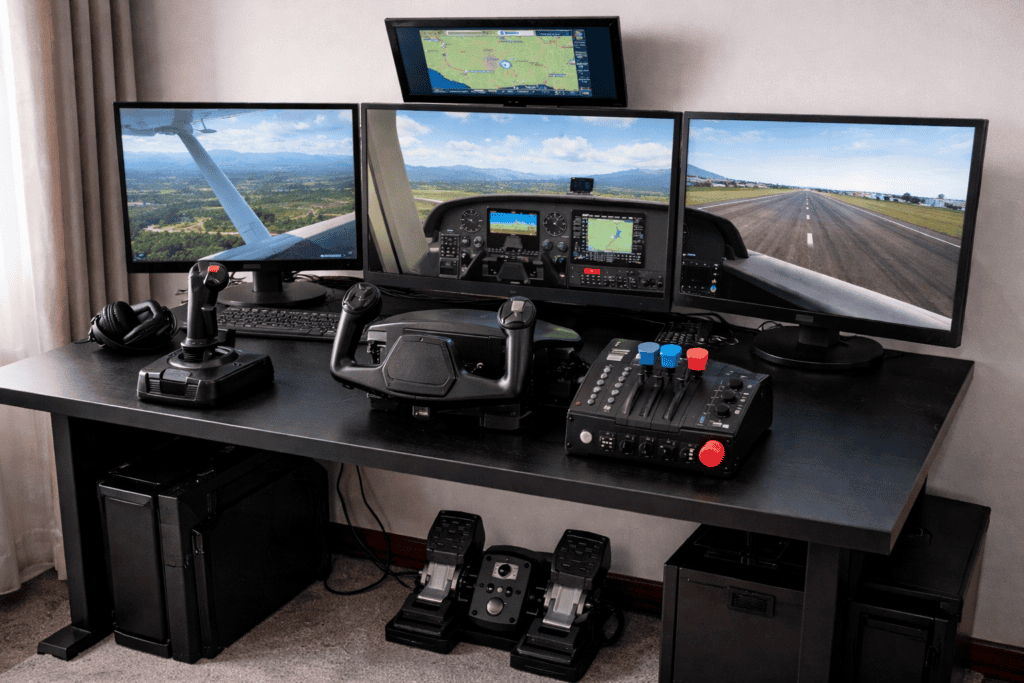
What a Throttle Quadrant Does
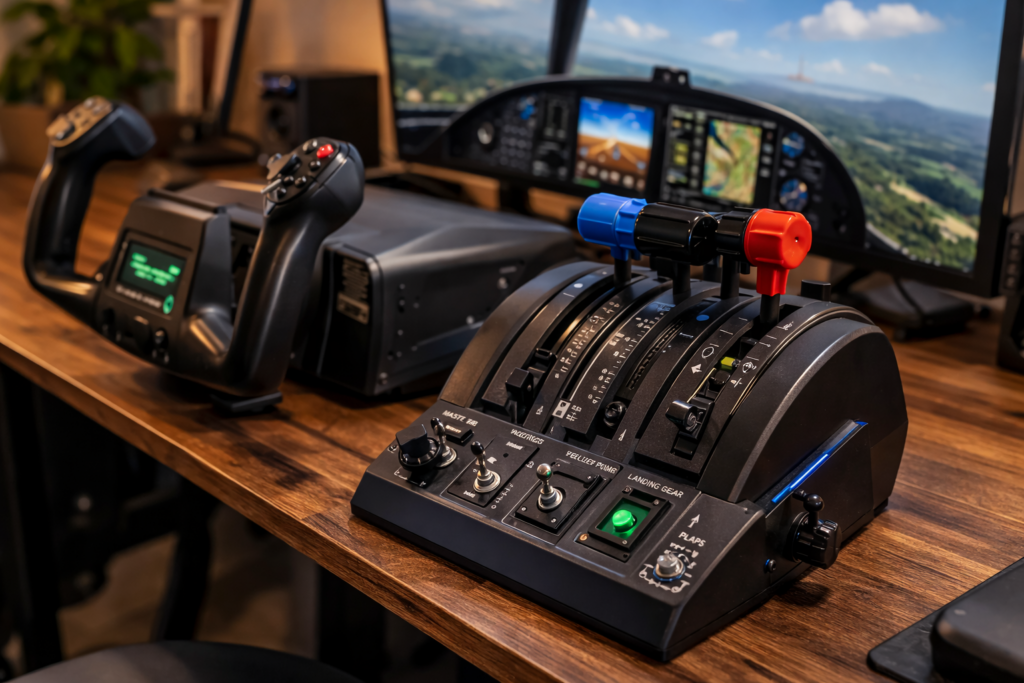
A throttle quadrant replicates the engine control levers found in real aircraft.
Depending on the aircraft type, these levers may control:
- Throttle (engine power)
- Propeller pitch
- Mixture control
- Reverse thrust
For piston aircraft, three levers are typically used: throttle, propeller, and mixture.
In jet aircraft, the throttle quadrant often includes dual throttle levers to control each engine independently.
Having these physical controls allows pilots to manage power far more accurately than when using digital keyboard commands.
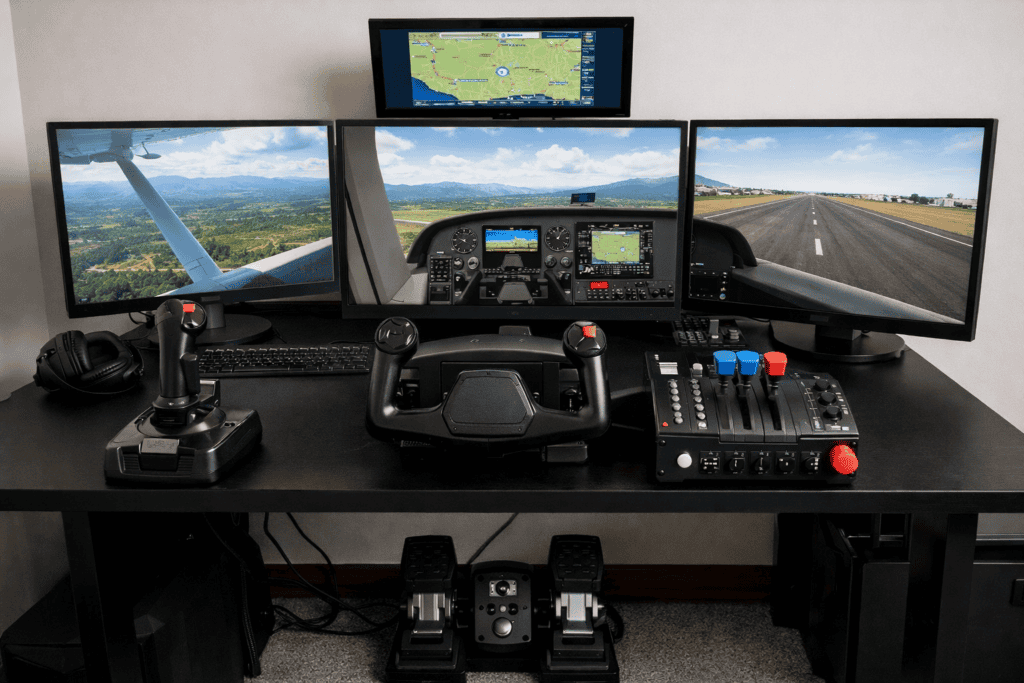
Why Throttle Control Matters in Flight Simulation
Power management is essential during several key phases of flight.
Takeoff
During takeoff, the pilot must smoothly advance the throttle while maintaining directional control.
A physical throttle allows gradual power increases that feel very similar to real aircraft procedures.
Climb and Cruise
Maintaining the correct power setting during climb and cruise improves fuel efficiency and engine performance.
Throttle quadrants make these adjustments simple and intuitive.
Landing
Approach and landing require constant small power adjustments.
A proper throttle makes it far easier to control descent rate and airspeed.
Many simulator pilots find that once they start using a dedicated throttle system, they never want to go back to keyboard controls.
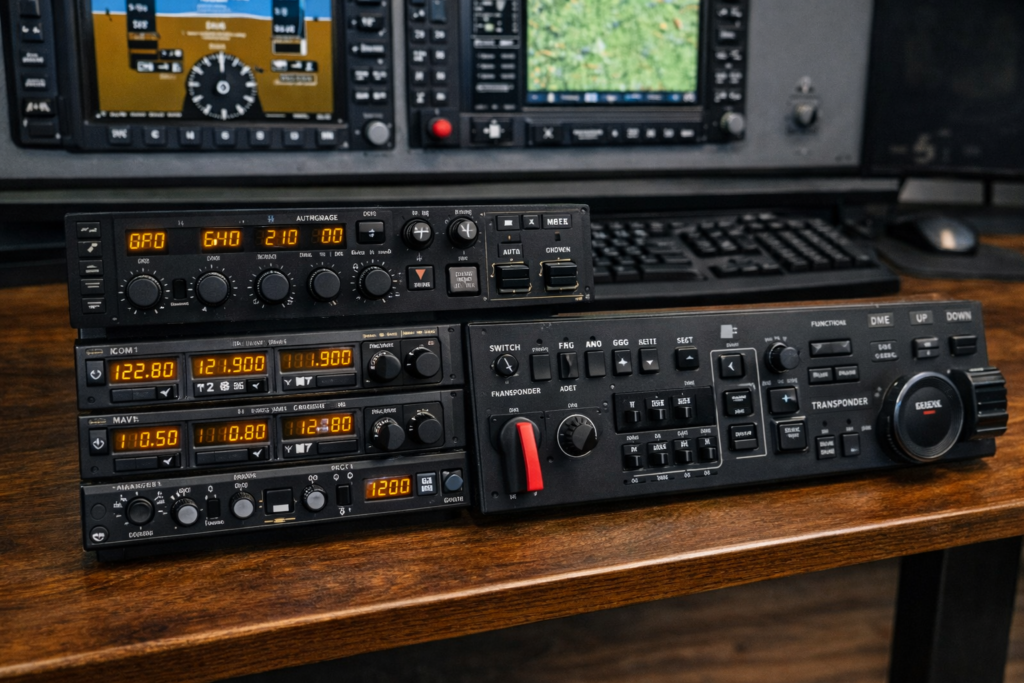
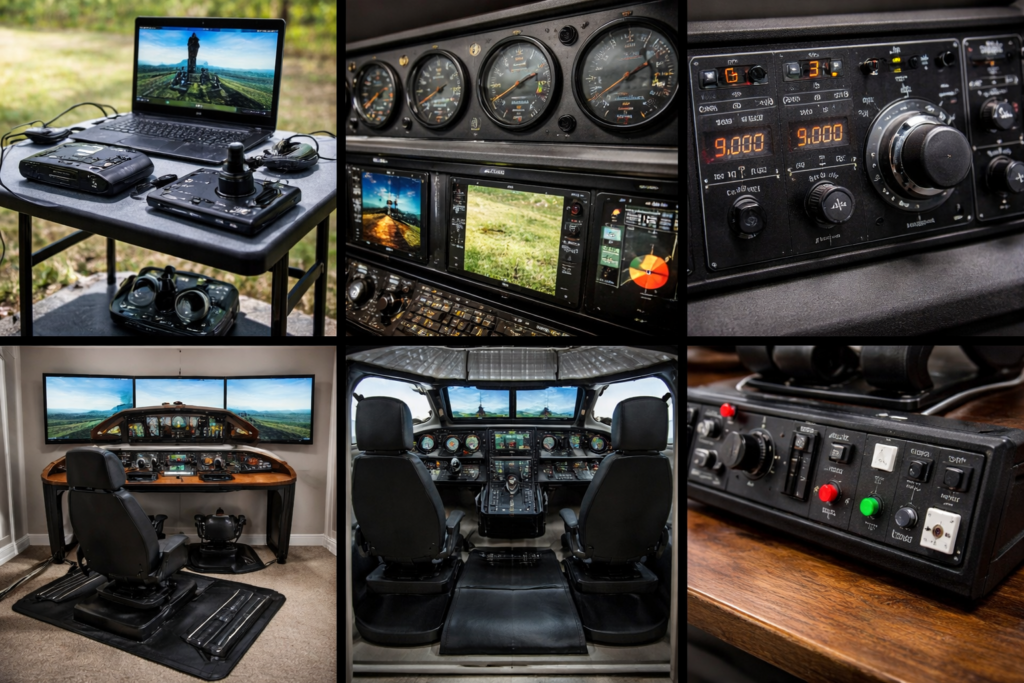
Flight Simulator Panels and Switches
Once the primary flight controls are in place, many enthusiasts begin expanding their setup with additional cockpit panels and switches.
These devices replicate the instrument panels found in real aircraft and allow pilots to control systems without relying on the mouse.
Panels commonly replicate:
- Autopilot controls
- Radio communication systems
- Navigation systems
- Landing gear switches
- Trim wheels
While these accessories are not necessary for beginners, they significantly increase immersion and realism.
Autopilot Panels
Autopilot panels allow you to control the aircraft’s autopilot functions using physical knobs and buttons.
Typical controls include:
- Altitude selection
- Vertical speed
- Heading
- Autopilot engagement
Using physical controls for these systems feels far more natural than clicking virtual knobs in the cockpit.
Radio and Navigation Panels
Radio panels replicate the communication and navigation radios used in real aircraft.
They allow pilots to adjust:
- Communication frequencies
- Navigation frequencies
- Standby frequencies
These panels are particularly useful for pilots who enjoy realistic IFR flying.
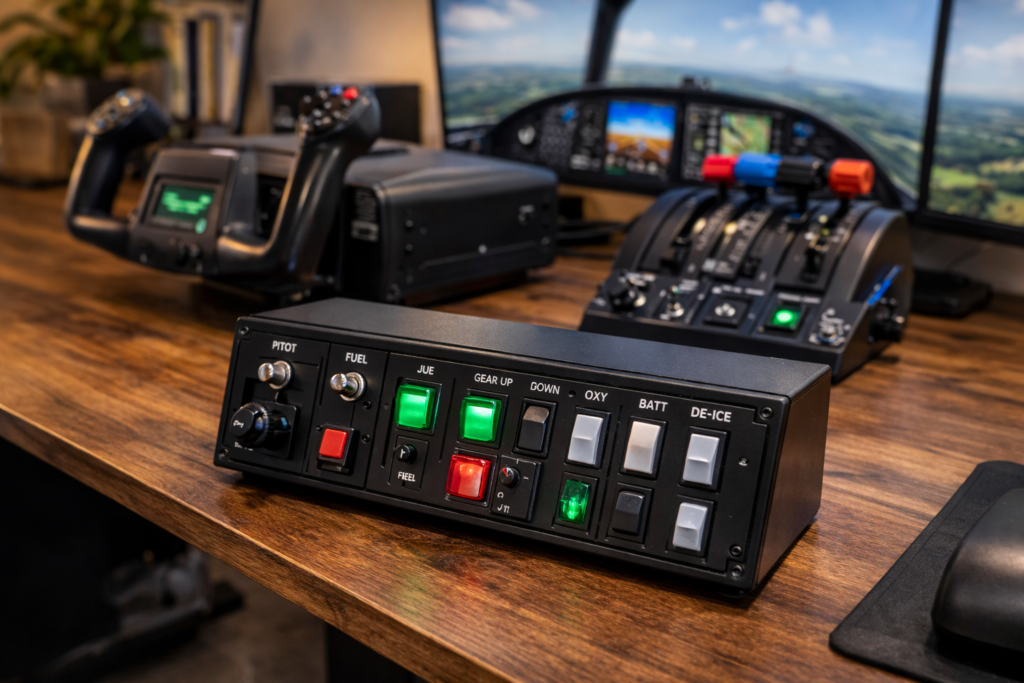
Switch Panels
Switch panels typically include controls for systems such as:
- Landing lights
- Taxi lights
- Landing gear
- Battery and avionics switches
Although these functions can be controlled with a mouse, dedicated switches add a great deal of immersion.
Many simulator enthusiasts enjoy performing full cockpit procedures during startup and shutdown, and physical switches make those procedures feel much more authentic.
Head Tracking vs Virtual Reality
Another major upgrade many flight simulator pilots consider is improving the visual immersion of the simulator.
Two popular technologies are used for this:
- Head tracking
- Virtual reality
Both allow you to look around the cockpit naturally rather than using keyboard commands.
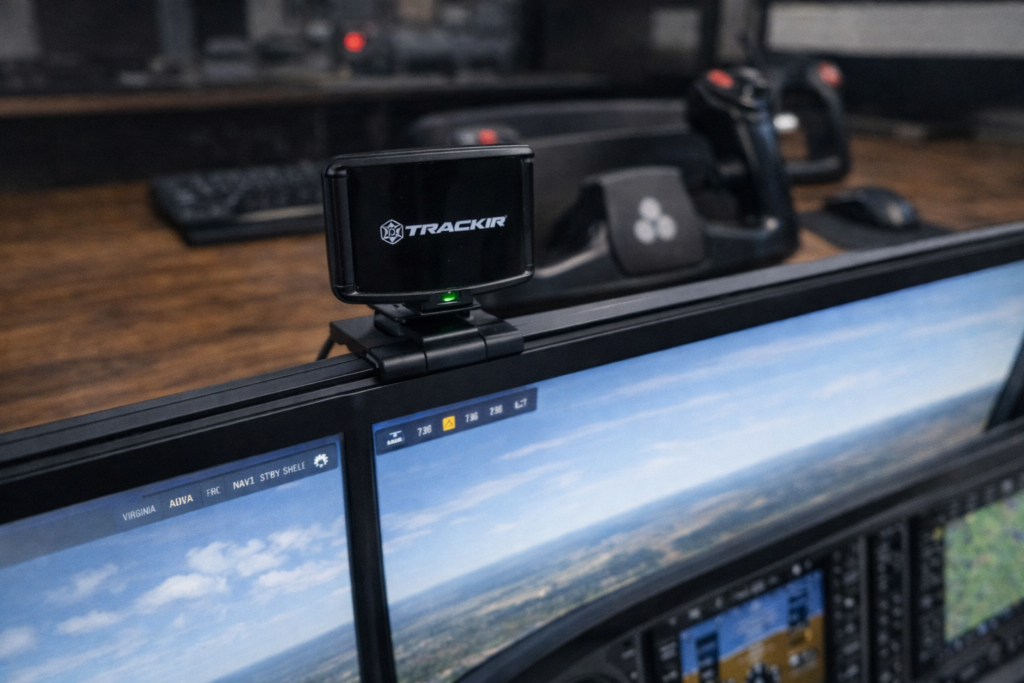
Head Tracking
Head tracking systems monitor small head movements and translate them into camera movements within the simulator.
A well-known example is TrackIR.
With head tracking enabled, turning your head slightly to the left allows you to look out the side window. Looking up allows you to see overhead panels.
This creates a very natural way to explore the cockpit environment.
Many pilots prefer head tracking because it allows them to remain aware of their keyboard, flight controls, and instrument panels while still enjoying free-look capability.
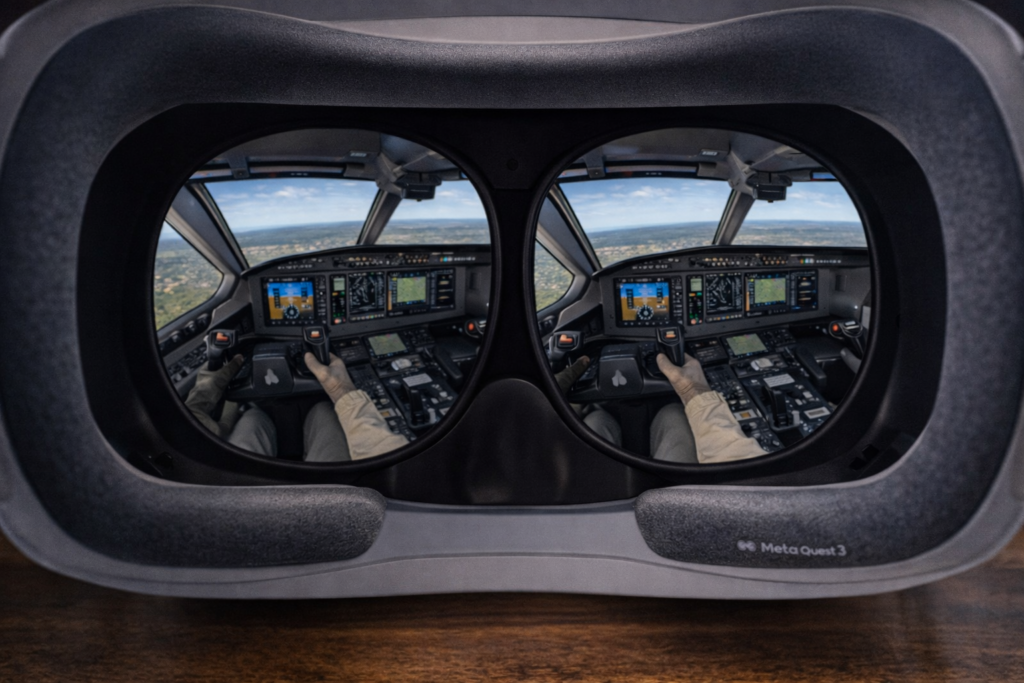
Virtual Reality
Virtual reality takes immersion even further.
Instead of looking at a monitor, VR headsets place you directly inside a fully rendered cockpit environment.
Popular VR devices include the Meta Quest 3.
With VR enabled, pilots can:
- Look around the cockpit naturally
- Judge depth and distance more accurately
- Feel as though they are sitting inside the aircraft
However, VR also has some limitations. Wearing a headset can make it harder to see physical controls, and some users experience discomfort during longer sessions.
For this reason, many simulator pilots experiment with both head tracking and VR to decide which experience they prefer.
Monitor and Display Setups
The final component of a flight simulator hardware setup is the display system.
Your monitor configuration determines how much of the virtual world you can see at any given time.
While a single monitor works perfectly well, many enthusiasts choose to expand their visual setup over time.
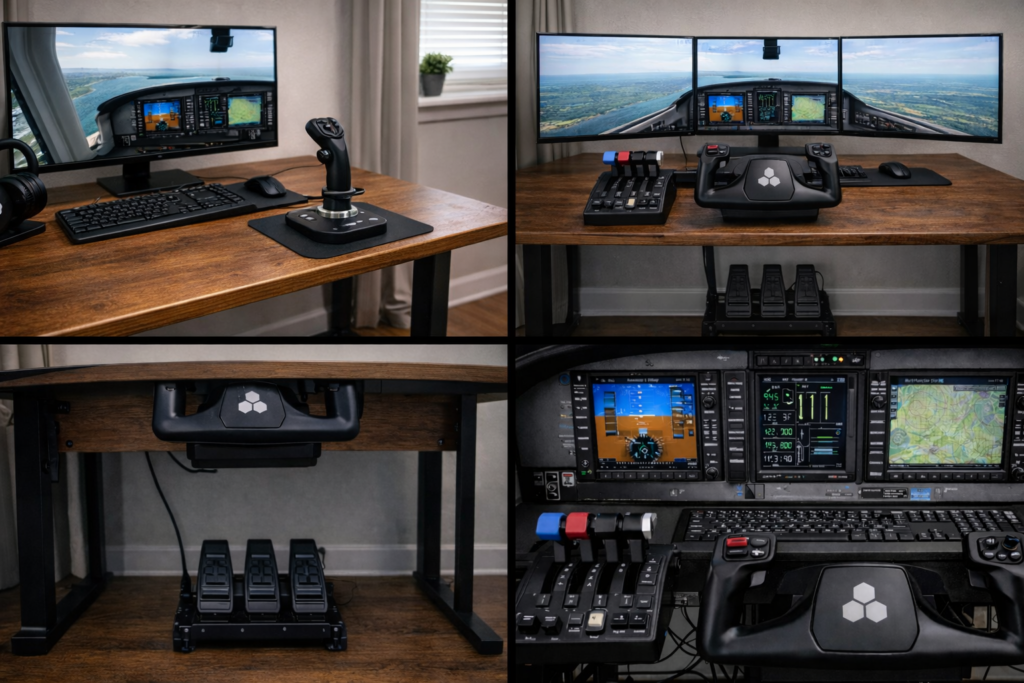
Single Monitor Setup
Most beginners start with a single monitor.
Modern displays can provide excellent image quality, particularly when running simulators like Microsoft Flight Simulator 2024.
A large high-resolution monitor often provides the best balance between simplicity and visual quality.
Ultra-Wide Monitors
Ultra-wide monitors provide a much wider field of view than standard displays.
This allows pilots to see more of the cockpit and the surrounding environment without adding additional monitors.
For many flight simulation enthusiasts, an ultra-wide display is an excellent upgrade.
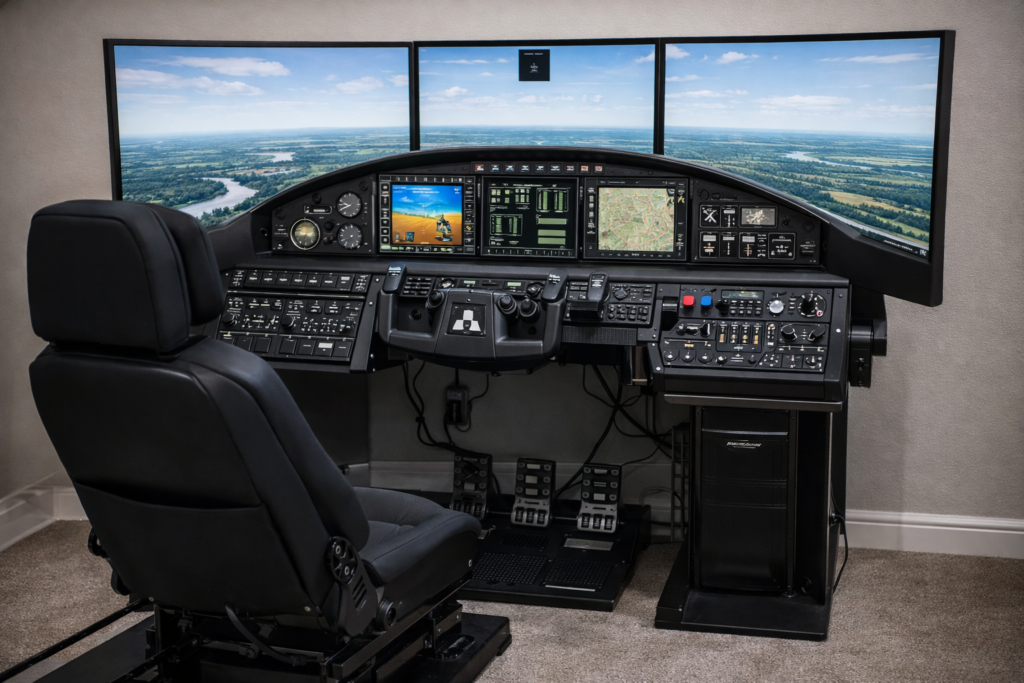
Multi-Monitor Setups
More advanced setups sometimes include two or three monitors placed side-by-side.
This creates a panoramic view of the outside world and dramatically increases immersion.
Triple-monitor configurations are particularly popular among enthusiasts who enjoy realistic cockpit environments.
Expanding Your Flight Simulator Setup
One of the most enjoyable aspects of flight simulation is that your setup can evolve over time.
Many enthusiasts begin with a simple joystick and eventually expand their equipment to include:
- Throttle quadrants
- Rudder pedals
- Panels and switches
- Head tracking or VR
- Multi-monitor displays
Gradually building your setup allows you to improve realism without needing to purchase everything at once.
Each new component adds another layer of immersion and control.
Best Beginner Flight Simulator Setup
Many people who are new to flight simulation assume they need a room full of equipment to enjoy the experience. The reality is much simpler. A basic setup can provide a very enjoyable flying experience without costing a fortune.
For beginners, the goal should be simplicity and control precision, rather than trying to replicate a full cockpit immediately.
A good beginner setup usually includes:
- A joystick or entry-level yoke
- A single monitor
- A comfortable desk setup
- Keyboard shortcuts for secondary controls
This configuration allows you to focus on learning how aircraft behave and how the simulator works.
Many new simulator pilots start with a joystick because it requires less desk space and is relatively affordable. A good joystick can provide precise control and work well across many different aircraft types.
Once you become more comfortable with the simulator, you may begin adding extra hardware such as rudder pedals or throttle quadrants.
The key point for beginners is that you do not need a complex setup to start enjoying flight simulation.
Modern simulators like Microsoft Flight Simulator 2024 provide excellent flying experiences even with a simple control system.
Mid-Range Flight Simulator Setup
After spending some time flying, many enthusiasts begin upgrading their equipment to improve realism and control.
A mid-range setup often includes a combination of dedicated flight controls that better replicate the layout of real aircraft.
Typical components include:
- A flight yoke or advanced joystick
- Rudder pedals
- A throttle quadrant
- Head tracking
- A large monitor or ultra-wide display
This type of setup dramatically improves the flying experience. Rudder pedals allow coordinated turns and more realistic taxi control. A throttle quadrant provides smoother power adjustments, and head tracking allows you to look around the cockpit naturally.
Many enthusiasts find that this level of hardware provides an excellent balance between realism and practicality.
It also represents the point where flight simulation begins to feel much closer to operating a real aircraft.
Advanced Home Flight Simulator Setup
Some enthusiasts take flight simulation even further and build highly immersive cockpit environments.
These advanced setups may include:
- Cockpit frames
- Multiple monitors
- Dedicated instrument panels
- VR headsets or head tracking
- Mounted flight controls
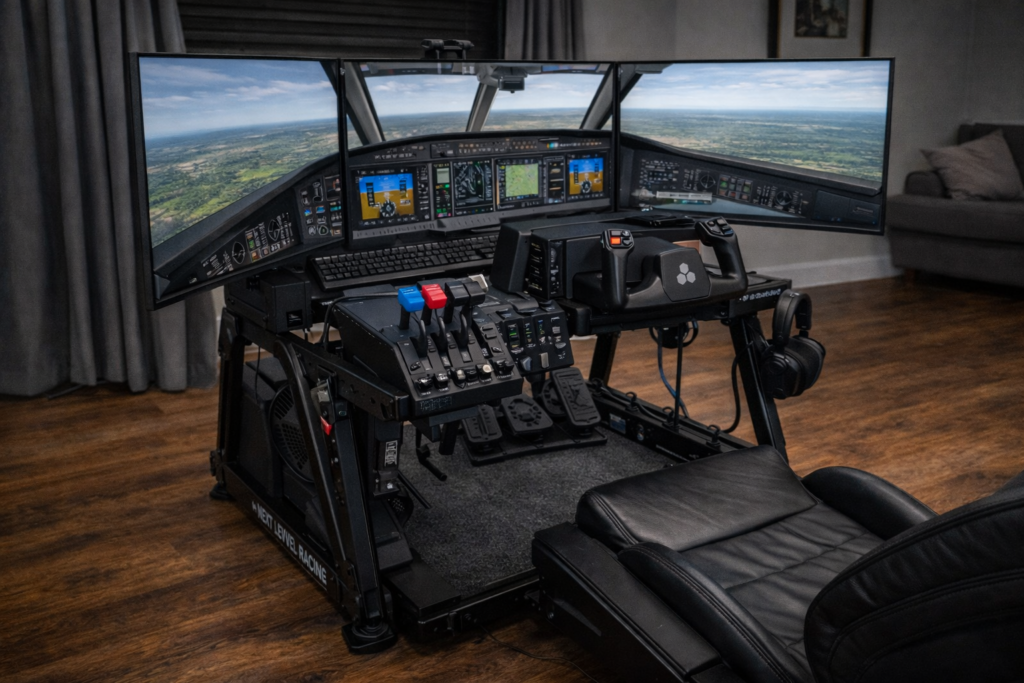
Companies such as Next Level Racing produce cockpit frames specifically designed for flight simulation.
These frames allow controls, monitors, and panels to be mounted in positions similar to real aircraft cockpits.
Advanced setups are particularly popular among pilots who enjoy highly realistic procedures such as:
- IFR flying
- Airline operations
- Long-haul flights
- Aircraft system simulation
While these setups require more space and investment, they can create an incredibly immersive experience.
For many aviation enthusiasts, building and refining a simulator cockpit becomes a hobby in its own right.
Hardware Advice From a Real Pilot’s Perspective
One of the most common questions people ask when building a flight simulator is: “What hardware should I buy first?”
The answer often depends on how you intend to use the simulator.
From a practical flying perspective, the most important elements are control precision and smooth inputs.
In real aircraft, small control movements can have significant effects on the aircraft’s behaviour. Having proper flight controls in a simulator allows you to make those small corrections much more naturally.
If you are upgrading your setup gradually, the following order usually provides the biggest improvements.
First, upgrade the primary flight control. This means replacing keyboard or controller inputs with either a yoke or a joystick.
Second, add rudder pedals. These improve taxiing, coordinated turns, and crosswind landings.
Third, add a throttle quadrant to allow more precise power control.
After these core controls are in place, additional equipment such as panels, head tracking, or multi-monitor setups can further enhance the experience.
For most pilots, those three core controls — flight control, pedals, and throttle — create the biggest leap in realism.
Frequently Asked Questions
Do you need rudder pedals for a flight simulator?
Rudder pedals are not strictly required, but they greatly improve realism. They allow proper coordinated turns, better taxi control, and more accurate crosswind landings.
Is a yoke better than a joystick?
Neither control system is universally better. Yokes are commonly used in general aviation aircraft and airliners, while joysticks are often preferred for fighter aircraft and helicopters.
The best choice depends on the type of aircraft you enjoy flying.
Is VR worth it for flight simulation?
Virtual reality can provide an extremely immersive experience because it places you directly inside the cockpit environment. However, some pilots prefer head tracking because it allows them to see their physical controls more easily.
What computer hardware is required for flight simulation?
Modern simulators can be demanding, particularly graphically intensive ones like Microsoft Flight Simulator 2024. A reasonably powerful PC with a modern graphics card will provide the best experience, especially if you plan to use high graphics settings or VR.
Final Thoughts
Flight simulation is one of the most rewarding hobbies for aviation enthusiasts. With modern simulators and dedicated hardware, it is now possible to experience an incredibly realistic flying environment from home.
The most important thing to remember when building a flight simulator setup is that you can start simple and expand gradually.
Even a basic control setup can provide an enjoyable and immersive flying experience. Over time, additional hardware such as rudder pedals, throttle systems, and cockpit panels can transform that simple setup into something much more advanced.
Whether you are flying short scenic routes or planning long-haul airline operations, the right hardware can make your simulator feel far closer to the experience of real flight.