
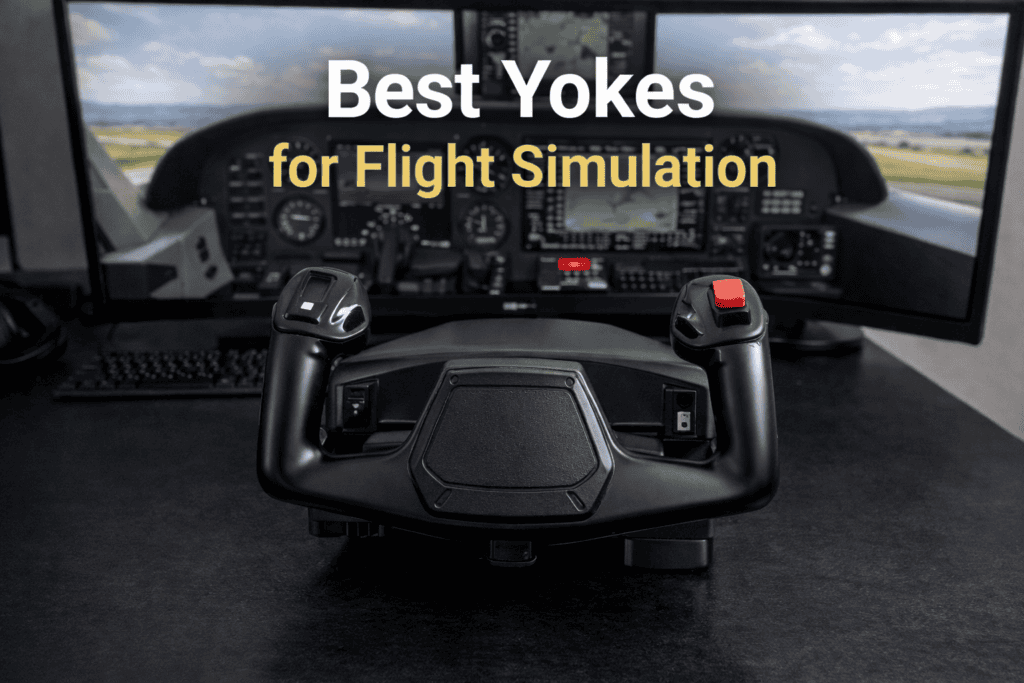
Flight simulator yokes are one of the most popular pieces of hardware used by enthusiasts who want a more realistic flying experience in Microsoft Flight Simulator. While joysticks are often the starting point for many pilots, a yoke can provide a control style that closely resembles the controls found in many real-world aircraft.
Aircraft such as the Cessna 172, Beechcraft Bonanza and many commercial airliners use a yoke instead of a joystick. Because of this, many flight simulation pilots choose a yoke to better replicate the handling and control feel of these aircraft.
In this guide, we explore how yokes work in flight simulation, what advantages they offer, and how they can improve realism and immersion when flying in Microsoft Flight Simulator.
What Is a Flight Simulator Yoke?
A flight simulator yoke is a control device that replicates the control wheel used in many real aircraft. Instead of moving a joystick, the pilot controls the aircraft by pushing, pulling, and turning the yoke.
Pulling the yoke back raises the aircraft’s nose and initiates a climb, while pushing the yoke forward lowers the nose and begins a descent. Turning the yoke left or right controls the aircraft’s roll, allowing the pilot to bank the aircraft during turns.
This style of control feels very natural when flying aircraft designed around a yoke-based control system.
Why Many Pilots Prefer Yokes
For aircraft that use yokes in real life, this control method can feel much more authentic than a joystick. Many flight simulator enthusiasts enjoy the sensation of flying with controls that closely match the layout of a real cockpit.
A yoke also allows for more gradual control inputs, which can be especially useful during approach and landing. Small adjustments are often easier to manage with a yoke, making it easier to maintain smooth and stable flight.
For pilots who primarily fly general aviation aircraft or airliners, a yoke can add a strong sense of realism to the simulator experience.
Features to Consider in a Flight Simulator Yoke
Not all yokes are identical, and several features can affect the quality of the flying experience.
Smooth Control Movement
A good yoke should move smoothly and provide consistent resistance when pushed or pulled. Smooth movement allows the pilot to make small adjustments without sudden jumps in control input.
Build Quality
Flight simulator yokes are often mounted to desks or cockpit frames, so a sturdy design is important. A well-built yoke will remain stable during flight and provide consistent control feedback.
Programmable Buttons and Switches
Many yokes include programmable switches, buttons and hat controls. These can be assigned to functions such as trim, flaps, landing gear and camera controls.
Having these functions directly on the yoke reduces the need to use the keyboard during flight.
Yokes and Different Types of Aircraft
While yokes are ideal for many aircraft, they are not the only control style used in aviation.
Aircraft such as fighter jets and some modern airliners use sidesticks or control sticks instead. However, many popular aircraft in Microsoft Flight Simulator — especially general aviation aircraft — are designed around yoke controls.
For pilots who enjoy flying these aircraft, a yoke provides a very authentic control experience.
Building a Realistic Flight Deck
Many flight simulator enthusiasts combine a yoke with additional hardware to create a more complete cockpit setup.
Common additions include:
- throttle quadrants
- rudder pedals
- switch panels
- instrument displays
Together, these components create a more immersive simulator environment that closely resembles a real aircraft cockpit.
SUMMARY
Flight simulator yokes provide an excellent way to enhance realism in Microsoft Flight Simulator. By replicating the control wheel used in many real aircraft, they allow pilots to experience a control style that closely matches real-world aviation.
For enthusiasts who enjoy flying general aviation aircraft or airliners, a yoke can greatly improve immersion and provide a more authentic flying experience.