
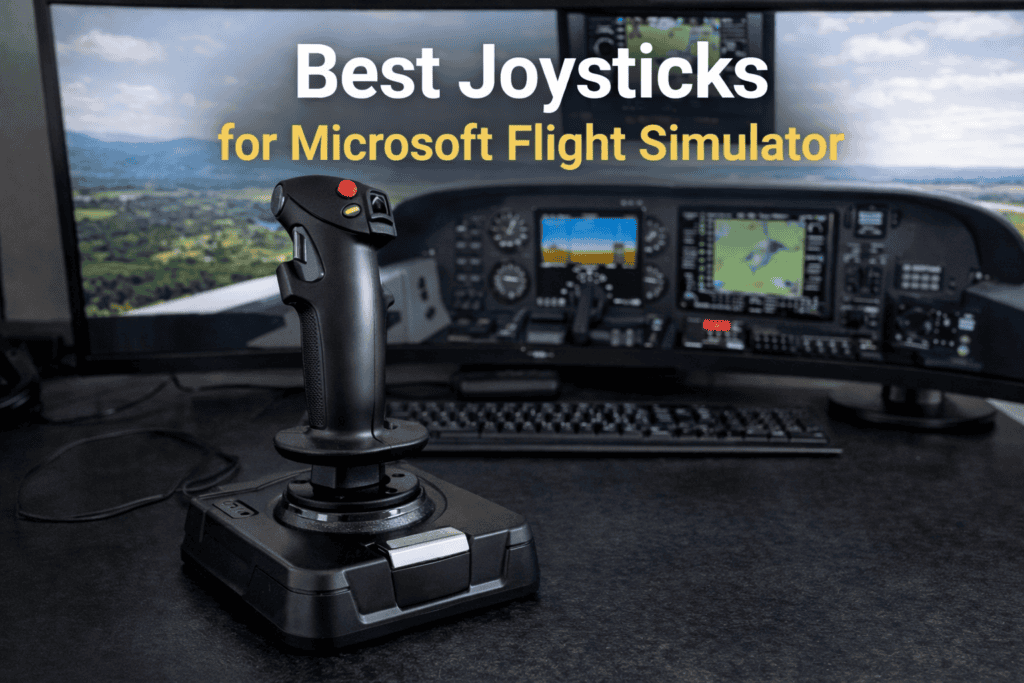
Choosing the right flight controls can dramatically improve your experience in Microsoft Flight Simulator. While the simulator can be flown using a keyboard, mouse, or game controller, a dedicated joystick gives you much more precise control and a far more immersive flying experience.
Joysticks are often the easiest and most affordable way to begin building a flight simulation setup. They provide intuitive control over pitch, roll, and yaw, and many models include additional buttons, throttles, and programmable switches that allow you to manage important flight functions without constantly using the keyboard.
In this guide, we will explore how joysticks work in Microsoft Flight Simulator, what features matter most, and what types of joystick setups are best suited for different styles of flying.
Why Many Flight Sim Pilots Use a Joystick
For many beginners, a joystick is the most natural way to control an aircraft in Microsoft Flight Simulator. The movement of the stick directly mirrors the control inputs used in many real aircraft, allowing you to manage pitch and roll smoothly and precisely.
A good joystick makes small corrections easier, which is especially helpful when flying light aircraft, performing landings or navigating challenging weather conditions. Compared with a keyboard or controller, the level of precision offered by a joystick can make flying feel much more realistic.
Joysticks are also compact and easy to set up, making them ideal for users who fly from a desk rather than a dedicated simulator cockpit.
What a Joystick Controls in Microsoft Flight Simulator
A typical joystick allows you to control several primary flight functions.
Pitch control is handled by moving the stick forward and backward, allowing the aircraft to climb or descend. Rolling the aircraft left or right is controlled by moving the stick side to side.
Many joysticks also include a twist function that allows you to control the rudder, which is useful for coordinating turns or steering the aircraft during taxi.
Additional buttons and switches can be assigned to functions such as:
- landing gear
- flaps
- trim
- autopilot controls
- camera views
This allows you to keep your hands on the flight controls instead of constantly reaching for the keyboard.
Important Features to Look For
Not all joysticks are the same, and several features can significantly improve your flying experience.
Precision Sensors
High-quality joysticks use advanced sensors that detect even very small movements. This allows for smoother control inputs and better handling during critical phases of flight, such as landing.
Adjustable Sensitivity
Microsoft Flight Simulator allows you to adjust joystick sensitivity within the simulator settings. A joystick that supports smooth response curves makes it easier to fine-tune your control inputs.
Integrated Throttle
Many joysticks include a small throttle lever on the base of the unit. While it is not as advanced as a dedicated throttle quadrant, it allows you to manage engine power without needing a separate controller.
Programmable Buttons
Most flight simulator joysticks include multiple programmable buttons that can be mapped to different simulator functions. This can greatly simplify cockpit management during flight.
Joystick vs Yoke
Some flight simulator enthusiasts prefer using a yoke instead of a joystick, particularly when flying aircraft such as the Cessna 172 or larger commercial airliners.
However, joysticks remain extremely popular because they are versatile and work well with many different aircraft types. Fighter jets, bush planes, and aerobatic aircraft often use joystick-style controls in real life, making them a natural fit in the simulator.
For many pilots, a joystick provides the best balance of affordability, simplicity, and immersion.
Are Joysticks Good for Beginners?
Yes. In fact, a joystick is often the best starting point for new flight simulator pilots.
A basic joystick setup allows you to learn the fundamentals of aircraft control without needing a large amount of hardware. Once you become more experienced, you can gradually expand your setup with additional equipment such as rudder pedals or throttle quadrants.
This gradual approach allows you to build your simulator environment over time.
Expanding Your Flight Simulator Hardware Setup
As your interest in flight simulation grows, you may wish to add additional hardware to complement your joystick.
Common upgrades include:
- rudder pedals for more precise ground steering
- throttle quadrants for multi-engine aircraft
- Head tracking devices for improved cockpit visibility
These additions can significantly enhance the realism of your simulator setup, but many pilots continue to enjoy Microsoft Flight Simulator using only a joystick.
SUMMARY
A joystick remains one of the most accessible and versatile pieces of hardware for Microsoft Flight Simulator. It provides precise aircraft control, simple setup, and an affordable entry point into the world of flight simulation.
Whether you are flying small general aviation aircraft, exploring scenic routes, or practicing approaches into challenging airports, a well-configured joystick can greatly improve the realism and enjoyment of the simulator.
For many flight simulator pilots, it is the first step toward building a more complete and immersive home cockpit environment.