
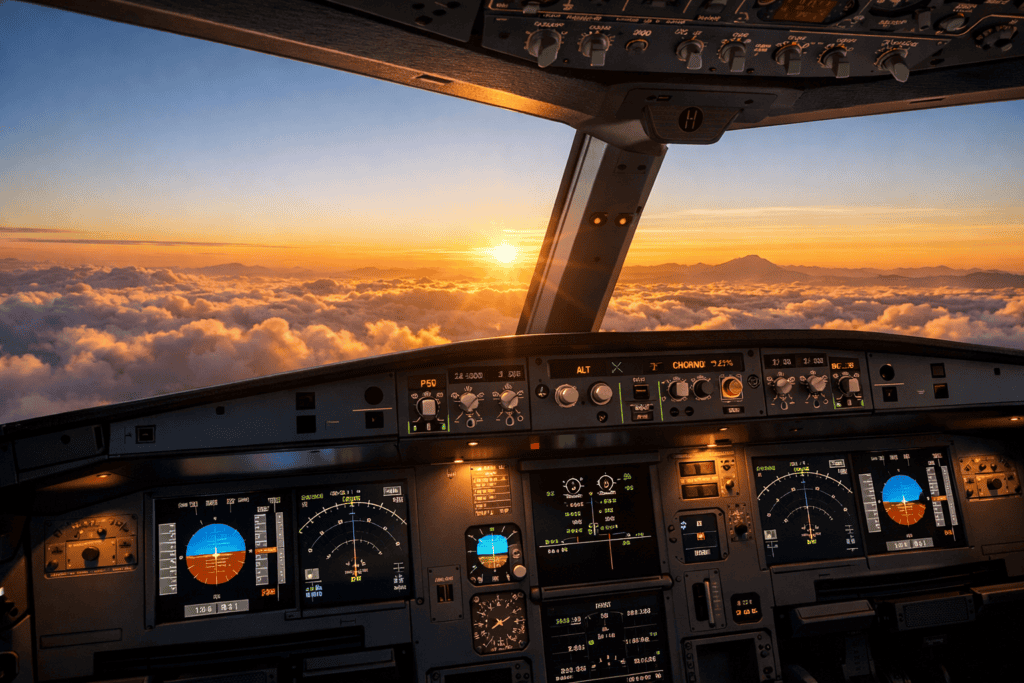
A realistic Microsoft Flight Simulator 2024 cockpit view during sunrise with a modern airliner climbing above clouds. The flight deck instruments glow softly while warm golden light fills the sky outside the windshield.
Microsoft Flight Simulator 2024 is one of the most realistic and visually impressive flight simulators ever created. The simulator models real-world aircraft systems, global scenery, advanced weather, and highly detailed airports. Because of this depth, many new pilots only use a small portion of what the simulator is capable of.
Learning a few practical tips and tricks can dramatically improve both the experience and the performance of the simulator. Small adjustments to settings, better flight planning habits, and improved flying techniques can make flights smoother, more immersive, and more enjoyable.
This guide shares useful Microsoft Flight Simulator 2024 tips and tricks that will help you get more from the simulator, whether you are just starting out or already have many hours in the cockpit.
Learn the Camera System
One of the first things every pilot should learn in Microsoft Flight Simulator is the camera system. Being able to quickly move around the cockpit or change external views makes flying much easier.
Useful camera skills include:
- zooming into instruments
- looking around the cockpit freely
- switching between cockpit and external views
- creating custom camera positions
Many experienced sim pilots map camera controls to their joystick or yoke buttons so they can look around the cockpit without touching the keyboard.
Optimise Your Graphics Settings
MSFS2024 can look stunning, but some graphics settings can have a major impact on frame rate.
If your simulator feels slow or stutters during flight, experiment with these settings:
- Terrain Level of Detail
- Object Level of Detail
- Clouds quality
- Anti-aliasing method
- Shadow quality
Reducing just one or two demanding settings can significantly improve performance without noticeably reducing visual quality.
Terrain Level of Detail is often one of the biggest performance factors.Use the World Map Flight Planner
The World Map is a powerful flight planning tool that many beginners overlook.
Using the world map you can:
- Choose departure and arrival airports
- select gates or parking stands
- plan VFR or IFR routes
- Adjust the weather and time of day
- select aircraft and payload
Learning how to properly plan a flight using the world map makes the entire simulation experience more realistic and organised.
Start with a simple aircraft
Complex airliners may look exciting, but they can be overwhelming for beginners.
It is usually better to start with simpler aircraft such as:
- Cessna 152
- Cessna 172
- small propeller aircraft
These aircraft allow you to focus on the fundamentals of flying:
- maintaining altitude
- controlling speed
- understanding trim
- basic navigation
Once you feel comfortable, you can gradually move to more advanced aircraft.
Master Trim Control
Trim is one of the most important skills in flight simulation.
Instead of constantly holding the controls to maintain altitude, trim allows the aircraft to remain stable with minimal input.
If you find yourself constantly pulling back on the controls or pushing forward to stay level, the aircraft likely needs trimming.
Learning to trim properly will make your flying smoother and far more realistic.
Use Aircraft Checklists
Many aircraft in Microsoft Flight Simulator include built-in checklists that guide you through important procedures.
Typical checklist phases include:
- pre-flight setup
- engine start
- taxi preparation
- takeoff configuration
- landing preparation
Using checklists helps ensure that important steps are not missed and adds realism to the simulation.
Pay Attention to the Weather
Weather plays a huge role in flight simulation.
Before starting a flight, check conditions such as:
- wind direction
- cloud layers
- visibility
- turbulence
Strong crosswinds, storms, or poor visibility can make landings much more challenging.
For beginners, calm weather conditions are usually the best environment for practicing basic flying skills.
Use Autopilot on Longer Flights
Autopilot is extremely useful for managing longer flights.
It can control:
- heading
- altitude
- navigation routes
- approach procedures
Using autopilot correctly lets you focus on navigation, flight planning, and enjoying the scenery rather than constantly manually adjusting the aircraft.
Practice Takeoffs and Landings
Takeoffs and landings are two of the most rewarding skills to master in flight simulation.
One of the best ways to improve is by practicing repeated circuits at the same airport.
Focus on:
- maintaining the correct approach speed
- following the proper glide path
- performing a smooth flare before touchdown
Regular practice will quickly improve your confidence and landing accuracy.
Explore the World
One of the most exciting features of Microsoft Flight Simulator is the ability to fly anywhere in the world.
Try flying in different environments, such as:
- mountain airports
- island runways
- busy international airports
- remote wilderness airstrips
Exploring different parts of the world keeps the simulator interesting and allows you to experience a wide range of flying challenges.
SUMMARY
Microsoft Flight Simulator 2024 offers an incredibly detailed and immersive flying experience, but learning a few useful tips can make the simulator even more enjoyable.
By improving your camera control skills, optimising graphics settings, planning flights properly, and practicing core flying techniques such as trimming and landing, you can dramatically improve both performance and realism.
With time and experience, every flight becomes smoother and more rewarding as you continue to explore everything the simulator has to offer.