
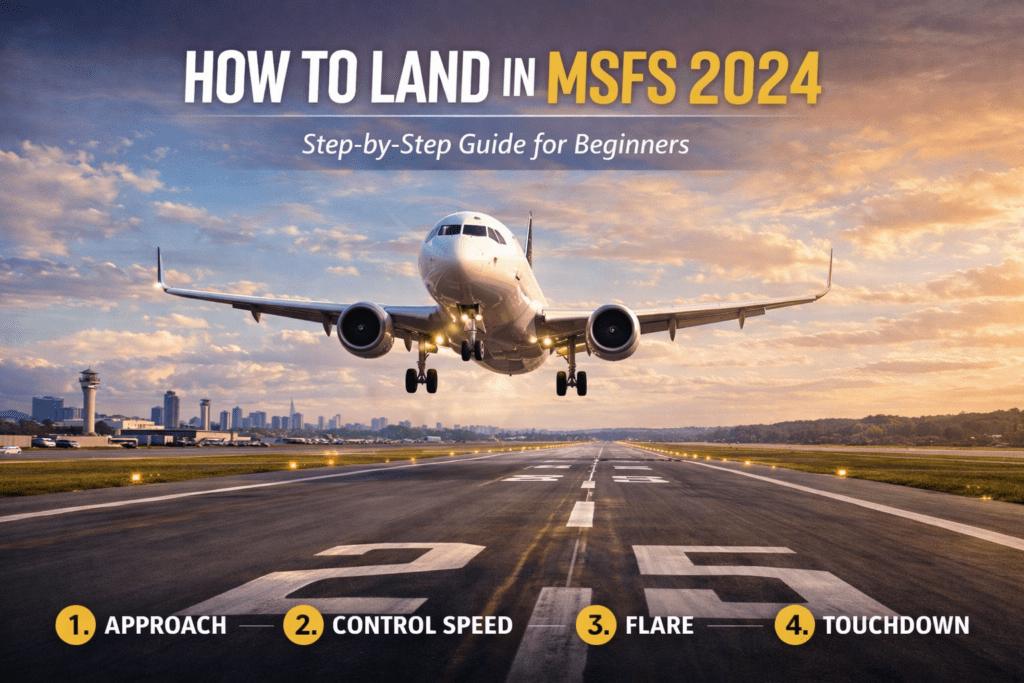
(Step-by-Step Guide)
Learning how to land in Microsoft Flight Simulator 2024 is one of the most satisfying skills to master in Microsoft Flight Simulator 2024. After completing a flight, guiding the aircraft smoothly onto the runway feels incredibly rewarding.
For beginners, however, landings can feel difficult at first. Aircraft may bounce, float down the runway, or touch down too hard.
The good news is that a good landing follows a simple and predictable sequence. Once you understand the fundamentals of approach speed, glide path, and the flare, landing becomes far easier.
This guide explains how to land smoothly in MSFS 2024, whether you’re flying a small training aircraft or a large airliner.
The Basic Landing Sequence
A typical landing follows five main steps:
- Set up the approach
- Control your speed
- Follow the glide path
- Flare just before touchdown
- Roll out and slow down
Understanding these steps will dramatically improve your landings.
Step 1: Set Up Your Approach
Before landing, you must position the aircraft correctly for the runway.
This stage begins several miles from the airport.
Your goal is to:
- align with the runway centreline
- descend gradually toward the runway
- maintain a stable approach
If you’re using the simulator’s flight planning tools, your approach will often guide you toward the runway automatically.
If you’re new to the simulator, it may help to review the Microsoft Flight Simulator 2024 Beginner Guide, which explains navigation basics and flight setup.
Step 2: Control Your Speed
Speed management is one of the most important parts of landing.
If you approach too fast, the aircraft will float along the runway and refuse to land.
If you approach too slowly, you risk stalling before reaching the runway.
Typical approach speeds:
Small aircraft
≈ 60–70 knots
Business jets
≈ 110–130 knots
Airliners
≈ 130–150 knots
Gradually reducing the throttle allows the aircraft to descend smoothly while maintaining a safe airspeed.
Step 3: Follow the Glide Path
As you approach the runway, your aircraft should follow a gentle descent angle known as the glide path.
Most runways use an approach angle of approximately:
3 degrees
You can visualize this as a long, gentle slope leading down to the runway.
To maintain the correct glide path:
- adjust throttle to control the descent
- Use small pitch adjustments
- Keep the runway centred in your view
If the runway appears to rise in your windshield, you are too low.
If it appears to move downward, you are too high.
Maintaining a stable approach is key to a smooth landing.
Step 4: The Flare
Just before the aircraft reaches the runway, you perform the flare.
The flare is a gentle pitch-up movement that slows the descent rate.
At roughly 10–20 feet above the runway, slowly pull back on the control column.
This does two things:
- reduces the descent rate
- allows the aircraft to settle gently onto the runway
The goal is not to climb, but simply to soften the touchdown.
Pulling back too aggressively can cause the aircraft to balloon upward.
Step 5: Touchdown and Rollout
As the aircraft settles onto the runway:
- Reduce the throttle fully
- Allow the main wheels to touch first,
- keep the aircraft aligned with the runway centreline
Once on the runway, gently apply braking as needed.
For larger aircraft, spoilers and reverse thrust may also be used to slow down.
Maintaining directional control during the rollout is important, especially in crosswinds.
Common Landing Mistakes
Many beginner landing problems come from just a few common mistakes.
Approaching Too Fast
Excessive speed causes the aircraft to float down the runway.
Reducing speed earlier in the approach usually solves this problem.
Flaring Too Early
Pulling back too high above the runway causes the aircraft to climb again.
Wait until you are close to the runway before flaring.
Pulling Back Too Much
A large pitch-up movement can cause the aircraft to stall or bounce.
The flare should be gentle and gradual.
Aircraft Differences
Landing behaviour varies depending on aircraft type.
Small Training Aircraft
Aircraft like the Cessna 172 are very forgiving and ideal for practicing landings.
They require relatively slow approach speeds and short runways.
Business Jets
Aircraft such as the Cessna Citation X approach much faster and require careful speed control. Airliners
Large aircraft like the PMDG 737-800 require more precise approach speeds and longer runways.
The landing technique is similar, but everything happens at higher speeds.
Practicing Landings
Landing improves quickly with practice.
Try practicing:
- short flights between nearby airports
- Repeated traffic patterns
- Different weather conditions
Short scenic routes are perfect for practicing both takeoffs and landings.
You might enjoy trying some of the Best Short Scenic Flights in MSFS 2024.
Improving Your Landing Technique
If your landings still feel unstable, it may be due to speed control, flare timing, or sensitivity settings.
For more help, see:
Why Your Landings Feel Unstable in MSFS 2024
This guide explains the most common causes of difficult landings and how to fix them.
Final Thoughts
Landing in Microsoft Flight Simulator 2024 becomes much easier once you understand the fundamentals of approach speed, glide path, and the flare.
By maintaining a stable approach and applying a gentle flare just before touchdown, you can achieve smooth and realistic landings every time.
With practice, landing will soon become one of the most enjoyable parts of flying in the simulator.