
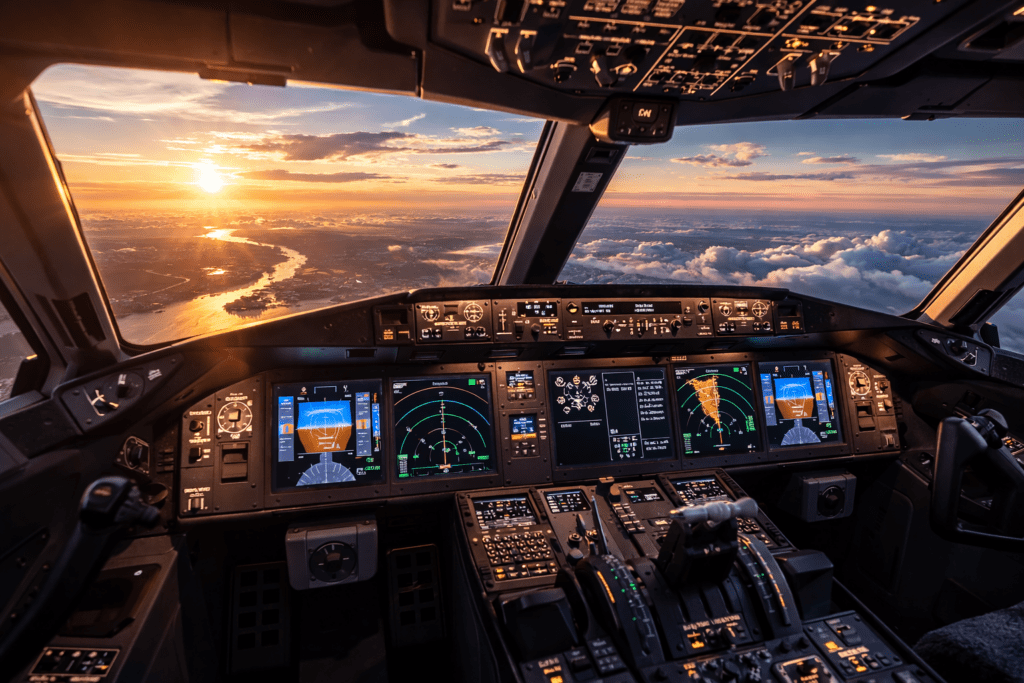
An ILS approach is one of the most satisfying procedures you can fly in Microsoft Flight Simulator 2024. When everything is set up correctly, the aircraft smoothly aligns with the runway centreline and descends along a precise glide path all the way to decision height.
When it does not work properly, however, the approach can feel confusing and unpredictable.
The key thing to understand is that ILS procedures are very logical. If you set them up correctly and intercept the signals from the proper position, they are extremely reliable. Most problems occur because of incorrect setup or trying to capture the signals from the wrong location.
This guide walks through a clear and simple workflow that works for both general aviation aircraft and airliners.
What Is an ILS
ILS stands for Instrument Landing System.
It provides two key guidance signals that help you align with the runway and descend at the correct angle.
Localiser
The localiser provides lateral guidance, keeping the aircraft aligned with the runway centreline.
Glideslope
The glideslope provides vertical guidance, guiding the aircraft down a steady descent path, usually around three degrees.
On your Primary Flight Display, you will normally see:
- A vertical needle showing localiser deviation
- A horizontal needle showing glideslope deviation
When both needles are centred, the aircraft is perfectly aligned with the approach path.
Preparing for the Approach
Before beginning the approach, a few setup steps are essential.
Load the Correct Approach
Use the World Map planner or the aircraft’s avionics to load the ILS approach.
Confirm:
- The correct runway
- The correct ILS approach type
- Any transition if required
Check the ILS Frequency
Even if the frequency is automatically loaded, always verify that:
- The NAV1 frequency matches the published ILS frequency
- The correct course is set (this is often automatic in modern glass cockpits)
Confirm Navigation Source
For an ILS approach, the CDI source must be NAV1, not GPS.
This is one of the most common beginner mistakes. If the navigation source remains set to GPS, the aircraft will not capture the localiser correctly.
Positioning for Intercept
Correct positioning is critical for successful ILS capture.
Altitude
You must be below the glideslope before attempting to capture it.
Typical setup:
- Intercept the localiser first
- Level off at the published intercept altitude
- Allow the glideslope to descend toward the aircraft
If you approach from above the glideslope, it will not capture properly.
Intercept Angle
Approach the localiser with a shallow intercept angle of about 20 to 30 degrees.
If the angle is too steep, the aircraft may overshoot the localiser.
Speed
Stabilise your airspeed before reaching the approach.
For general aviation aircraft:
- Set the approach speed before glideslope capture
For airliners:
- Begin configuring the aircraft for landing before the final descent
Step-by-Step ILS Workflow
Establish on the Localiser
Use heading mode (HDG) to intercept the localiser.
Watch the localiser needle move toward the centre of the display.
Engage Approach Mode
Once the localiser signal becomes active and you are near intercept, press APR (Approach Mode).
The autopilot will first capture the localiser.
Localiser Capture
When captured:
- The aircraft gently turns to align with the runway
- The vertical needle centres
Glideslope Capture
As the glideslope needle moves down and reaches the centre:
- The aircraft begins descending automatically
- The autopilot follows the glideslope path
Configure for Landing
During the descent:
- Gradually reduce power
- Extend flaps as required
- Lower the landing gear at the appropriate point
Continue monitoring the aircraft carefully.
Monitor the Approach
Even when the autopilot is flying the approach, the pilot must still monitor the aircraft.
Scan the instruments and confirm:
- Airspeed remains stable
- Descent rate is reasonable
- The aircraft remains centred on the localiser and glideslope
Autopilot reduces workload, but it does not remove responsibility.
When to Disconnect the Autopilot
A common technique is to disconnect the autopilot when reaching minimums or when the runway becomes visible.
Many pilots then hand-fly the final seconds of the approach and perform the flare manually.
In good weather, you can also disconnect earlier to practice manual ILS tracking.
Common ILS Problems and Fixes
Aircraft Will Not Capture the Localiser
Possible causes include:
- Incorrect ILS frequency
- CDI is still set to GPS
- The intercept angle is too steep
Fixes:
- Confirm the NAV1 frequency
- Switch navigation source to NAV1
- Reposition using heading mode and try again
Aircraft Will Not Capture the Glideslope
Possible causes include:
- Approaching from above the glideslope
- The aircraft’s speed is too high
- APR mode was not armed early enough
Fix:
Level off below the glideslope and allow it to descend to you before capture.
Aircraft Oscillates During Approach
Possible causes include:
- Excessive speed
- Turbulence
- Large control inputs when hand-flying
Fix:
Stabilise the aircraft early and make small, smooth corrections.
Unstable Approach
If by 1000 feet above ground level the aircraft is:
- Too fast
- Too high
- Not fully configured
A go-around is usually the best decision.
There is no penalty for a go-around in MSFS, and practicing them improves realism and confidence.
Tips for Better ILS Landings
A few simple habits make ILS approaches much smoother.
- Slow down earlier than you expect
- Make small, gradual power adjustments
- Monitor vertical speed during descent
- Trim the aircraft before disconnecting the autopilot
- Practice repeatedly at the same airport
On a typical three-degree glideslope, the descent rate will often be around 700–800 feet per minute, depending on groundspeed.
Conclusion
Flying an ILS approach in Microsoft Flight Simulator 2024 becomes straightforward once you follow a clear sequence. Load the correct approach, verify the NAV1 frequency, intercept the localiser at a reasonable angle, remain below the glideslope and engage approach mode at the right time. Most problems are caused by setup errors rather than simulator behaviour. Once you master this process, instrument approaches become one of the most rewarding parts of flying in MSFS.