
I’ve been thinking about upgrading my monitor for Microsoft Flight Simulator for quite some time now.
Like many simmers, I’ve watched countless YouTube videos, read forum discussions, and spent more time than I care to admit looking at OLED monitors online. Every time I see those deep blacks, vibrant colours, and incredible contrast, I find myself wondering whether now is finally the time to upgrade.
Yet here I am, still flying on my trusty 34-inch ultrawide monitor.
This isn’t a review of OLED monitors, and it certainly isn’t a buying guide. Instead, it’s simply my thoughts as a flight simmer who is genuinely considering an OLED upgrade but hasn’t quite convinced himself to spend the money yet.
Quick Answer
OLED monitors can look absolutely stunning in Microsoft Flight Simulator thanks to their deep blacks, outstanding contrast, and vibrant colours. However, they remain expensive, and concerns about burn-in, long-term reliability, and overall value mean they are not automatically the best choice for every simmer.
My Current Monitor Still Does a Good Job
Before talking about OLED, it’s only fair to talk about what I’m currently using.
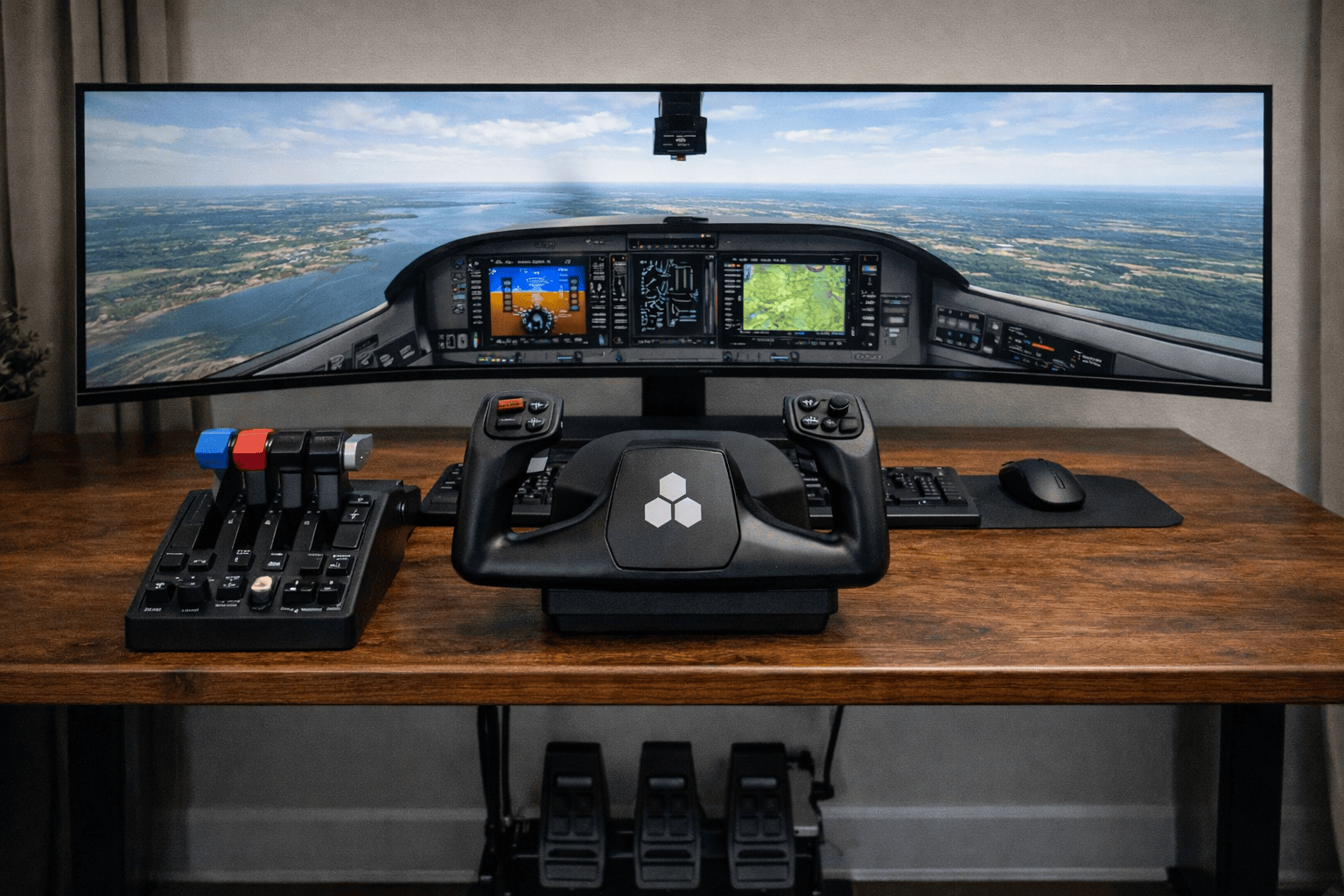
My monitor is a Samsung 34-inch ultrawide display, and for Microsoft Flight Simulator, it does a surprisingly good job. The extra width helps with immersion, the image quality is perfectly respectable, and it gives me plenty of screen space for flight planning, charts, and simulator windows.
In truth, there is nothing wrong with it.
That’s one of the reasons I’ve delayed upgrading. It’s much easier to justify replacing something that is failing than replacing something that continues to perform well.
What Attracts Me to OLED?
The answer is simple.
OLED monitors look incredible.
Whenever I watch a good flight simulator video filmed on an OLED display, the image immediately catches my attention.
What stands out most is the contrast.
- Blacker blacks
- Brighter highlights
- Richer colours
- More depth in cloud scenes
- Better sunrise and sunset visuals
- Improved night flying atmosphere
Microsoft Flight Simulator is one of the most visually impressive games ever created, and OLED seems perfectly suited to showing off those visuals.
Pete’s Take
Every time I see a good OLED demonstration, I start reaching for my wallet. Then I see the price tag and quickly put my wallet away again.
The Problem Is the Price
This is where things start becoming difficult.
A decent OLED monitor isn’t cheap.
Depending on the model, many of the displays I’m interested in cost somewhere between $1,500 and 2,500 Australian dollars.
That’s a significant amount of money.
For that sort of investment, I need to be convinced that the improvement will be genuinely worthwhile.
It’s not enough for something to be better. It has to be enough better to justify spending the money.
Burn-In Still Concerns Me
Even though OLED technology has improved considerably, burn-in remains one of the concerns that keeps appearing in discussions.
Flight simulators often display static information for long periods.
- Instrument panels
- Toolbar icons
- Navigation displays
- Menu systems
- Windows taskbars
Manufacturers have introduced various protections to reduce the risk, but the concern still lingers in the back of my mind.
If I’m spending thousands of dollars on a monitor, I want confidence that it will still be performing well several years down the track.
Worth Knowing: Most modern OLED monitors include built-in protection systems designed to minimise burn-in risk, but many buyers still prefer to see several years of real-world usage before feeling completely comfortable.
What Other Simmers Are Saying
The opinions seem divided.
Some simmers claim OLED was the single biggest visual upgrade they have ever made.
Others acknowledge that it looks fantastic but feel the difference isn’t large enough to justify the price.
That makes the decision even harder.
When everyone agrees on something, buying decisions are easy. When opinions are split, it becomes much more difficult to know what to do.
Would OLED Improve My Flying?
No.
And that’s worth remembering.
An OLED monitor won’t make me a better pilot.
It won’t improve my landings.
It won’t help me manage an approach any better.
What it will do is improve the visual experience.
That might sound obvious, but it’s important because sometimes we can convince ourselves that a hardware upgrade will transform everything.
Often it simply makes an already enjoyable hobby look even better.
What Would Convince Me to Buy One?
There are several things.
Lower Prices
OLED prices have already started falling, and I expect that trend to continue.
Long-Term Reliability Data
The more years OLED monitors spend in the market, the more confidence buyers gain.
Better Warranties
A strong warranty helps remove some of the uncertainty.
Seeing One in Person
Videos are useful, but nothing beats seeing a monitor with your own eyes.
Real Pilot Tip
One thing I’ve learned from both real-world flying and flight simulation is that the most expensive equipment isn’t always the most important.
A good monitor is nice to have, but good flying, good planning, and enjoying the experience matter far more than having the latest hardware.
Sometimes it’s worth appreciating what you already have while waiting for technology to mature further.
Common Mistakes When Shopping for a Flight Simulator Monitor
- Focusing only on screen size.
- Ignoring warranty coverage.
- Buying based solely on YouTube videos.
- Assuming more expensive automatically means better.
- Not considering desk space.
- Forgetting about GPU requirements.
Frequently Asked Questions
Is OLED worth it for Microsoft Flight Simulator?
For many simmers, yes. The visual quality can be exceptional. Whether it’s worth the cost depends on your budget and expectations.
Is burn-in still a problem?
Modern OLED displays are much better than early generations, but it remains a concern for some buyers.
What size monitor is best for flight simulation?
That depends on your setup, but many simmers prefer ultrawide monitors between 34 and 49 inches.
Would I buy an OLED today?
At the moment, I’m still undecided.
My Thoughts Right Now
OLED is clearly an impressive technology.
Every time I look at one, I understand why so many people love them.
At the same time, I’m not convinced that rushing out and spending thousands of dollars is necessarily the right move for me right now.
My current monitor still performs well, and until I’m completely comfortable with the value proposition, I’ll probably keep flying with what I already have.
That may change tomorrow, next month, or next year.
For now, the research continues.
Summary
If you’re considering an OLED monitor for Microsoft Flight Simulator, you’re certainly not alone. I’ve been looking at them myself for quite some time.
They offer stunning image quality and can make the simulator look spectacular. However, they’re still expensive, and there are legitimate questions about long-term value, reliability, and whether the improvement justifies the cost.
For now, I’m still sitting on the fence. But if I eventually take the plunge and buy one, I’ll return to this article and share my real-world experience after living with it for a while.
Future Update
If I eventually purchase an OLED monitor, I’ll update this article with my impressions, what I liked, what I didn’t like, and whether I believe the upgrade was worth the money for Microsoft Flight Simulator. Stay tuned.
